R&S
®
ZVA / R&S
®
ZVB / R&S
®
ZVT GUI Reference
Channel Menu
Operating Manual 1145.1084.12 – 30 491
and start the wizard.
4. Step through the wizard, following the instructions in the dialogs.
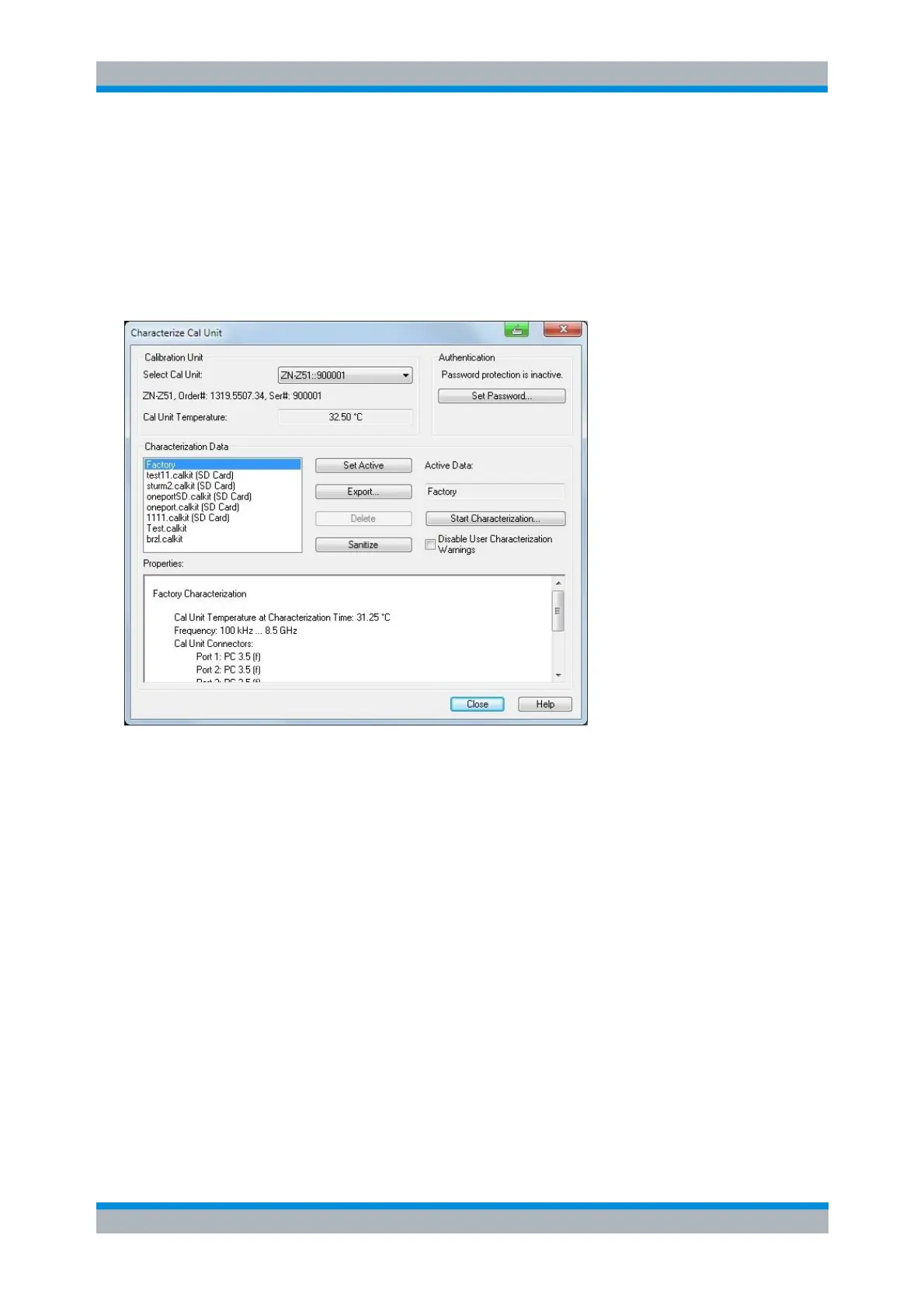
Characterize Cal Unit
The Characterize Cal Unit dialog displays the properties of the connected cal units, provides control
elements for characterization file management, and starts the characterization wizard.
In the dialog, you can:
Select a cal unit from the list of connected units (Select Cal Unit, relevant if several units are
connected). The list is updated whenever a calibration unit is connected to (or disconnected from)
the analyzer.
Set a password to protect the characterization dialog and the Start Characterization wizard from
unauthorized access and operation. Set Password opens a dialog to enter the password and
activate password protection at the next time the Characterize Cal Unit dialog is opened. Enter an
empty string (no password) to deactivate password protection.
View the list of available characterization data sets and their Properties.
Select a characterization from the list. You can set this characterization active for subsequent
calibration processes using the selected cal unit (Set Active), Export the data to a *.s1p
Touchstone file (e.g. for comparison with older characterization data or characterization data
with/without connected adapters), or Delete the data. Note that Export... will initiate an export of
all characterization data to different *.s1p files, each containing the name of the characterization
in its file name.
Use the Sanitize function to securely erase all user characterizations from the internal memory of
the selected cal unit.
The Sanitize function is available for cal units R&S ZN-Zxx/Zxxx only. Neither does it erase the
factory characterization from the cal unit nor does it erase any user characterizations from the cal
unit's removable SD card (if available).



 To Next Page