R&S
®
ZVA / R&S
®
ZVB / R&S
®
ZVT GUI Reference
System Menu
Operating Manual 1145.1084.12 – 30 530
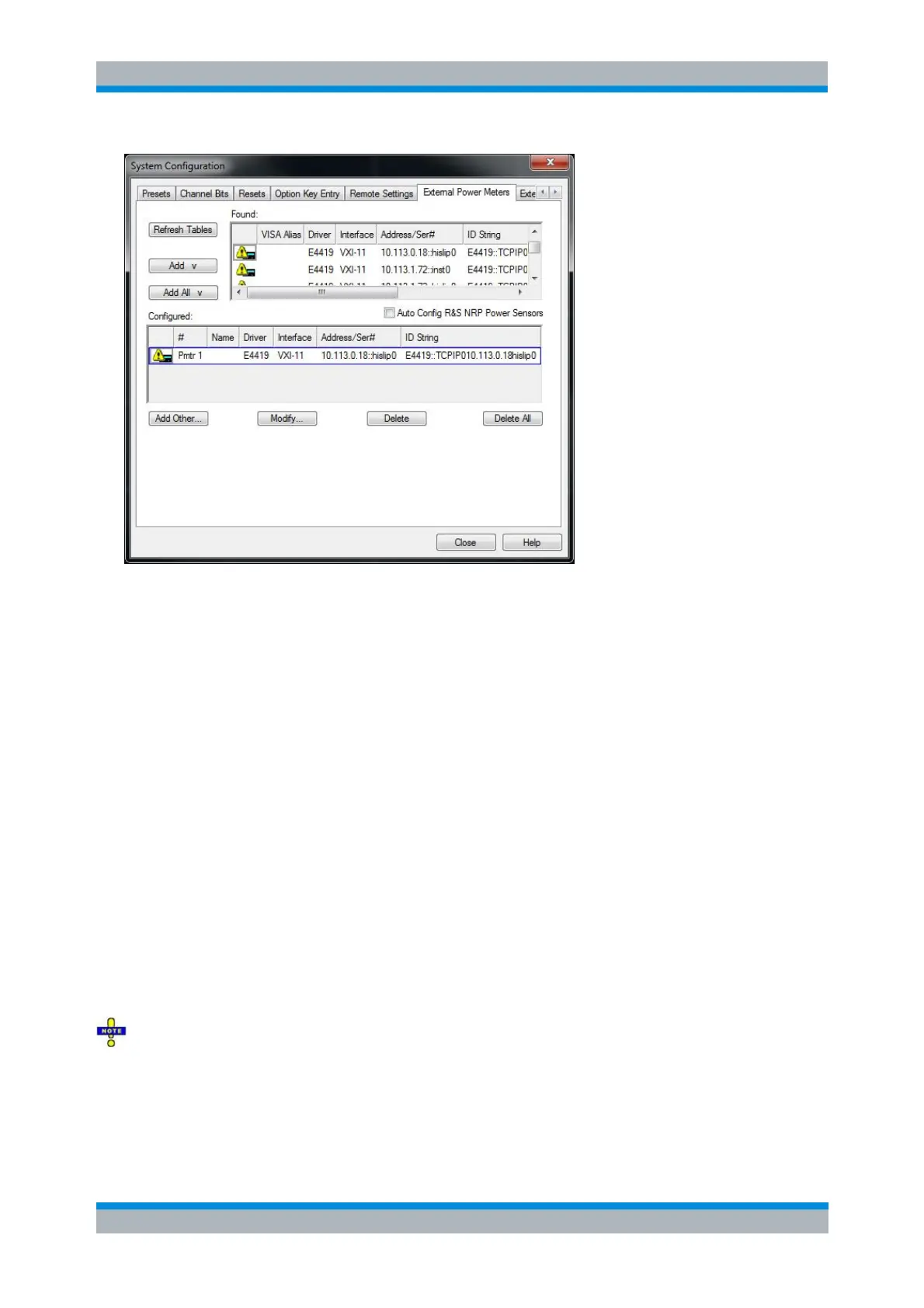
The External Power Meters dialog provides two tables and some additional buttons.
The upper table (Found:) shows all power meters that the analyzer detects to be on line (i.e.
connected and switched on). To appear in the table, power meters (except the USB sensors R&S
NRT-Zxx) must have been configured previously.
The Add v and Add All v buttons copy the selected power meter in the upper table to the lower
table so that it is possible to modify the power meter settings and select the power meters as
receivers for measurements and power calibrations.
If Auto Config R&S NRP Power Sensors is selected, the analyzer automatically configures all
R&S NRP power meters detected at any of the USB ports as Pmtr 1, Pmtr 2, ... No manual
configuration is required.
The lower table (Configured:) shows all configured power meters with their properties. The
properties are defined in the Add/Modify External Power Meter dialog, to be opened by means of
the Add Other... or Modify... buttons. All configured power meters are available as additional
receivers for measurements and power calibrations.
Once configured, power meters may be temporarily removed from the table of Configured
devices using the Delete button. Refresh Tables will recover a previously configured, connected
power meter.
An icon in the first columns of the tables indicates whether the power meters are currently available. The
Found: table and the icons in the Configured: table are automatically updated each time the External
Generators dialog is opened (to update explicitly use the Refresh Tables button). The remaining control
elements are self-explanatory.
Unintentional switchover to remote control
When using the NI-VISA library, ensure that the network analyzer itself is not listed as a network device in
the Measurement & Automation Explorer. Otherwise, Refresh Tables will send an identification query
(*IDN?), causing the analyzer to close the System Configuration dialog (without executing Refresh
Tables) and to activate the remote screen.



 To Next Page