R&S
®
ZVA / R&S
®
ZVB / R&S
®
ZVT GUI Reference
System Menu
Operating Manual 1145.1084.12 – 30 531
Icons in the power meter tables
The following icons describe the status of a power meter:
The power meter is on-line (connected, switched on, ready to be used).
The power meter was detected (upper table) or configured (lower table) but is not on-line (VISA
communication error). Other possible reason: a user-defined power meter configuration file is inconsistent;
see General Rules for Configuration Files.
The power meter list could not be refreshed, no communication with the power meter is possible.
R&S NRPxxS/SN Power Sensors
All R&S NRPxxS/SN power sensors offer USB capability. In addition, the R&S NRPxxSN sensors can be
controlled via LAN.
For stable USB connectivity we recommend using an USB interface cable with a maximum length
of 0.75 m (e.g. R&S NRP-ZKU, order no. 1419.0658.02)
After the physical USB connection is established it may take up to half a minute until a power
sensor of the R&S NRPxxS/SN family can be operated.
LAN operation of an R&S NRPxxSN power sensor requires Power over Ethernet (PoE), i.e. the
power sensor has to be connected to a PoE Ethernet switch (e.g. R&S NRP-ZAP1)
It is not possible to have LAN connectivity and USB power supply at the same time. Please
disconnect the power meter's USB port before connecting it to the LAN!
At the analyzer, the LAN connection to an R&S NRPxxSN has to be configured manually, using
the following settings:
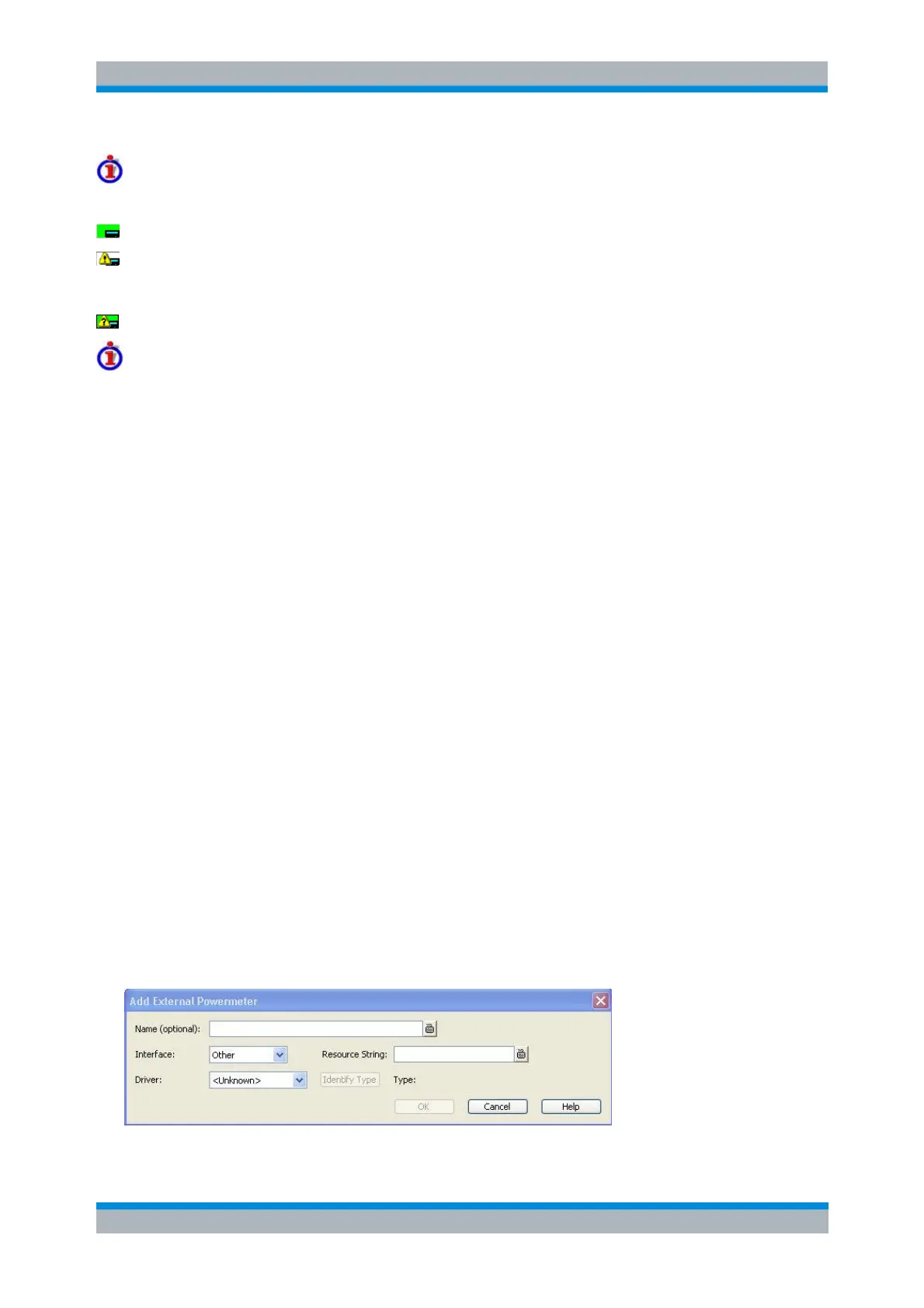
1. Disable Auto Config R&S NRP Power Sensors and use the Add Other button to open the
Add External Power Meter dialog
2. Select the VXI-11 interface and specify the sensor's IP address or hostname (default:
<sensor name>-<serial number>, e.g. nrp33sn-100811)
3. Select NRPSN as driver
SYSTem:COMMunicate:RDEVice:PMETer<pmeter_no>:DEFine
SYSTem:COMMunicate:RDEVice:PMETer<pmeter_no>:DELete
SYSTem:COMMunicate:RDEVice:PMETer<pmeter_no>:CONFigure:AUTO
SYSTem:COMMunicate:RDEVice:PMETer<pmeter_no>:CATalog?
SYSTem:COMMunicate:RDEVice:PMETer<pmeter_no>:COUNt?
Add/Modify External Power Meter
Selects and configures an external power meter.



 To Next Page