R&S
®
ZVA / R&S
®
ZVB / R&S
®
ZVT GUI Reference
System Menu
Operating Manual 1145.1084.12 – 30 564
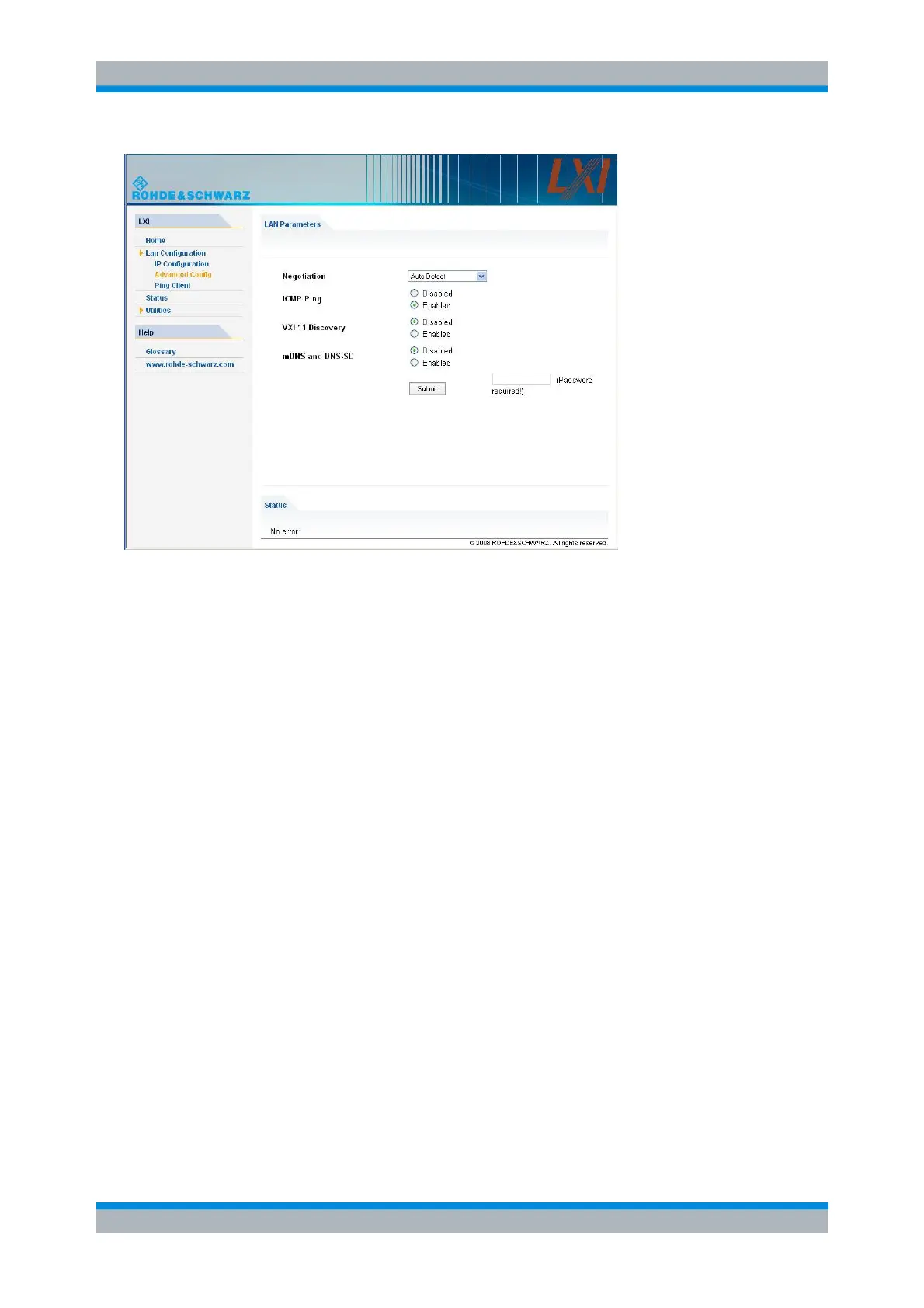
The Advanced LAN Configuration parameters are used as follows:
The Negotiation configuration field provides different Ethernet speed and duplex mode settings. In
general, the Auto Detect mode is sufficient.
ICMP Ping must be enabled to use the ping utility.
VXI-11 and mDNS and DNS-SD are protocols which can be used for discovery of the instrument
in the LAN. The VXI-11 discovery mechanism is a requirement on LXI devices from the first
revision of the standard. Support for the multicast DNS (mDNS) and DNS-SD (DNS Service
Discovery) mechanisms has been introduced as a requirement in version 1.3 of the standard. The
network analyzers support both discovery mechanisms.
Ping
Ping is a utility that verifies the connection between the analyzer and another device. The ping command
uses the ICMP echo request and echo reply packets to determine whether the LAN connection is
functional. Ping is useful for diagnosing IP network or router failures.
The ping utility is not password-protected. To initiate a ping between the analyzer and a second connected
device,
1. Enable ICMP Ping on the Advanced LAN Configuration page (enabled after an LCI).
2. Enter the IP address of the second device without the ping command and without any further
parameters into the Destination Address field (e.g. 10.113.10.82).
3. Click Submit.



 To Next Page