R&S
®
ZVA / R&S
®
ZVB / R&S
®
ZVT Command Reference
SCPI Command Reference
Operating Manual 1145.1084.12 – 30 960
This command is particularly useful in arbitrary mode (with option R&S ZVA-K4), where the
frequencies and source power levels at the ports are independent. For R&S ZVA analyzers without option
R&S ZVA-K4, all frequencies are coupled so that this selection has no effect.
Channel number. If unspecified the numeric suffix is set to 1.
String parameter, one of the following signals:
'Channel Base; Source' – Base channel frequency
'Port 1; Source' – Source frequency at port 1,
'Port 2; Source' – Source frequency at port 2
...
'Port All; Receiver' – Receiver frequency (equal for all analyzer ports)
'Gen 1; Source' – External generator frequency 1
...
'Pmtr 1; Receiver' – External power meter frequency 1
...
Device-specific, command or query
*RST; FREQ:STAR 1 GHz; STOP 2 GHz
Define a base channel frequency range between 1 GHz and 2 GHz. This
frequency is also used as an (initial) frequency range for all test ports and
external generators.
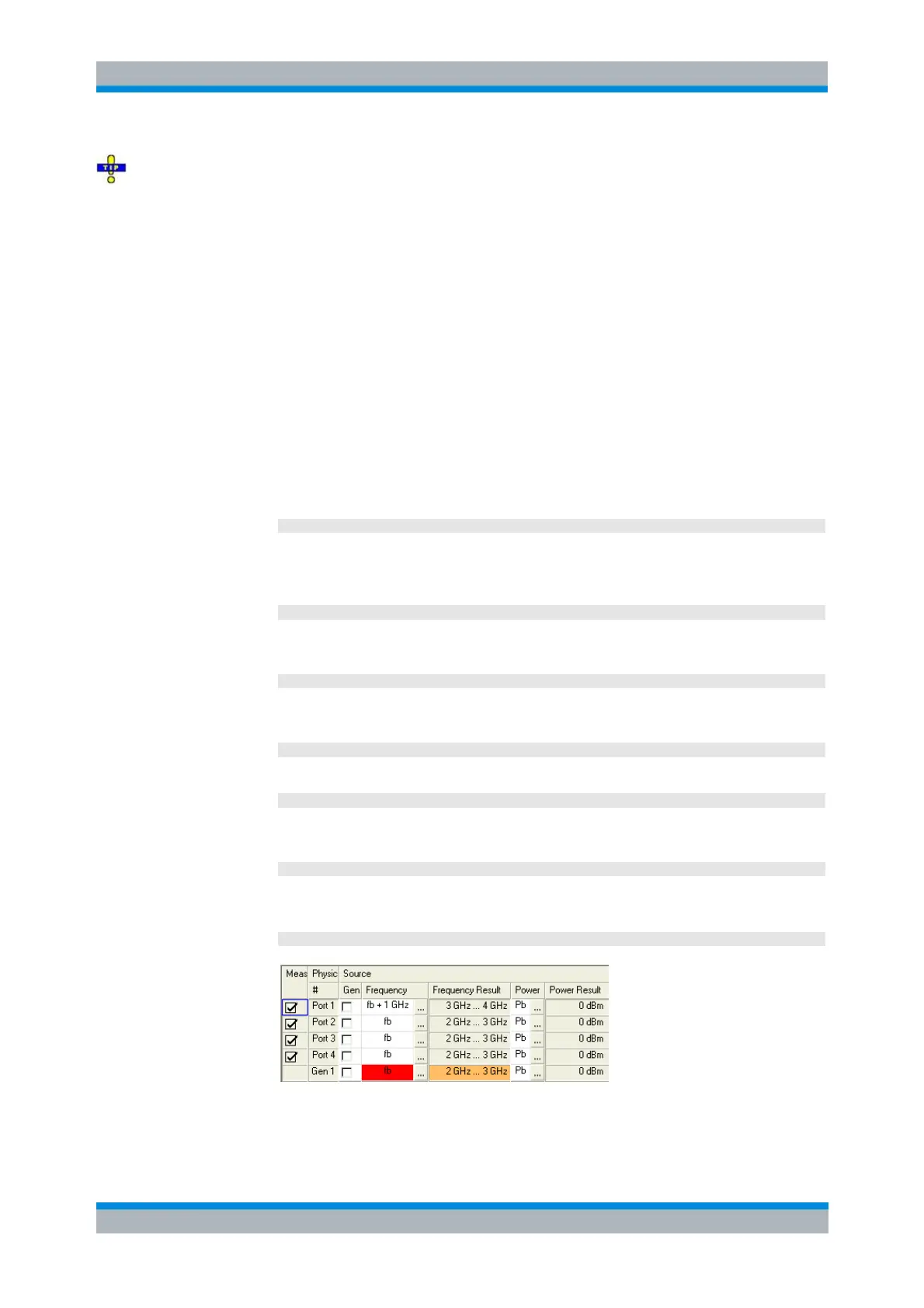
SOUR:FREQ1:CONV:ARB:IFR 1, 1, 1E+9, SWE
Convert the source frequency at test port no. 1 to the range between 2 GHz
and 3 GHz.
SWE:AXIS:FREQ 'Port 1; Source'
Select the source signal at port 1 as the reference signal for frequency
definitions.
FREQ:STAR 3 GHz; STOP 4 GHz
Shift all frequency ranges by +1 GHz.
SWE:AXIS:FREQ 'Port 2; Source'
Select the source signal at port 2 as the reference signal for frequency
definitions.
FREQ:STAR?; STOP?
Query the frequency range at test port 2. The response is
2000000000;3000000000.
DISP:MENU:KEY:EXEC 'Port Config'



 To Next Page