SNMP agents must be enabled and configured so that they can communicate
with the network management system (NMS). The agent is also responsible for
controlling the database of control variables defined in the Management Inform-
ation Base (MIB).
VersaSync’s SNMP functionality supports SNMP versions V1, V2c and V3 (with
SNMP Version3 being a secure SNMP protocol).
Once SNMP is configured it will persist through reboot, and only needs to be
reconfigured after performing a "clean" update process (thus restoring the fact-
ory default condition).
Note: In order to configure SNMP, you need
ADMINISTRATORrights.
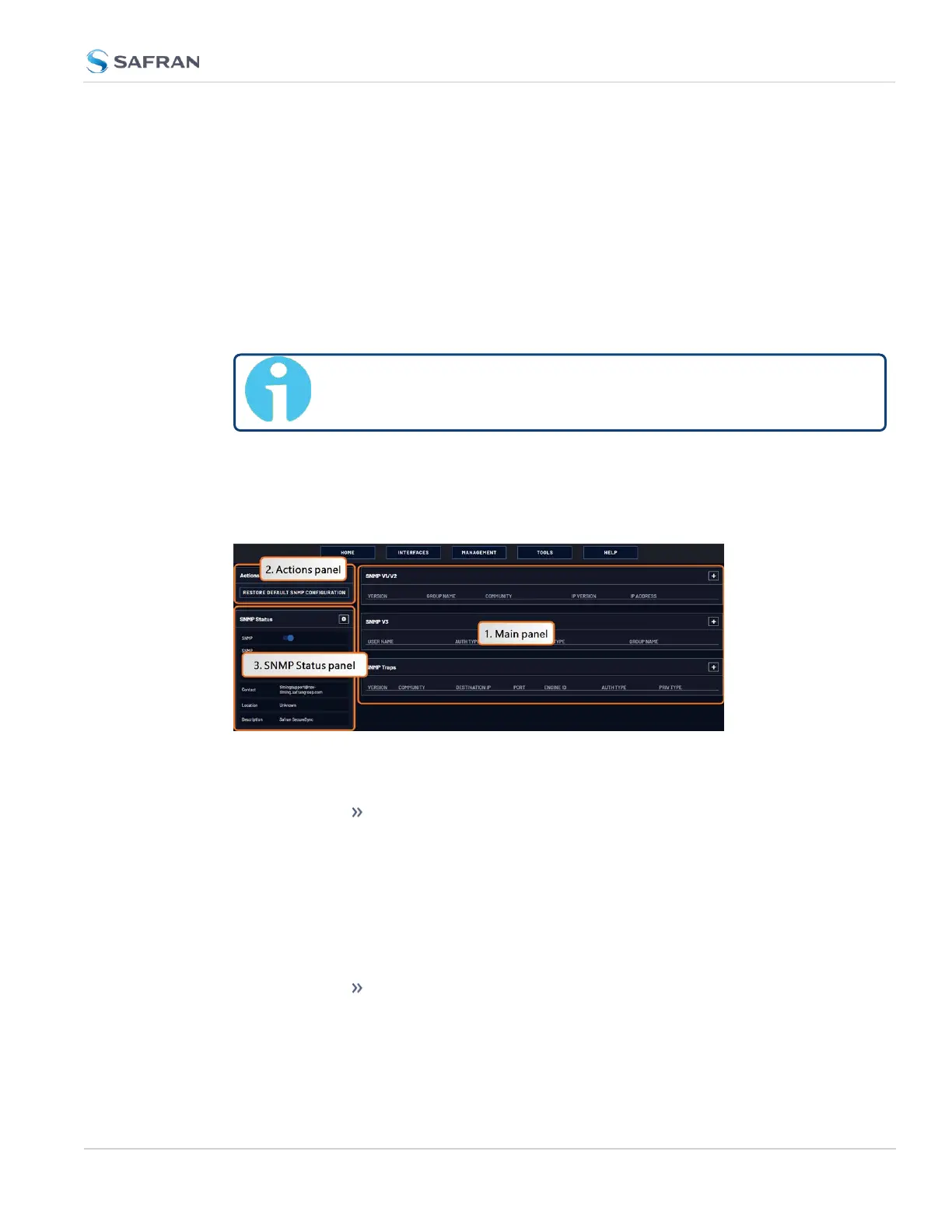
To access the SNMP Setup screen:
Navigate to MANAGEMENT > NETWORK: SNMP Setup. The SNMP screen will dis-
play:
The SNMP screen is divided into 3 panels:
1. The Main panel, which is subdivided into 3 displays:
SNMP V1/V2: This panel allows configuration of SNMP v1 and
v2c communities (used to restrict or allow access to SNMP).
This tab allows the configurations for SNMP v1 and v2c, includ-
ing the protocols allowed, permissions and Community names
as well as the ability to permit or deny access to portions of the
network. Clicking on the “+” symbol in the top- right corner
opens the SNMP V1/V2c Settings for Access Screen. See "SNMP
V1/V2c" on page101.
SNMP V3: This panel allows configuration of SNMP v3 func-
tionality, including the user name, read/write permissions,
authorization passwords as well as privilege Types and Pass-
2.8 Configuring Network Settings
CHAPTER 2 • VersaSync User Manual Rev. 12
97



 To Next Page