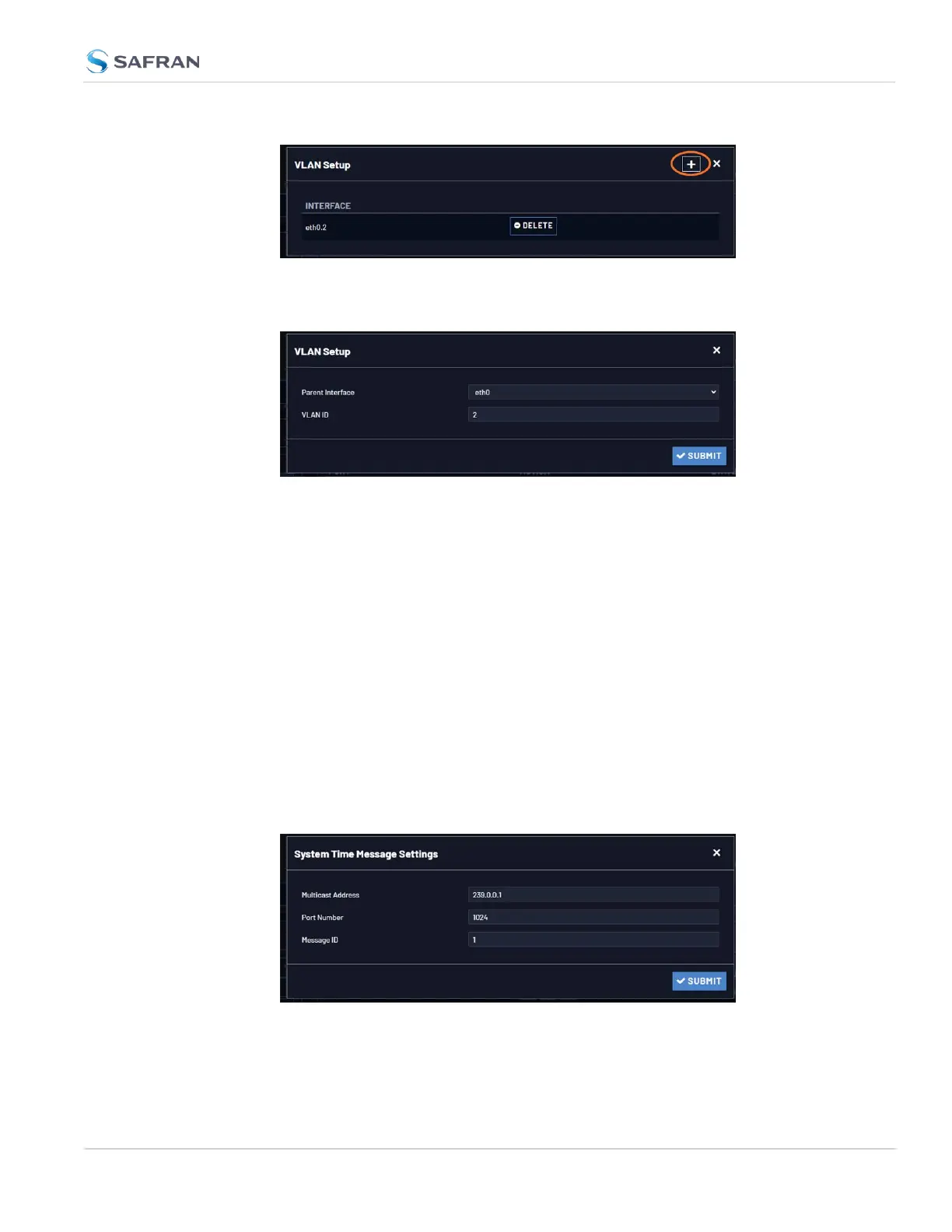
3. Select the parent interface [eth0-], type in your VLAN ID, and click submit.
Repeat the process as necessary.
Your new VLAN interfaces will now be displayed in the VLAN Setup panel, listed
as eth[#].[VLAN ID].
2.8.10 System Time Message
The System Time Message is a feature used for special applications that require a
once-per-second time message to be sent out by VersaSync via multicast. This
time message will be transmitted before every 1PPS signal, and can be used to
evaluate accuracy and jitter.
To set up and enable a System Time Message:
1. Navigate to MANAGEMENT > OTHER > System Time Message.
2. Populate the fields Multicast Address, Port Number and Message ID, and
click Submit.
3. In the Network Services panel, enable System Time Message.
2.8 Configuring Network Settings
CHAPTER 2 • VersaSync User Manual Rev. 12
107



 To Next Page