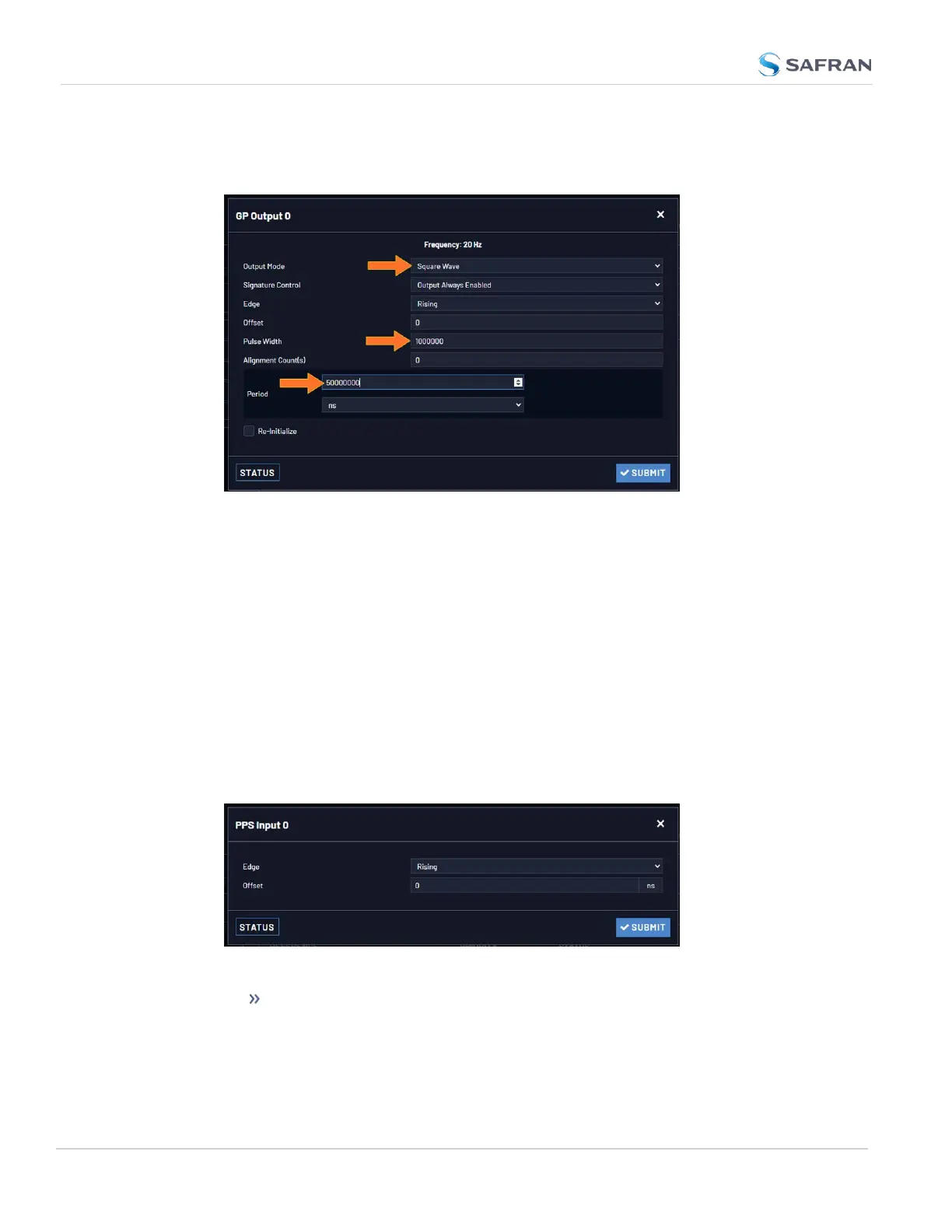
12. To configure e.g., a 20 PPS signal, set the Pulse Width to 1 000 000 ns, and
the Period to 50 000 000 ns:
13. Click Submit.
2.7.4 Configurable I/Os
2.7.4.1 Configuring a 1PPS Input
To configure a 1PPS Input:
1. Navigate to INTERFACES > REFERENCES: PPS Input 0 (or: INTERFACES >
OPTIONCARDS: PPS Input 0).
2. The PPS Input 0 Status window displays. Click Edit to open the con-
figuration window:
3. Apply your settings for:
Edge: [Rising, Falling] The on-time point of the 1PPS input can be con-
figured to be either the rising or falling edge of the 1PPS signal (by
default, the rising edge is the on-time point).
52
CHAPTER 2 • VersaSync User Manual Rev. 12
2.7 Configuring Inputs/Outputs



 To Next Page