Note: VersaSync is designed to provide the most accurate
time in Standard Mode. The Single Satellite Mode should only
be used if the GNSS receiver could not complete a survey.
3.3.3.4 Setting GNSS Receiver Dynamics
Receiver Dynamics further refine the reception characteristics for the individual
receiver modes and determine if the receiver will automatically resurvey after a
reboot.
Caution: If you select a setting that does NOT resurvey, and sub-
sequently relocate your unit (antenna) by more than 100m, u-blox
M8T receivers will NOT detect the new position, and hence provide
an incorrect time.
For more information about the GNSS Survey, see "Performing a GNSS Receiver
Survey" on page206.
For more information on Receiver Modes, see "Selecting a GNSS Receiver Mode"
on page201.
To change/review the GNSS Receiver Dynamics:
1. Navigate to INTERFACES > REFERENCES: GNSS 0.
2. Under the Main tab of the GNSS 0 status window, the line item Receiver
Dynamics will indicate the current setting.
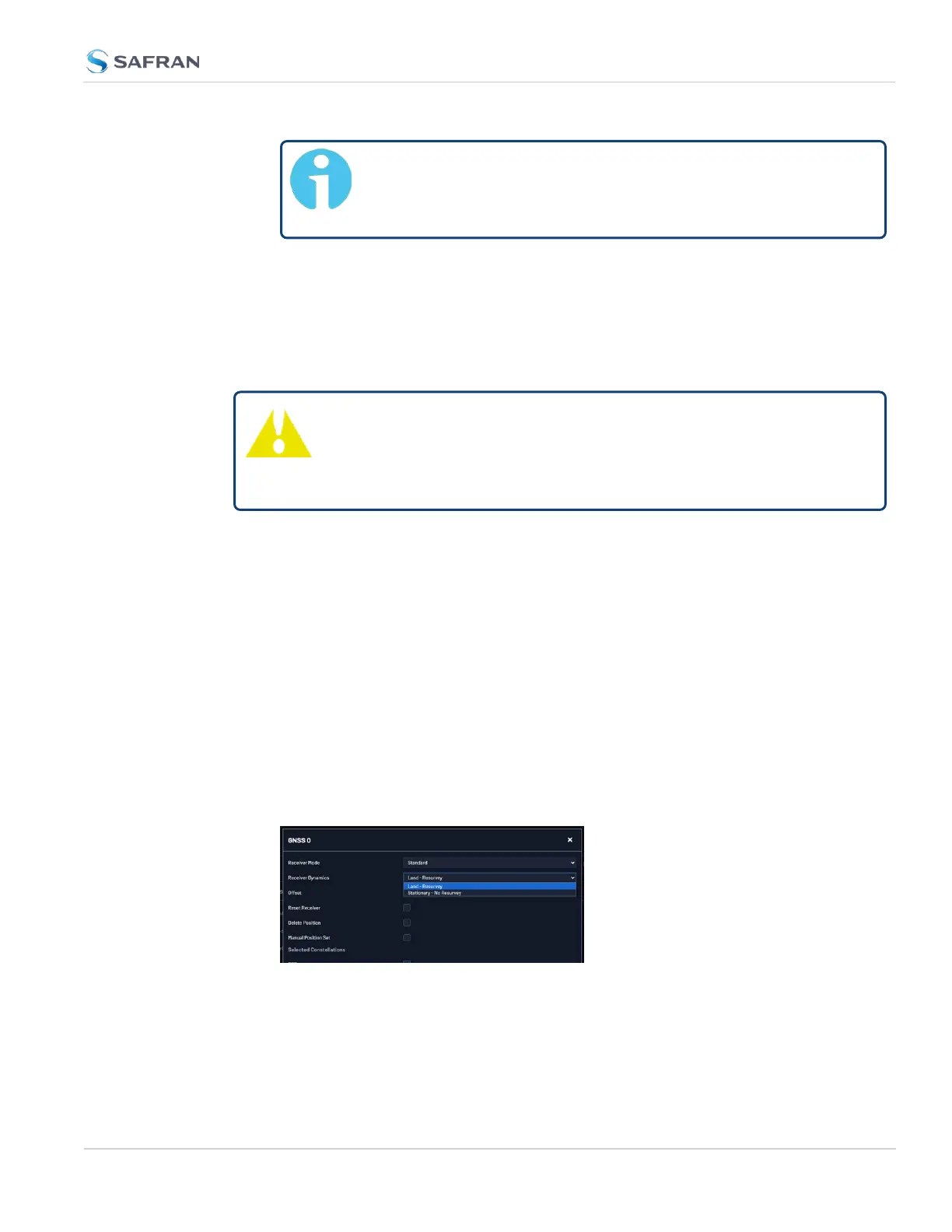
3. To change the setting, click Edit in the bottom-left corner. The GNSS 0 con-
figuration window will display:
4. Select a setting and click Submit.
Available GNSS Receiver Dynamics Settings
3.3 Managing References
CHAPTER 3 • VersaSync User Manual Rev. 12
203



 To Next Page