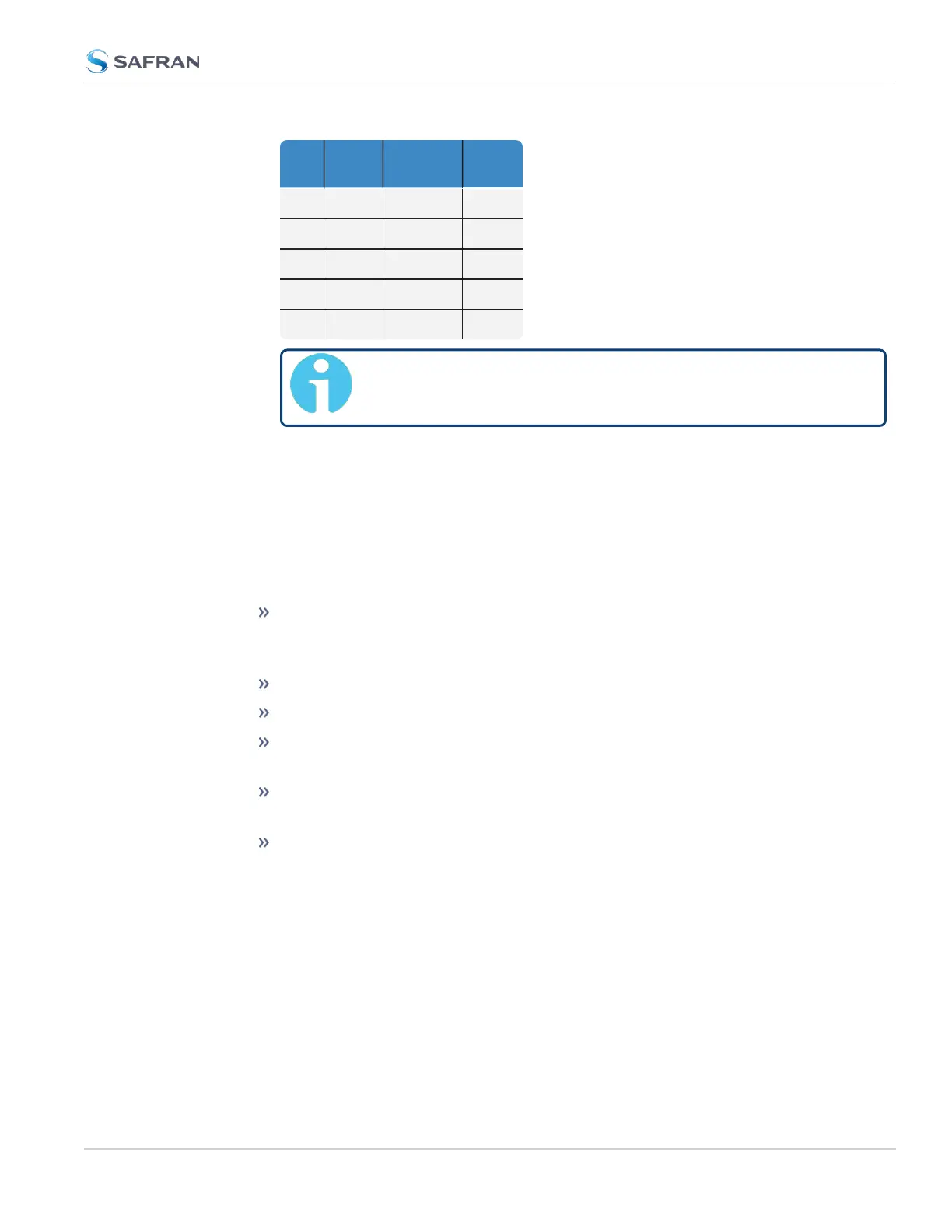
GPS Galileo
GLONAS-
S
Beido-
u
X – X –
X – – X
– X X –
– X – X
– – X X
Note: The augmentation systems SBAS and QZSS can be
enabled only if GPS operation is configured.
3.3.3.3 Selecting a GNSS Receiver Mode
When connected to a GNSS antenna that receives a GNSS signal, VersaSync can
use GNSS as an input reference. The factory default configuration allows GNSS
satellites to be received/tracked with no additional user intervention required.
However, there are several user-configurable GNSS settings:
The Receiver Mode function allows the GNSS receiver to operate in either a
stationary mode (“Standard” or “Single Satellite” modes), or in a mobile
mode environment e.g., in a vehicle, ship or aircraft.
Offset [ns]: to account for antenna cable delays and other latencies
Receiver dynamics: to optimize performance for land, sea or air operation
The ability to delete the stored GNSS position information (latitude, lon-
gitude and antenna height).
The option to determine when a resurvey is to be performed (supported
only by newer GNSS receivers).
The option to select your constellation types
To configure the GNSS Receiver Mode for your VersaSync unit:
1. Navigate to INTERFACES > REFERENCES: GNSS0. The GNSS0 Status
panel will open.
2. Select Edit in the bottom-left corner. The GNSS 0 configuration window
will open:
3.3 Managing References
CHAPTER 3 • VersaSync User Manual Rev. 12
201



 To Next Page