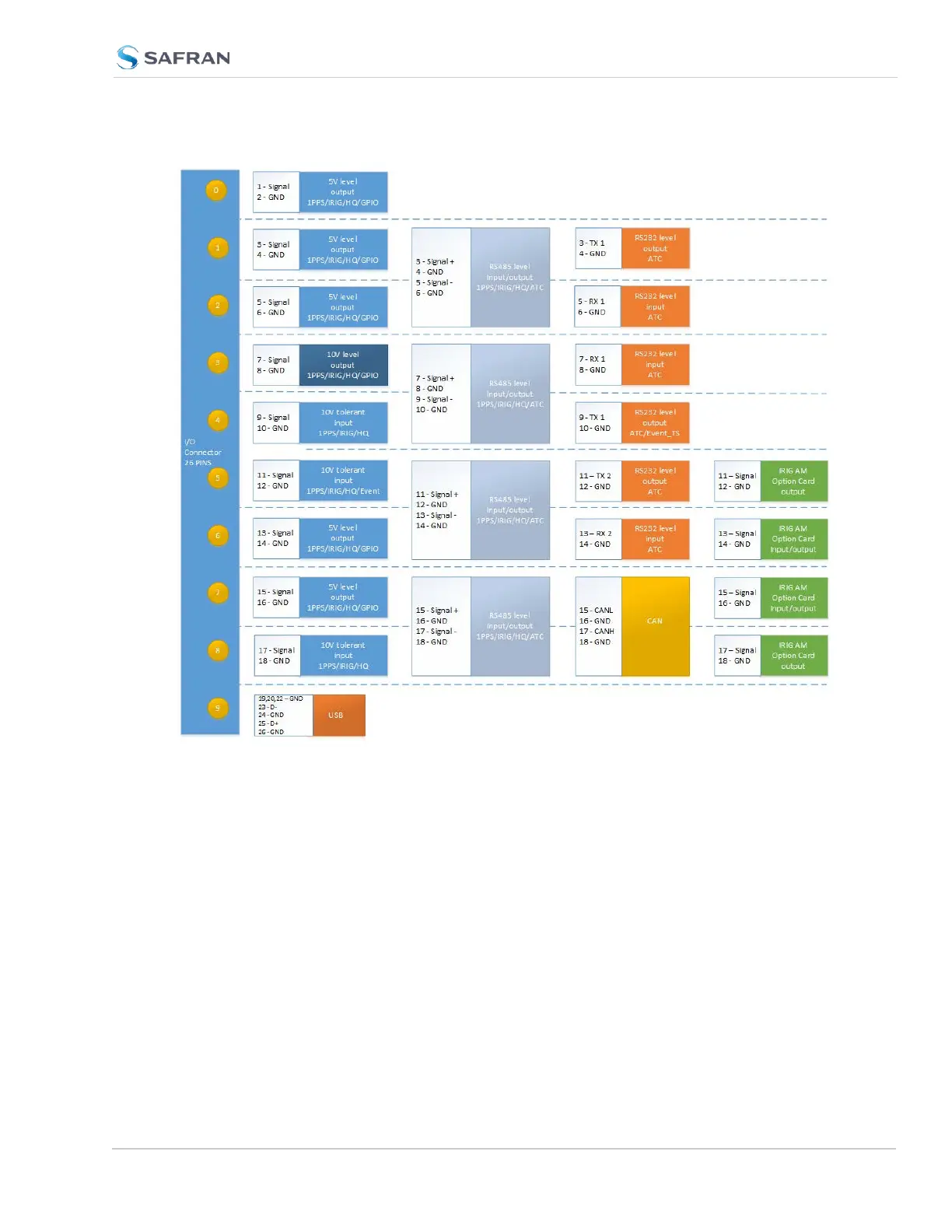
Figure 5-3: VersaSync Pinout (IRIGAM Option Card in Green)
5.5.2 IRIGAM Settings
After configuring the pinout to IRIG AM, it is necessary to configure each output
and input with additional settings. In the Web UI, navigate to INTERFACES >
OPTION CARDS > Option Board and then select the necessary signal. Be sure to
configure the IRIG outputs and inputs that are under the Option Board header in
order to change IRIG AM settings (represented by the orange circle in the image
below).
VersaSync User Manual 387
APPENDIX



 To Next Page