2.8.11.10 NTP Access Restrictions
Next to encrypted authentication by means of Symmetric Keys, NTP supports a
list-based means of access restriction, the use of which is also recommended to
prevent fraudulent or inadvertent manipulation of a time server.
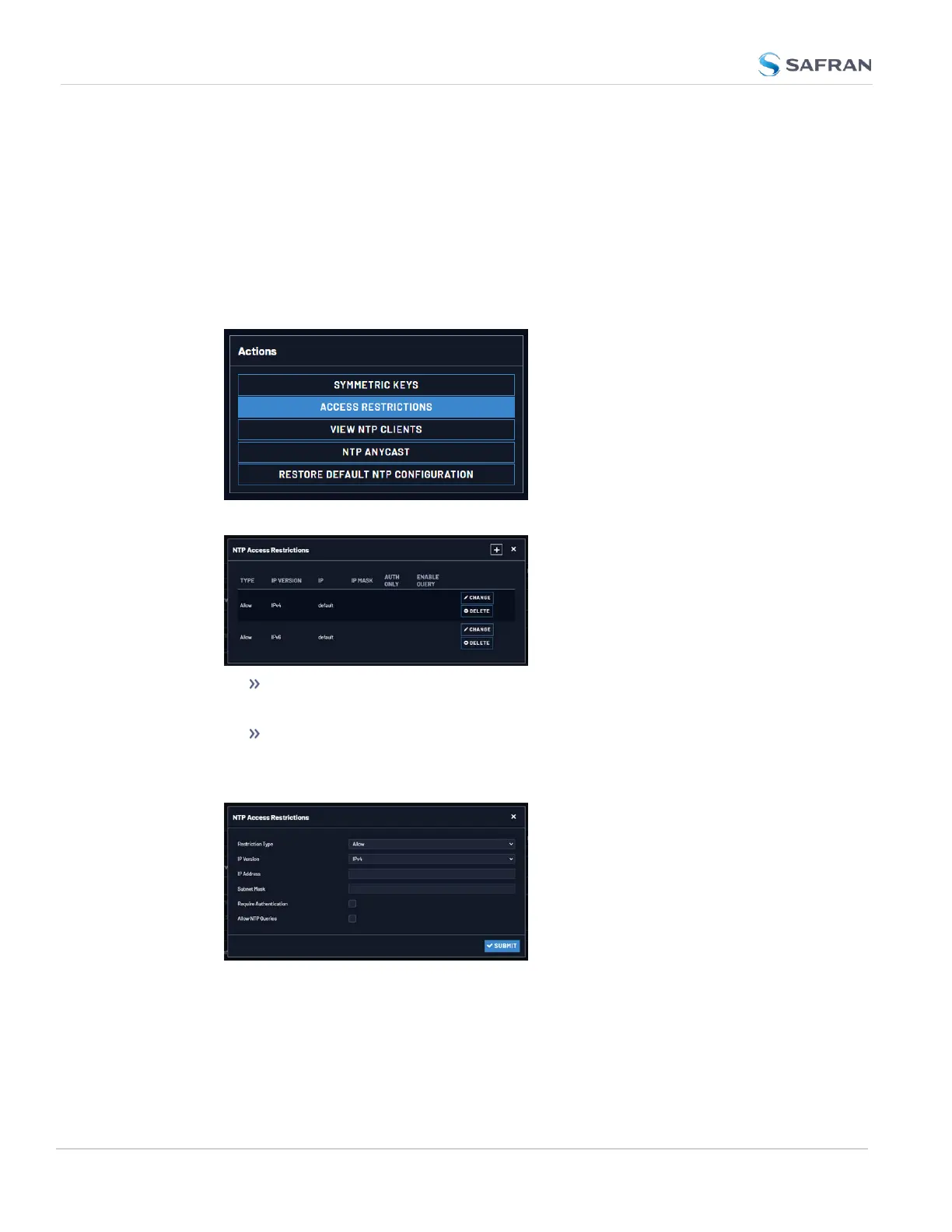
To configure NTP Access Restrictions:
1. Navigate to MANAGEMENT > NETWORK: NTP Setup.
2. In the Actions panel, click Access Restrictions:
3. The NTP Access Restrictions Status window will display:
To ADD or EDIT an access restriction, click the PLUS icon or the
Change button, respectively, and proceed to Step4. below.
To DELETE an access restriction, click the corresponding Delete but-
ton, and confirm by clicking OK.
4. The NTP Access Restrictions window will display:
134
CHAPTER 2 • VersaSync User Manual Rev. 12
2.8 Configuring Network Settings



 To Next Page