2.8.12.5 General Configuration Notes
Ensure that the Ethernet port used for PTP is connected to the network.
Navigate to MANAGEMENT > NETWORK: Network Setup, and verify the
STATUS in the Ports panel.
For a Master Clock: Be sure that valid time and 1PPS references are cur-
rently selected: Navigate to MANAGEMENT > OTHER: Reference Priority,
and confirm Reference Priority configuration, and Reference Status. Note
that in order to operate properly as a Master Clock, VersaSync must be syn-
chronized to a non-PTP reference. The built-in GNSS reference provides all
information needed with no user intervention. Should you, however, be
using a different reference, ensure that it transmits the following inform-
ation.
The proper TAI or UTC time (including the current year).
The current TAI to UTC offset (required even if the reference’s time is
in TAI).
Pending leap second information at least a day in advance.
2.8.13 GPSD Setup
GPSD is a free, open-source package used worldwide to manage GNSS systems
and devices. With GPSD support on a VersaSync, users are able to:
connect to the unit over a network via TCP at the specified port using any
GPSD-compatible software
receive position and timing information from the GNSS receiver in a con-
sistent format, and
use the Web UI (or CLI) to configure the GPSD service and view status
information.
GPSD can only be configured to track the VersaSync internal u-blox receiver.
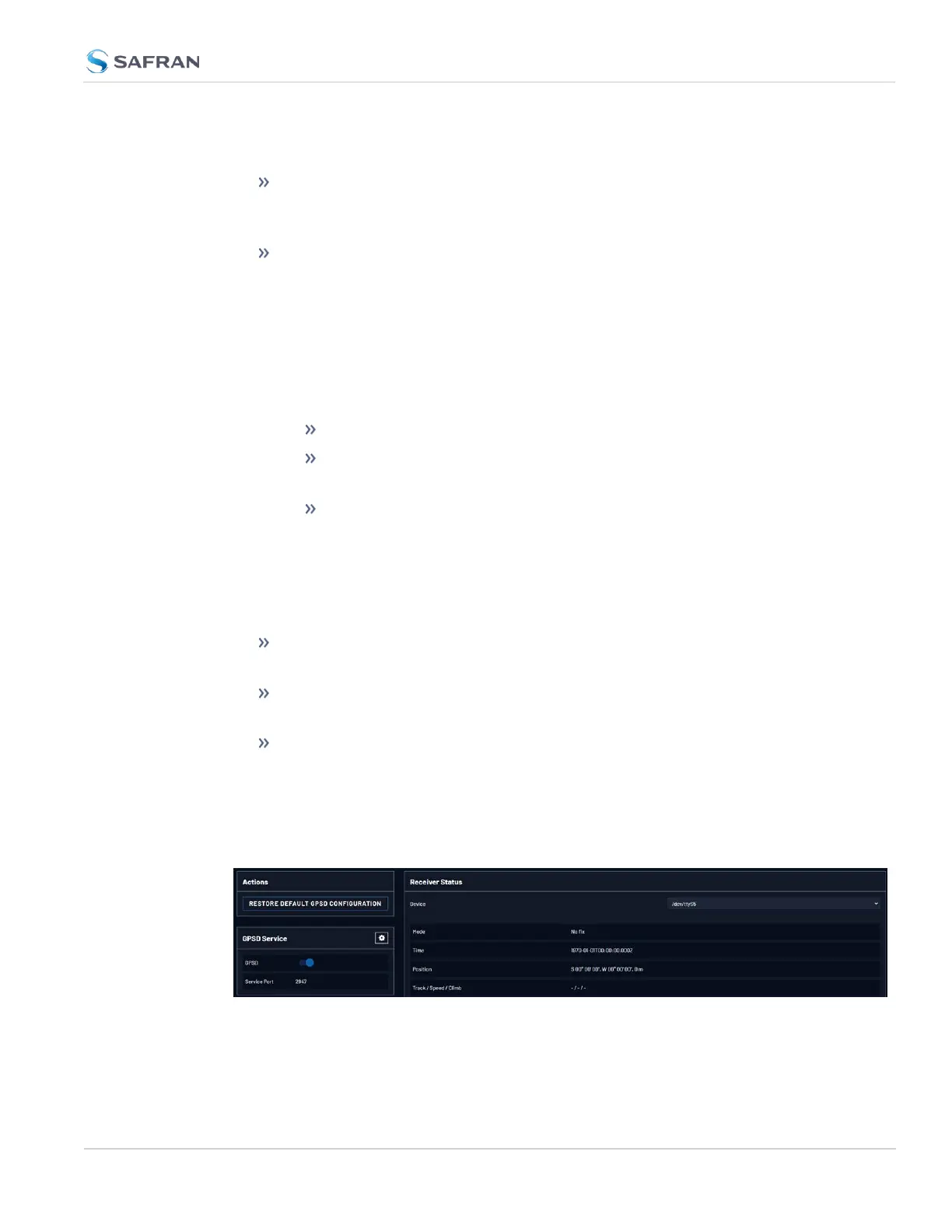
To configure GPSD on the Web UI, navigate to MANAGEMENT > NETWORK >
GPSD Setup to access the GPSD Setup Screen
The GPSD Setup Screen is divided into three panels:
2.8 Configuring Network Settings
CHAPTER 2 • VersaSync User Manual Rev. 12
153



 To Next Page