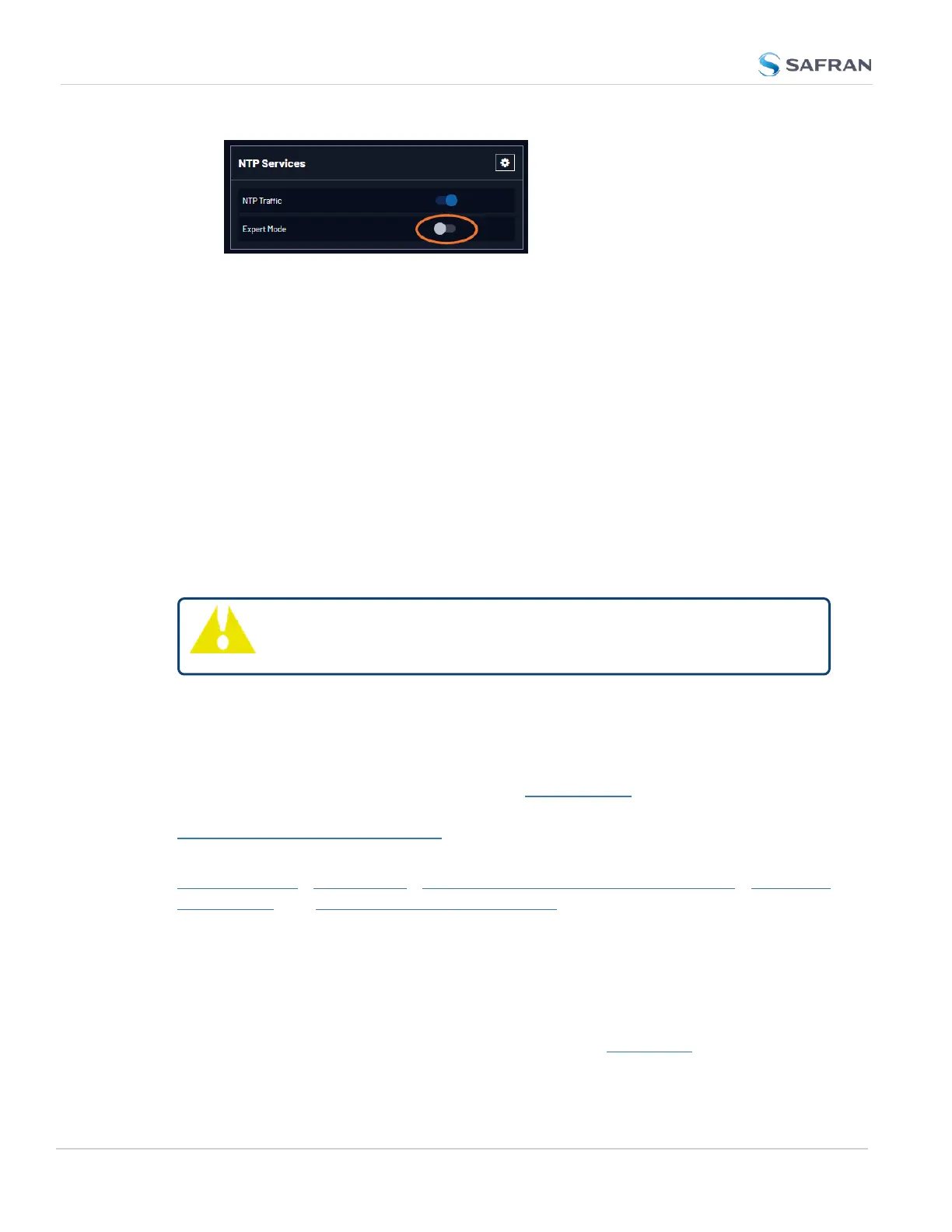
When enabled, the NTP Service operates in Unicast mode. In Unicast mode,
the NTP Service responds to NTP requests only. The NTP Service supports
a broadcast mode in which it sends a NTP time packet to the network
broadcast address.
3. Click the Expert Mode switch.
4. Confirm by clicking OK in the dialog box.
5. Click the GEAR icon.
6. In the Edit NTP Services window, edit the file as desired in the text box
under the Expert Mode tab.
7. Click the Submit button to save any changes that were made.
8. Disable and then re-enable the NTP service using the NTP ON/OFF switch
in the NTP Services panel. VersaSync will now use the new NTP con-
figuration per the manually edited file.
Caution: Any configurations made in NTP Expert Mode will be lost as
soon as NTP Expert Mode is disabled.
2.8.11.12 Safran Technical Support for NTP
Safran does not provide technical assistance for configuring and installing NTP
on Unix-based applications. Please refer to www.ntp.org for NTP information and
FAQs. Another helpful source is the Internet newsgroup at
news://comp.protocols.time.ntp.
Safran can provide support for Microsoft
®
Windows-based time synchronization:
https://safran- navigation- timing.com/document/synchronizing- windows-
computers/. See safran-navigation-timing.com for additional information, or con-
tact Safran Technical Support.
Safran also offers an alternate Windows NTP client software package called
PresenTense. PresenTense software provides many features and capabilities not
included with the limited functionality of the Windows W32Time program, includ-
ing alert notification and audit trails for the PC’s time.
For more information on PresenTense, please visit orolia.com or contact your
local Safran Sales Representative.
138
CHAPTER 2 • VersaSync User Manual Rev. 12
2.8 Configuring Network Settings



 To Next Page