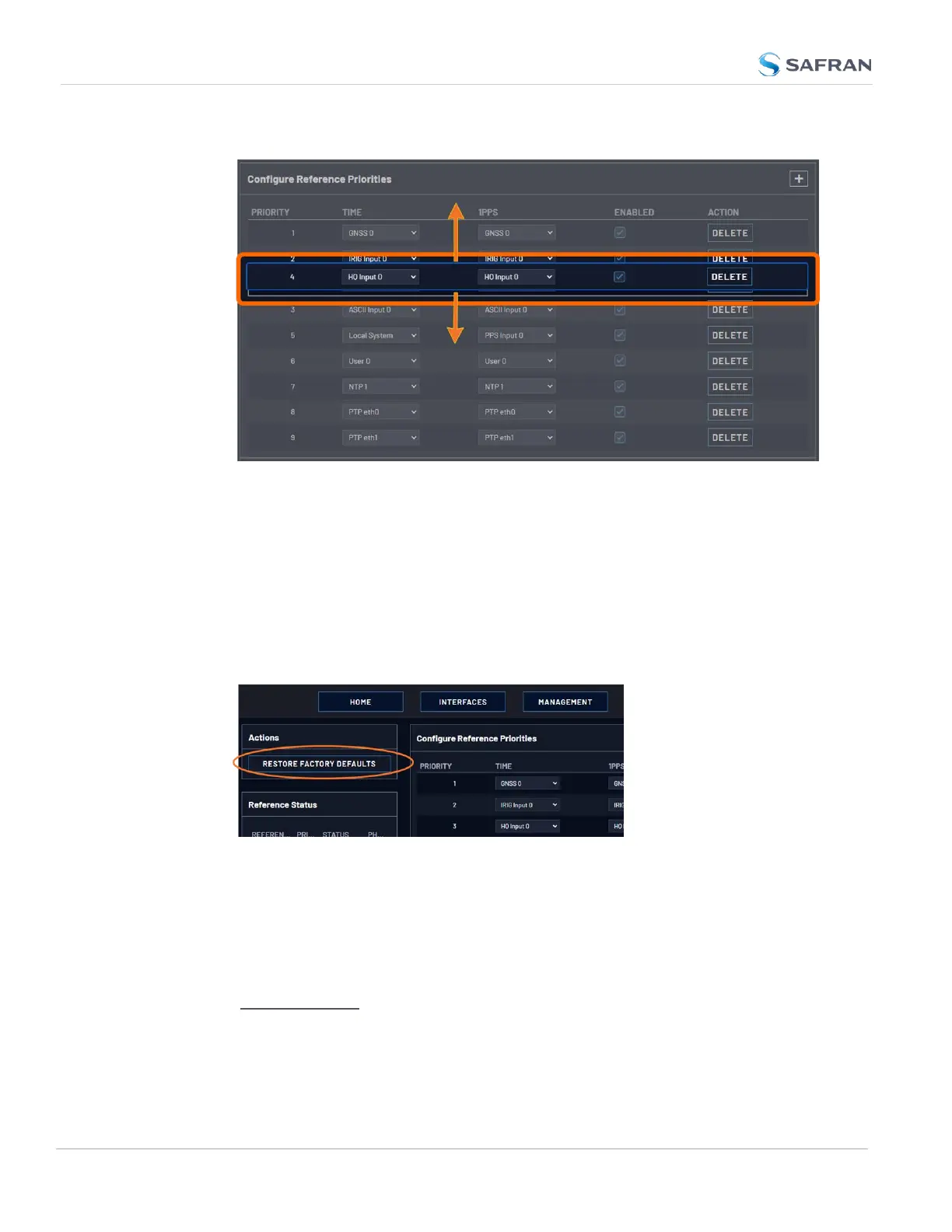
4. Click Submit.
Resetting Reference Priorities to Factory Defaults
To reset all references in the Reference Priority table to their factory default pri-
orities:
1. Navigate to the Configure Reference Priorities screen via MANAGEMENT >
OTHER: Reference Priority menu.
2. In the Actions panel, click the Restore Factory Defaults button.
3.3.1.2 The "Local System" Reference
The Local System reference is a "Self" reference, i.e. VersaSync uses itself as an
input reference for Time, or as a 1PPS reference. The Local System is a unique
input reference in that it can be used as either the Time reference, or the 1PPS ref-
erence, but never both.
176
CHAPTER 3 • VersaSync User Manual Rev. 12
3.3 Managing References



 To Next Page