Eth1 - 192.168.1.2
Default subnet mask: 255.255.255.0
2.3.1 USB Driver
If you are using a USB connection through the multi I/O connector, driver
installation may be necssary. On the PC connected to the unit, new hard-
ware (the USB interface) will be detected. The correct driver should be
installed automatically. If not, download the driver from
www.ftdichip.com/Drivers/VCP.htm, and install it manually via the instruc-
tions for your operating system.
2.3.2 Network Connection
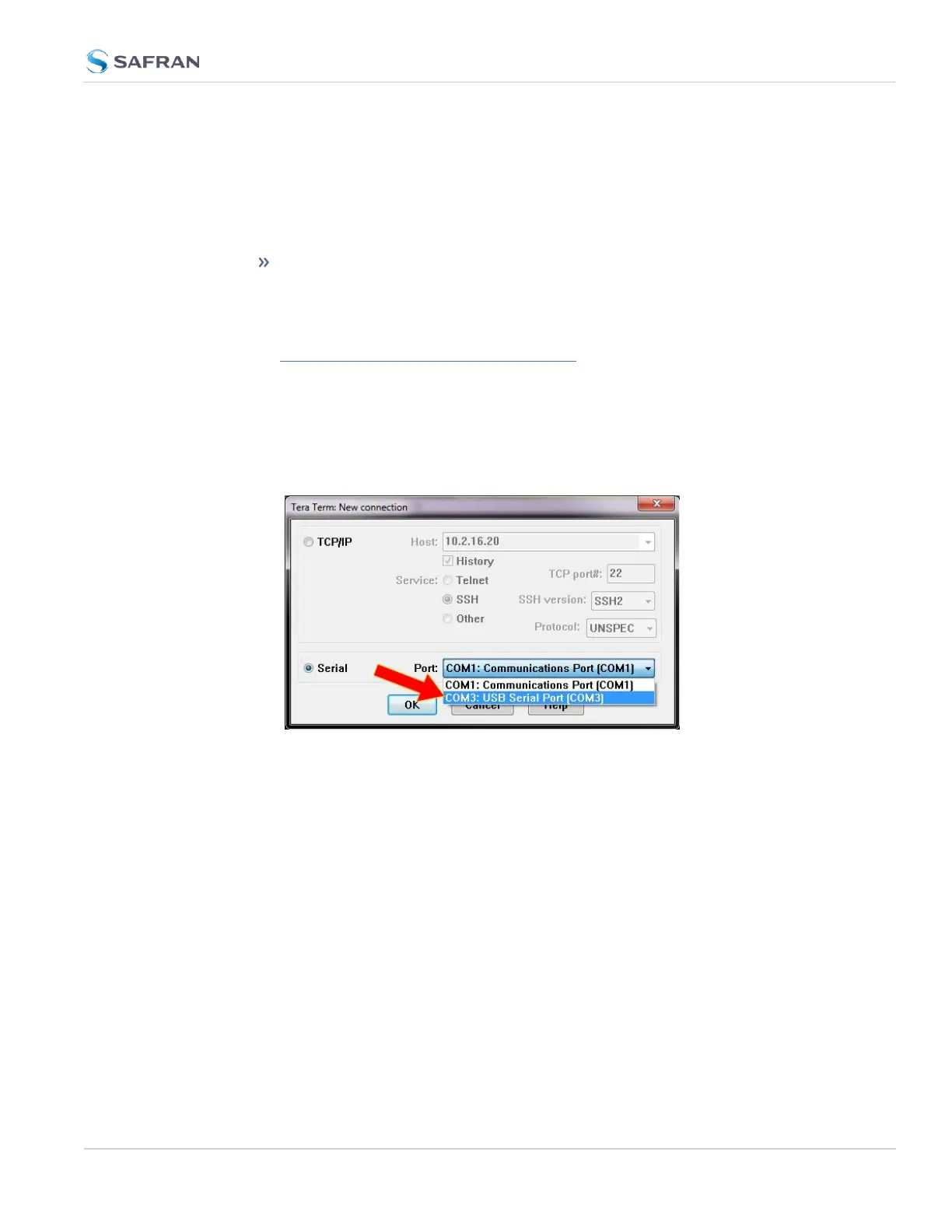
a. Start the terminal emulator program on the PC. Select the COM port that is
assigned to the USB interface:
Access the CLI via ssh or telnet: The required port configuration is 115200
8N1:
2.3 Initial Network Setup
CHAPTER 2 • VersaSync User Manual Rev. 12
35



 To Next Page