In the Status panel on the left, information pertaining to the given Ethernet port is
displayed, including throughput statistics and error statistics. The Mode field
indicates which transmission mode is being used for the given Ethernet port:
FULL duplex, or
HALF duplex.
Note that the Mode is auto-negotiated by VersaSync. It can be changed only via
the switch VersaSync is connected to, not by using the VersaSync WebUI.
4.6.1.3 Monitoring the Oscillator
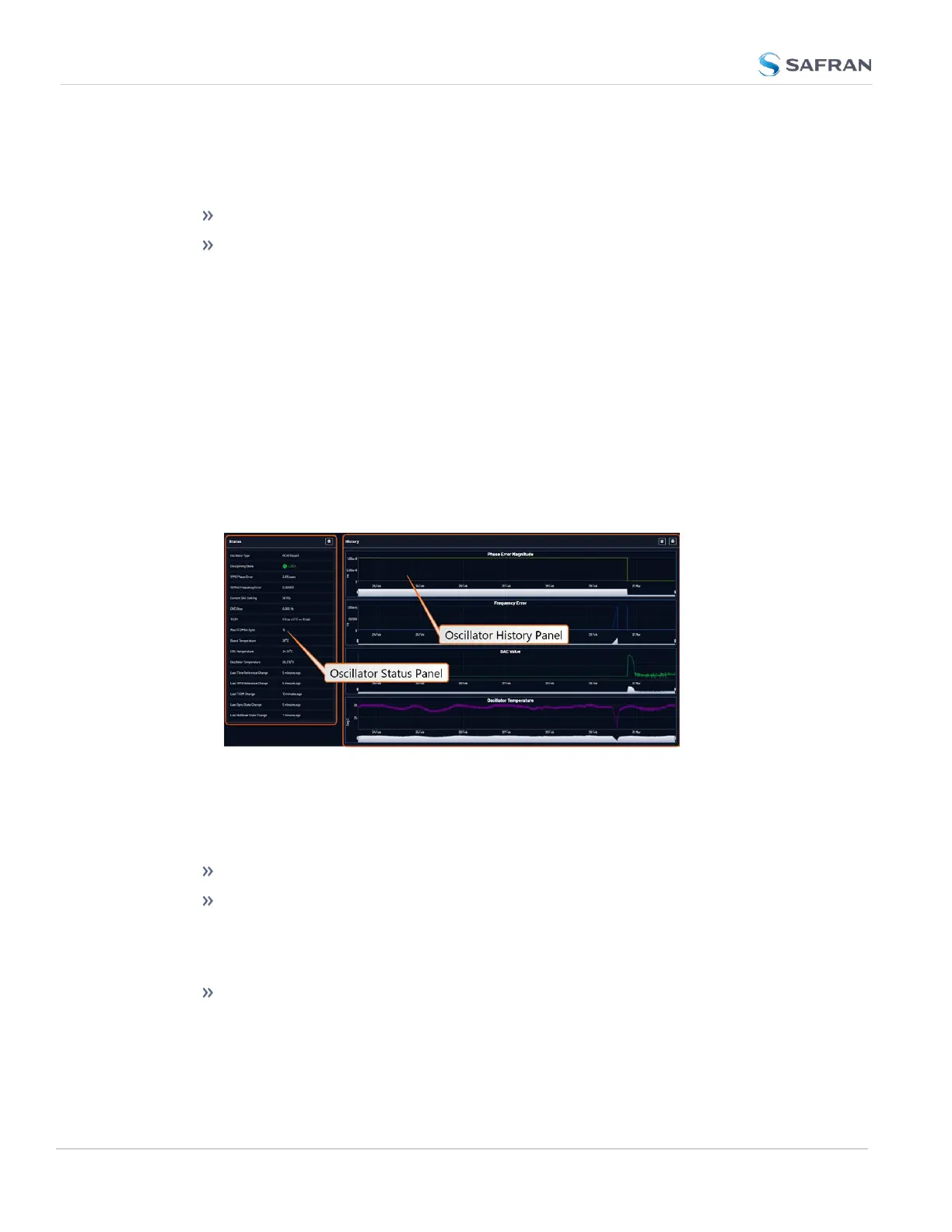
The Oscillator Management screen provides current and history status inform-
ation on disciplining state and accuracy.
To access the Oscillator Management screen:
1. Navigate to MANAGEMENT > OTHER: Disciplining.
2. The Oscillator Management screen will display. It consists of two panels:
The Oscillator Status Panel
This panel provides comprehensive information on the current status of Ver-
saSync's timing state.
Oscillator Type: Type of oscillator installed in the unit.
Disciplining State: State of oscillator control and disciplining; indicates
whether or not the internal oscillator is currently being disciplined (steered
to an input reference). The states are: "Warm up", "Calibration", "Tracking
Setup", "Lock State", "Freerun", and "Fault".
1PPS Phase Error: A tracking measurement [scaled time, in ns, or ms] of the
internal 1PPSs' phase error with respect to the selected input reference.
Long holdover periods or an input reference with excessive jitter will cause
the phase error to be high. The oscillator disciplining control will gradually
272
CHAPTER 4 • VersaSync User Manual Rev. 12
4.6 Quality Management



 To Next Page