alarm to be generated, an SNMP trap to be sent out, an email to be sent out, or a
combination of the three.
Also, this page allows the desired email recipient’s address for that particular
event to be specified. Each event can be configured with the desired email
address that is specific to just that one event only. Note that only one email
address can be specified in each Email Address field. If desired, the same email
address can be used in all of the fields, or different addresses can be used for dif-
ferent events.
Note: Whether or not notifications are enabled/disabled for a given
event, the occurrence of the event is always logged.
All available VersaSync events that can generate a notification to be sent are loc-
ated under different tabs in the Notification Events panel: Timing, GPS, and Sys-
tem.
The VersaSync Events that can automatically trigger a notification are listed in
the Event column. It is possible to:
Mask the alarm generation for specific events (prevent the alarm)
Enable “SNMP” (to send out an SNMP trap)
Send an email to the address specified in the corresponding “Email
Address” column.
4.3.1 Configuring Notifications
To configure Notifications:
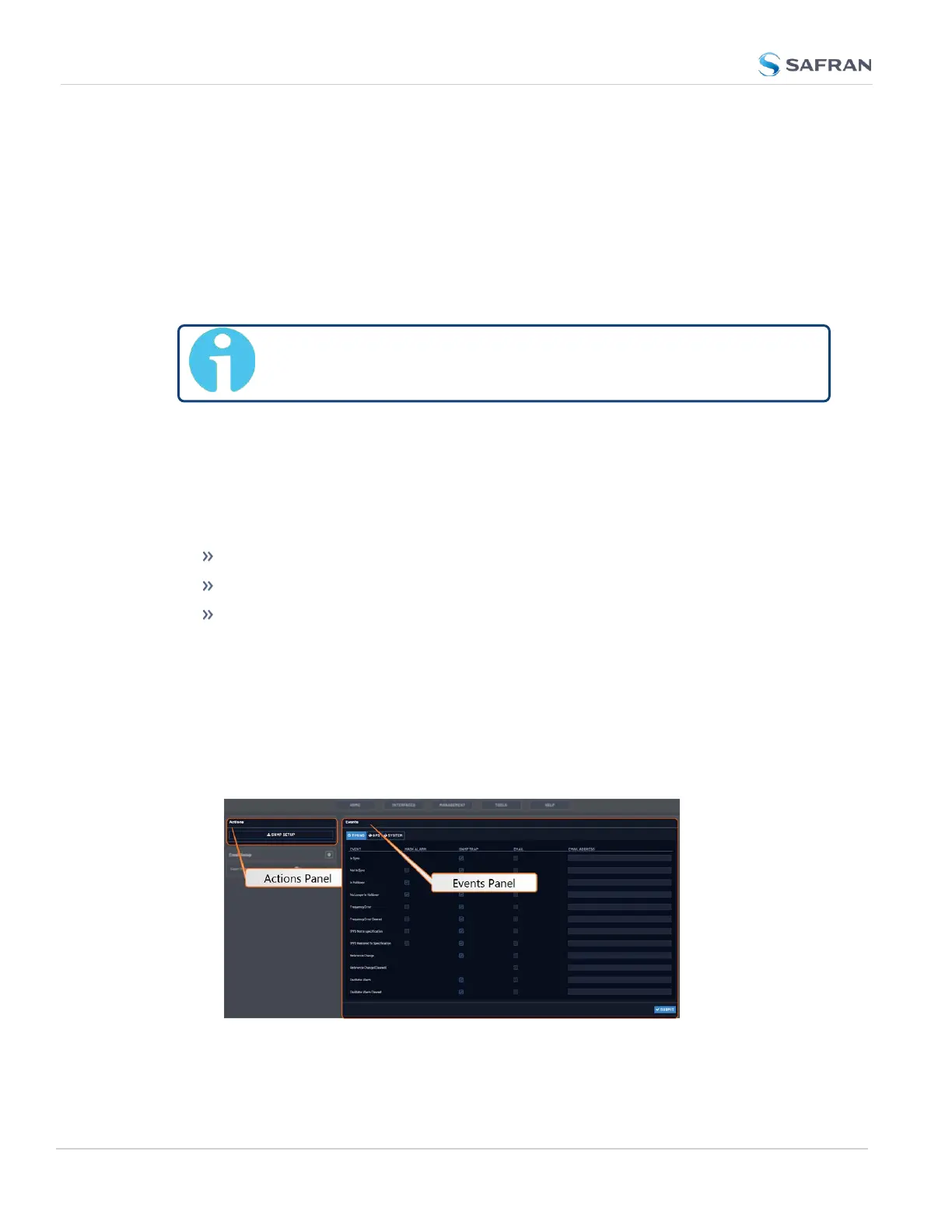
1. Navigate to MANAGEMENT > OTHER: Notifications. The Notifications
screen will display:
234
CHAPTER 4 • VersaSync User Manual Rev. 12
4.3 Notifications



 To Next Page