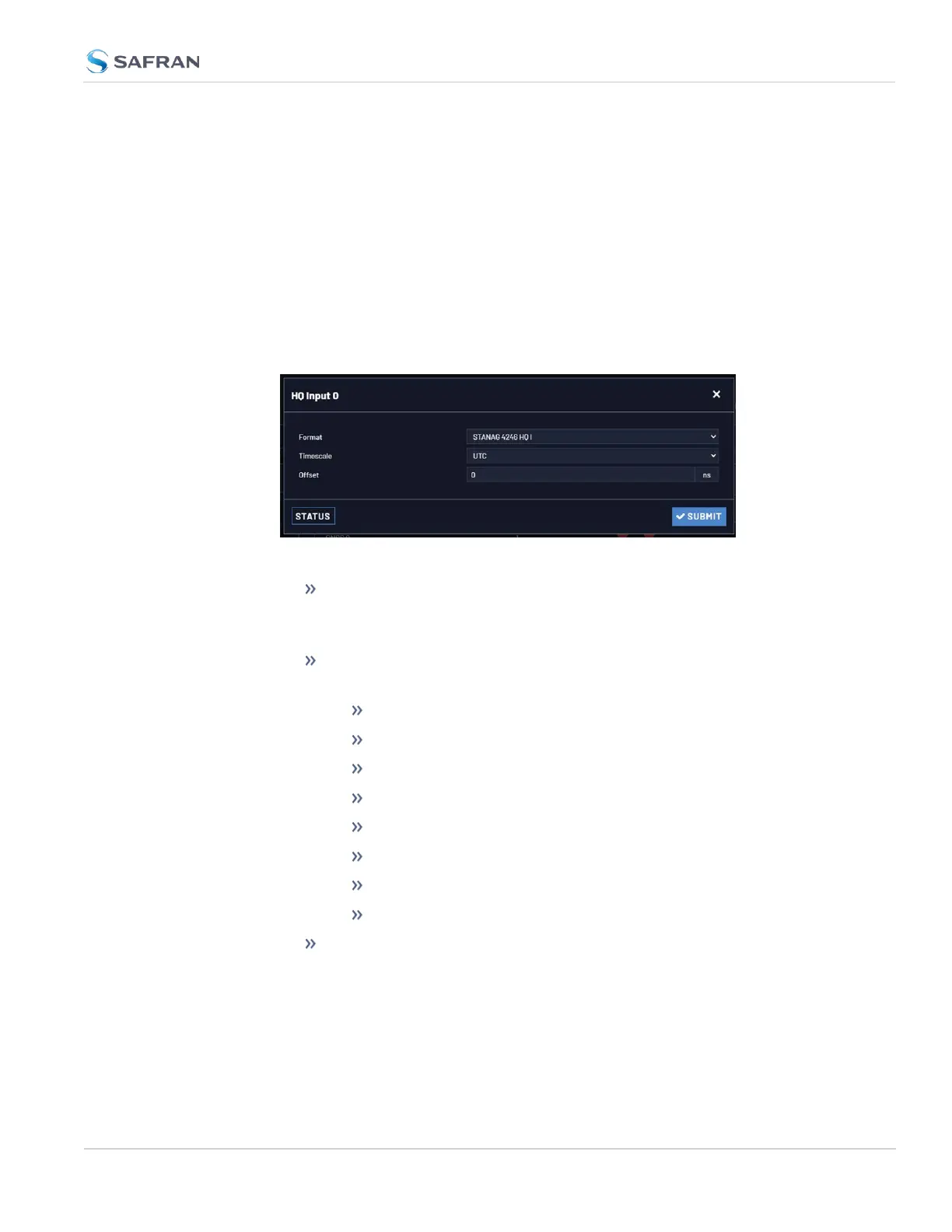
3. Click Submit.
2.7.4.8 Configuring a HaveQuick Output
To configure a HaveQuick output:
1. Navigate to INTERFACES > OUTPUTS: HQ Output 0, or to INTERFACES >
OPTION CARDS: HQ Output 0. The Status window will display, providing
information on Signature Control, message Format, Timescale, and Offset.
2. Click Edit. The Configuration window will display.
The following settings are configurable:
Signature Control: Used to control when the signal will be present.
This function allows the modulation to stop under certain conditions,
see also "Signature Control" on page69.
TOD Format: The user- selectable format to be used. Available
formats include:
STANAG 4246 HQI
STANAG 4246 HQII
STANAG 4372 HQIIA
STANAG 4430 STM
STANAG 4430 XHQ
ICD-GPS-060A BCD
ICD-GPS-060A HQ
DOD-STD-1399 BCD
Timescale: Used to select the time base for the incoming time code
data. The entered Timescale is used by the system to convert the
time in the incoming data stream to UTC time for use by the System
Time. The available choices are:
2.7 Configuring Inputs/Outputs
CHAPTER 2 • VersaSync User Manual Rev. 12
67



 To Next Page