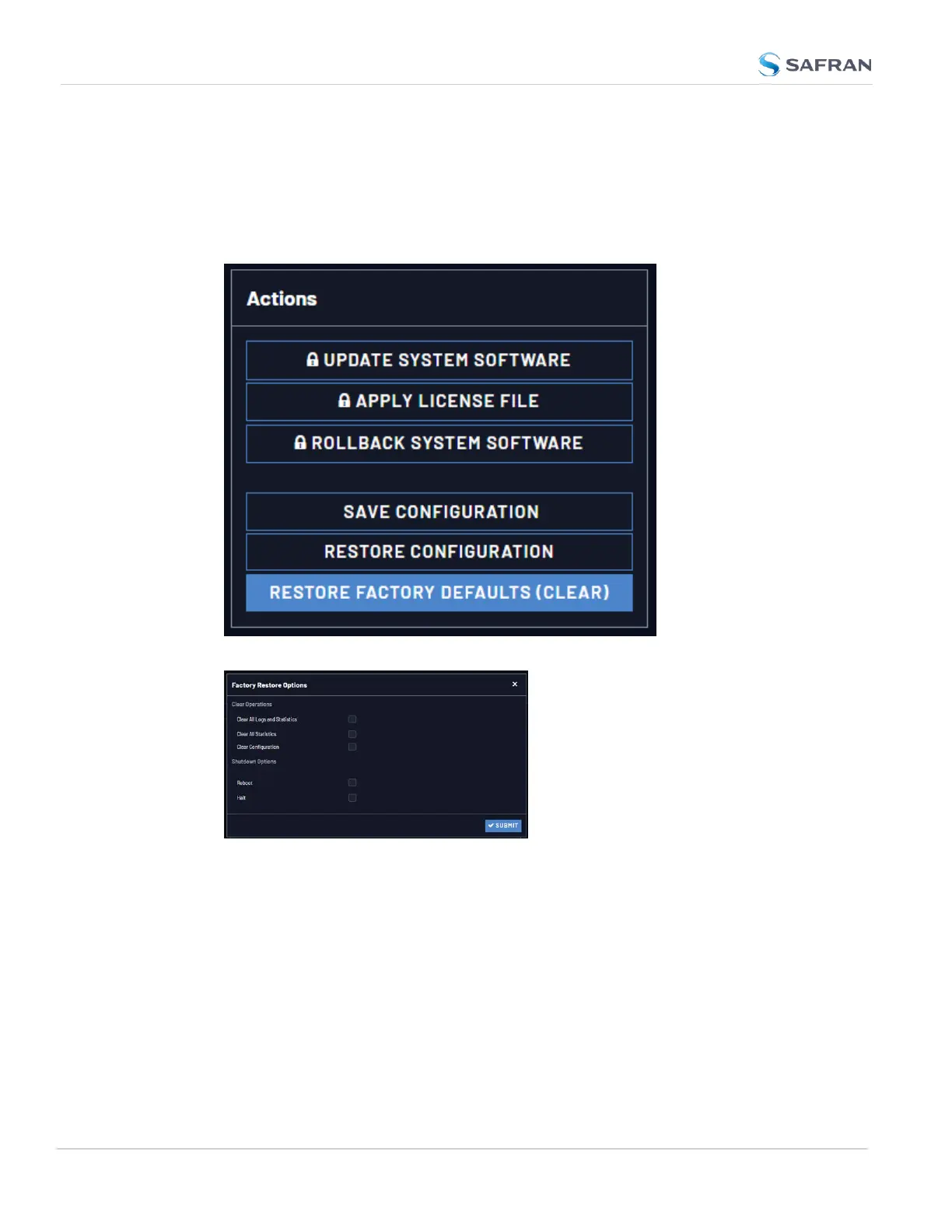
4.8.1 Resetting All Configurations to their Factory Defaults
To restore the configuration files to their factory defaults:
1. Navigate to TOOLS > SYSTEM: Upgrade/Backup.
2. In the Actions panel, click the Restore Factory Defaults (Clear) button.
3. In the Factory Restore Options panel, choose your options for the restore:
Clear All Logs erases all logs
Clear All Stats will clear NTP stats, PTP stats, and all database tables
Clear Configuration clears any user configuration, including network set-
tings
Reboot restarts the unit after the clear.
Halt puts the unit in a halted stated after performing the clear.
4. Click on Submit to finalize the commands.
294
CHAPTER 4 • VersaSync User Manual Rev. 12
4.8 Resetting the Unit to Factory Configuration



 To Next Page