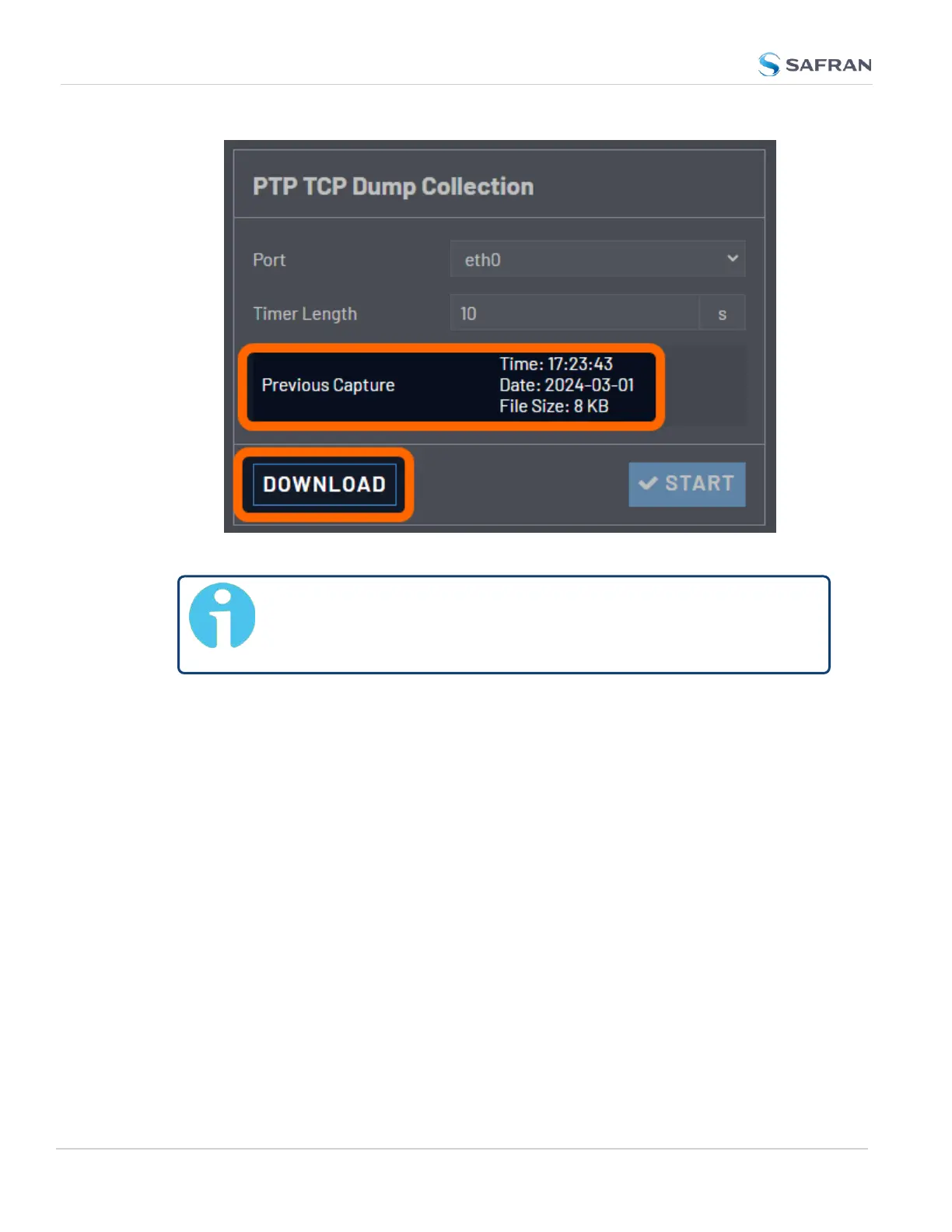
4. Select Download to obtain the PCAPfile.
Note: The PTP TCP Dump panel will not display if you have removed
TCP Dump from your unit. See "Network Services" on page75 for
more information about the main tcpdump feature.
2.8.12.2 Configure a New PTP Master or PTPSlave
To configure a PTP port:
1. Navigate to either the PTP Slaves Overview panel or the PTP Master Over-
view panel and select the plus icon.
2. Enter your PTP port configuration (some fields will hid or be revealed
based on your selections for Profile, Mode, and other factors). For more
information on your configuration options, see "The Edit PTP Settings
Panel" on page143.
3. Select Submit.
4. You will need to Enable the PTP port in the PTP Master or Slave Overview
panels.
5. View your PTP Master or Slave in the PTP Overview panels. For more
information on PTPverification, refer to the "PTP Monitoring" on the facing
page section.
150
CHAPTER 2 • VersaSync User Manual Rev. 12
2.8 Configuring Network Settings



 To Next Page