4.1 Issuing the HALT Command Before Removing Power
Gracefully shutting down VersaSync by using the HALT command offers the fol-
lowing advantages over shutting the unit down by interrupting the power supply:
The shutdown process will be logged
The System Clock will update the Real Time Clock with the latest System
Time.
VersaSync's file system will be synchronized, which under some cir-
cumstances will allow for faster startup next time the unit will be powered
up.
Note: Wait 30 seconds after entering the HALT command before
removing power.
Issuing a HALT Command via the Web UI
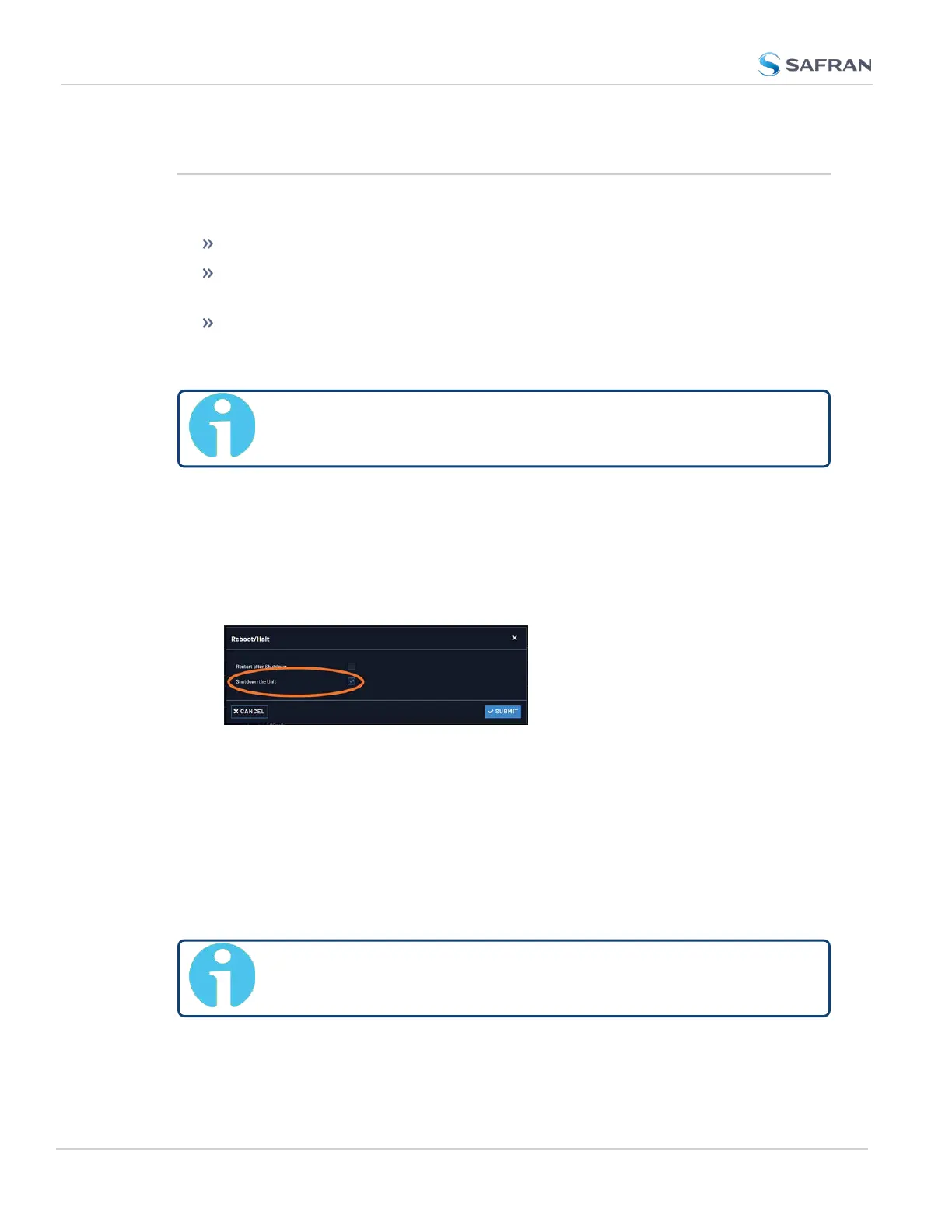
1. Navigate to TOOLS > SYSTEM: Reboot/Halt.
2. The Reboot/Halt window will display. Select the Shutdown the Unit check-
box.
3. Click Submit.
4. Wait 30 seconds after entering the HALT command before disconnecting
power from the unit.
Issuing a HALT Command via SerialPort/Telnet/SSH:
With a serial connection to the USB port, telnet connection or SSH connection,
type halt <Enter> to halt the unit for shutdown. For more information on Ver-
saSync commands, see "CLICommands" on page313.
Note: After issuing the HALT command wait 30 seconds before you
remove power.
232
CHAPTER 4 • VersaSync User Manual Rev. 12
4.1 Issuing the HALT Command Before Removing
Power



 To Next Page