The Priv Passphrase must be between 8 and 32 characters in length.
[v3]
6. Click the Submit button at the bottom of the window. Cancel any changes
by clicking the X-icon in the top-right corner (any information entered will
be lost).
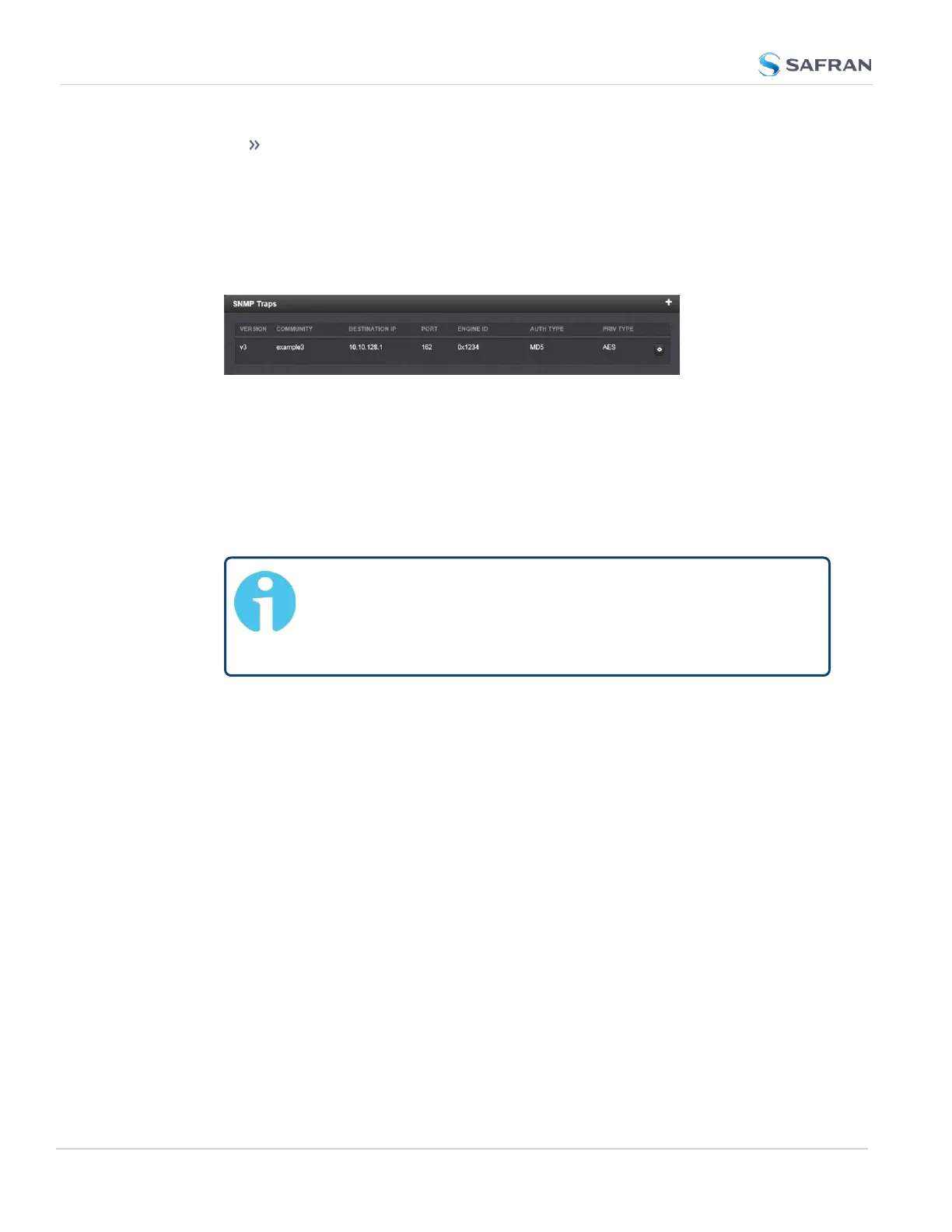
7. The SNMP trap you created will appear in the SNMP Traps panel:
Each row of the SNMP Traps panel includes the version of the SNMP func-
tionality, the User/Community name for the trap, the IP address/Hostname
of the SNMP Manager and values applicable only to SNMP v3, which include
the Engine ID, the Authorization Type, the Privilege Type.
You may define different SNMP Managers to whom SNMP traps can be sent
over the network. This allows for SNMP Managers in different geographical
areas to receive the same SNMP traps.
Note: Safran Trusted 4D has been assigned the enterprise iden-
tifier 18837 by the IANA (Internet Assigned Numbers Author-
ity). The product MIBs reside under the enterprise identifier
@18837.3.
For detailed descriptions of the objects and traps supported by the Ver-
saSync, please refer to the VersaSync MIB files. See "Accessing the SNMP
Support MIB Files" on page100.
2.8.9 VLAN Support
VLAN support in VersaSync allows you to assign a VLAN ID to a specific port to
facilitate communication within your network. These VLAN interfaces have the
same configuration options as the standard untagged Ethernet interfaces.
To set up VLAN interface identification tags:
1. Navigate to MANAGEMENT > Network Setup. In the Actions panel, select
VLAN.
2. In the popup panel labeled VLAN Setup, click on the plus sign to add your
VLAN interfaces. (You can also view or delete any configured VLAN tags
from this panel).
106
CHAPTER 2 • VersaSync User Manual Rev. 12
2.8 Configuring Network Settings



 To Next Page