1. Navigate to the Configure Reference Priorities screen via MANAGEMENT >
OTHER: Reference Priority.
2. Click the PLUS icon in the top right-hand corner of the Configure Refer-
ence Priorities table.
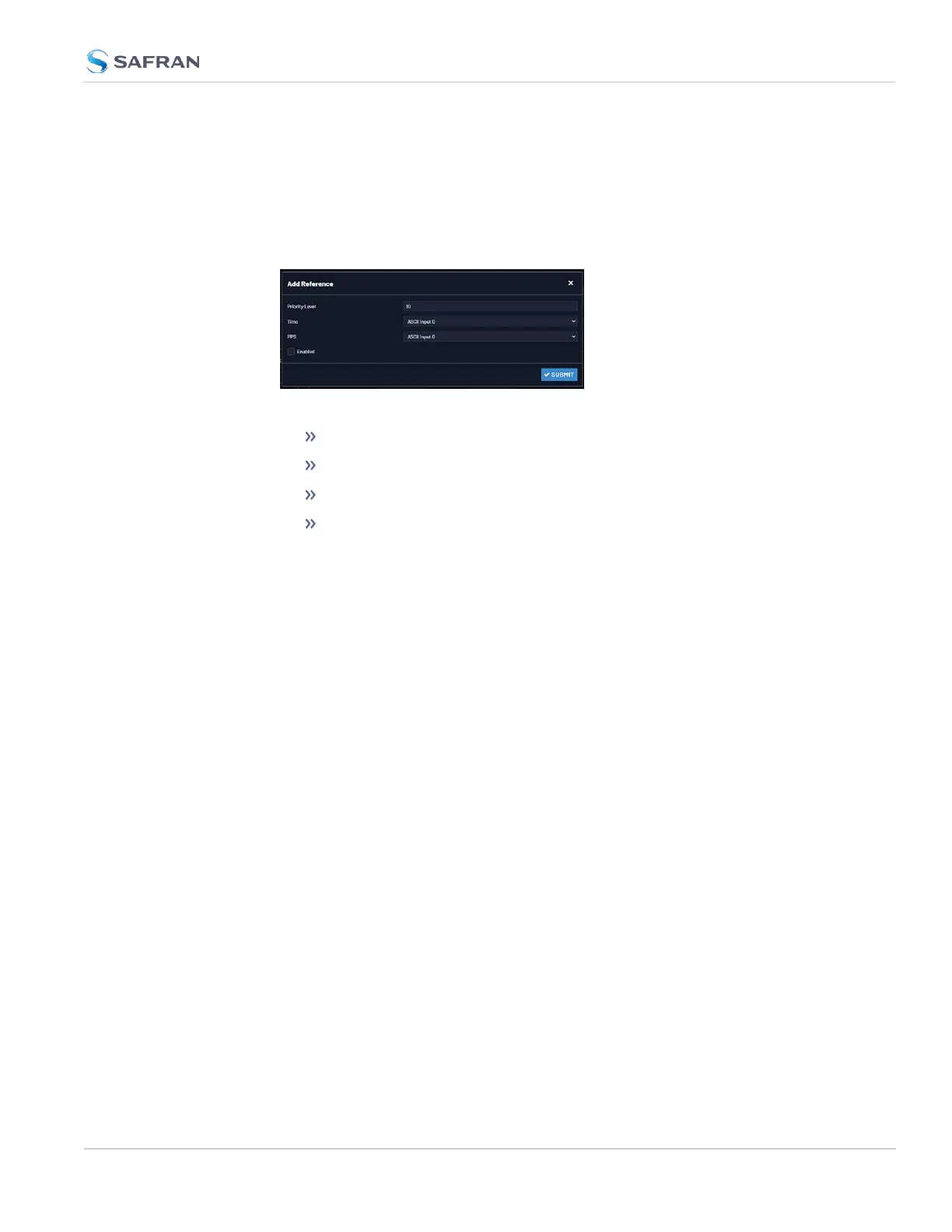
3. The Add Reference window will display:
4. In the Add Reference window, enter:
Priority Level: Assign a priority to the new reference.
Time: Select the time reference.
PPS: Select the PPS reference.
Enabled: Check this box to enable the new reference.
5. Click Apply or Submit. (Submit will close the window.)
Deleting a Reference Entry
To delete an entry from the Reference Status table:
1. Navigate to the Configure Reference Priorities screen via MANAGEMENT >
OTHER: Reference Priority.
2. In the Configure Reference Priorities table click the Delete button on the
right-hand side of the entry you wish to delete.
3. In the pop-up window that opens click OK to confirm.
Reordering Reference Entries
To reorder the priority of a reference entry:
1. Navigate to the Configure Reference Priorities screen via MANAGEMENT >
OTHER: Reference Priority.
2. Click and hold on the item whose priority you wish to reorder.
3. Drag the item up or down to the desired place.
3.3 Managing References
CHAPTER 3 • VersaSync User Manual Rev. 12
175



 To Next Page