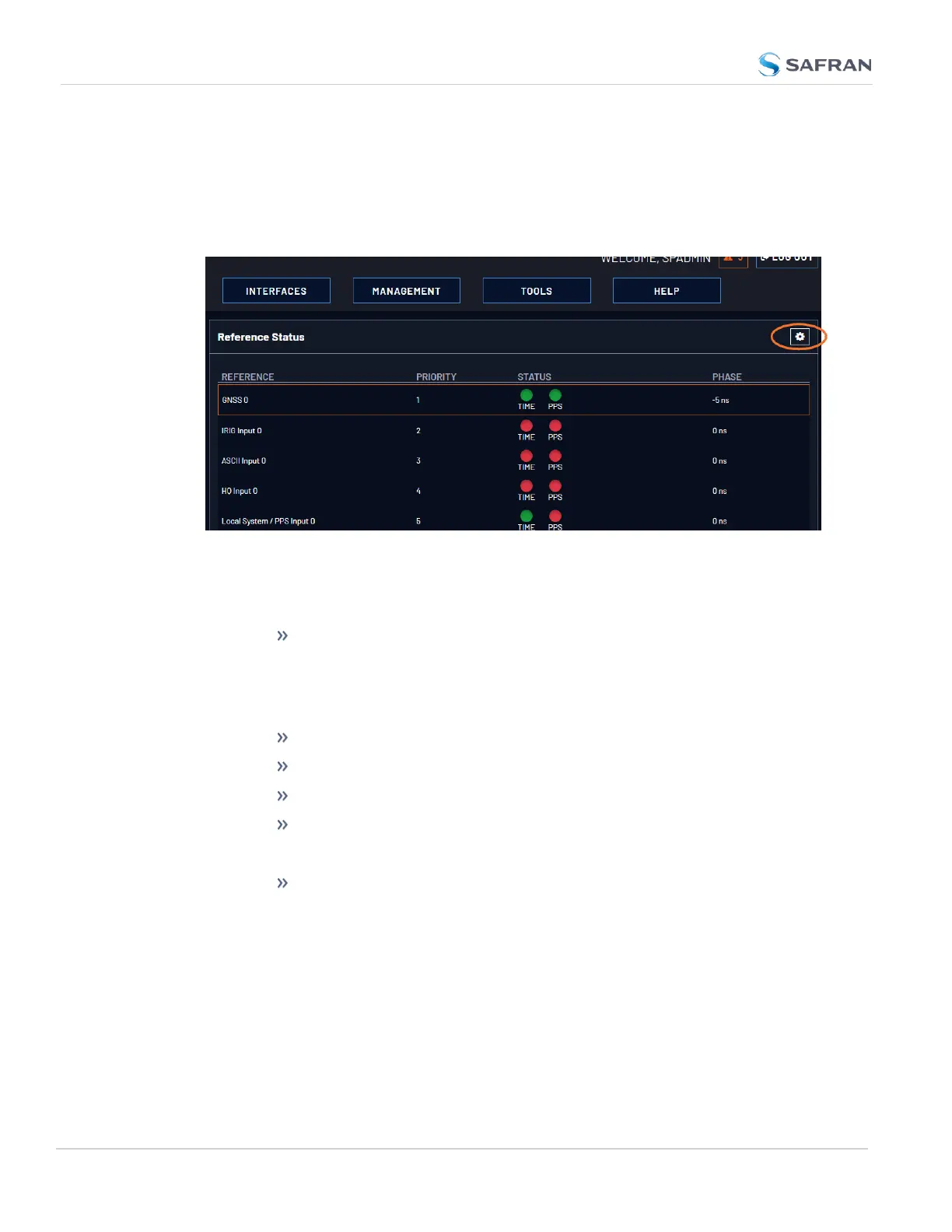
To access the Reference Priority Setup screen:
1. Navigate to MANAGEMENT > OTHER: Reference Priority.
OR:
1. On the HOME screen, click the GEAR icon in the Reference Status panel:
2. The Configure Reference Priorities screen will display.
The Reference Priority screen is divided into 3 areas:
a. The Actions panel, which provides a single action:
Restore Factory Defaults
b. The Configure Reference Priorities panel, which displays the priority of
VersaSync’s references in a table form.
In this panel you can:
Add and configure new references
Delete references
Enable/disable references
Reorder the priority of VersaSync’s references
c. The Reference Status panel
The Reference Status panel provides a real time indicator of the
status of the VersaSync’s references. It is the same as the Refer-
ence Status panel on the HOME screen of the Web UI.
Adding an Entry to the Reference Status Table
To add a new entry to the Reference Status table:
174
CHAPTER 3 • VersaSync User Manual Rev. 12
3.3 Managing References



 To Next Page