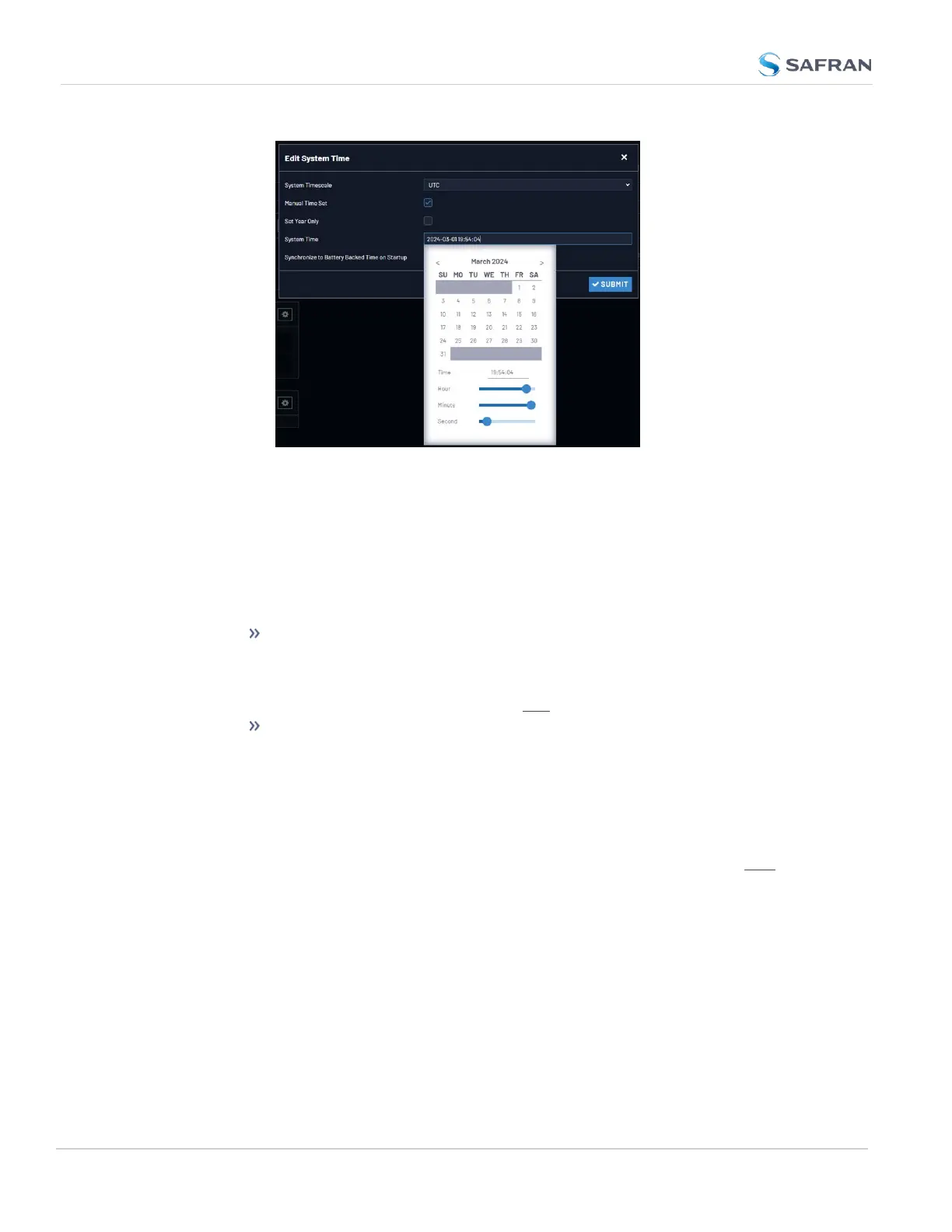
The time in the System Time field will default to the current date and
time. To set the time, use the sliders. The time will display between
the calendar and the sliders, and also next to the chosen date in the
field directly above the calendar. To close the calendar, click any-
where in the Edit System Time window.
NOTE: Except for testing purposes, you should not choose a date
other than the current day.
Set Year Only: Some legacy time formats (e.g., IRIG) do not support
years. Checking this box will open a data entry field to manually set
the year. Safran recommends not to utilize this feature, unless the
IRIGformat you are using does not provide a YEAR field.
Synchronize to Battery Backed Time on Startup: See "Using Battery
Backed Time on Startup" on the facing page.
4. Click Submit at the precise moment desired.
5. Navigate to MANAGEMENT > OTHER: Reference Priority.
6. In order for the User time to be a considered a valid reference, verify that
the Reference Priority table includes an "Enabled" User [x] Time, and 1PPS
reference ("User/User"). For more information, see "Input Reference Pri-
orities" on page171 and "The "User/User" Reference" on page177.
7. Move (drag & drop) the User time to the top of table, and disable all other
references.
8. Let Holdover expire. (Set it to a very short duration, if desired:
i. Navigate to MANGAGEMENT > OTHER: Disciplining.
ii. In the Status panel, click the GEAR icon.
162
CHAPTER 3 • VersaSync User Manual Rev. 12
3.2 System Time



 To Next Page