Caution: Since the User/User reference is not traceable to a valid ref-
erence, it does not qualify as a legitimate time source. Operating Ver-
saSync with a manually set User time bears the risk of inadvertently
outputting an illegitimate System Time thought to be a valid ref-
erence time.
Use cases for the "User/User" reference
The User/User reference is provided for the following use cases:
a. No external references are available (yet), but you need a reference for test-
ing or setup purposes. This may be the case e.g., while waiting for a GNSS
antenna to be installed.
b. No external references are required e.g., if VersaSync is used solely to syn-
chronize computers on a network, with no need for traceable UTC-based
timing.
c. To utilize a backup reference as soon as possible after a power cycle or
reboot of VersaSync, while waiting for the primary reference (e.g., GNSS)
to become valid. To this end, in the Edit System Time window, the check-
box Synchronize to Battery Backed Time on Startup must be checked,
AND the User/User reference is assigned a reference priority number other
than "1". Note that a Time jump and/or 1PPS jump are likely to happen once
the primary reference becomes valid.
Combining a User Time reference with a non-User 1PPS reference or vice versa is
not a typical use case. Use the Local System reference instead, see "The "Local
System" Reference" on page176.
Built-in safety barrier
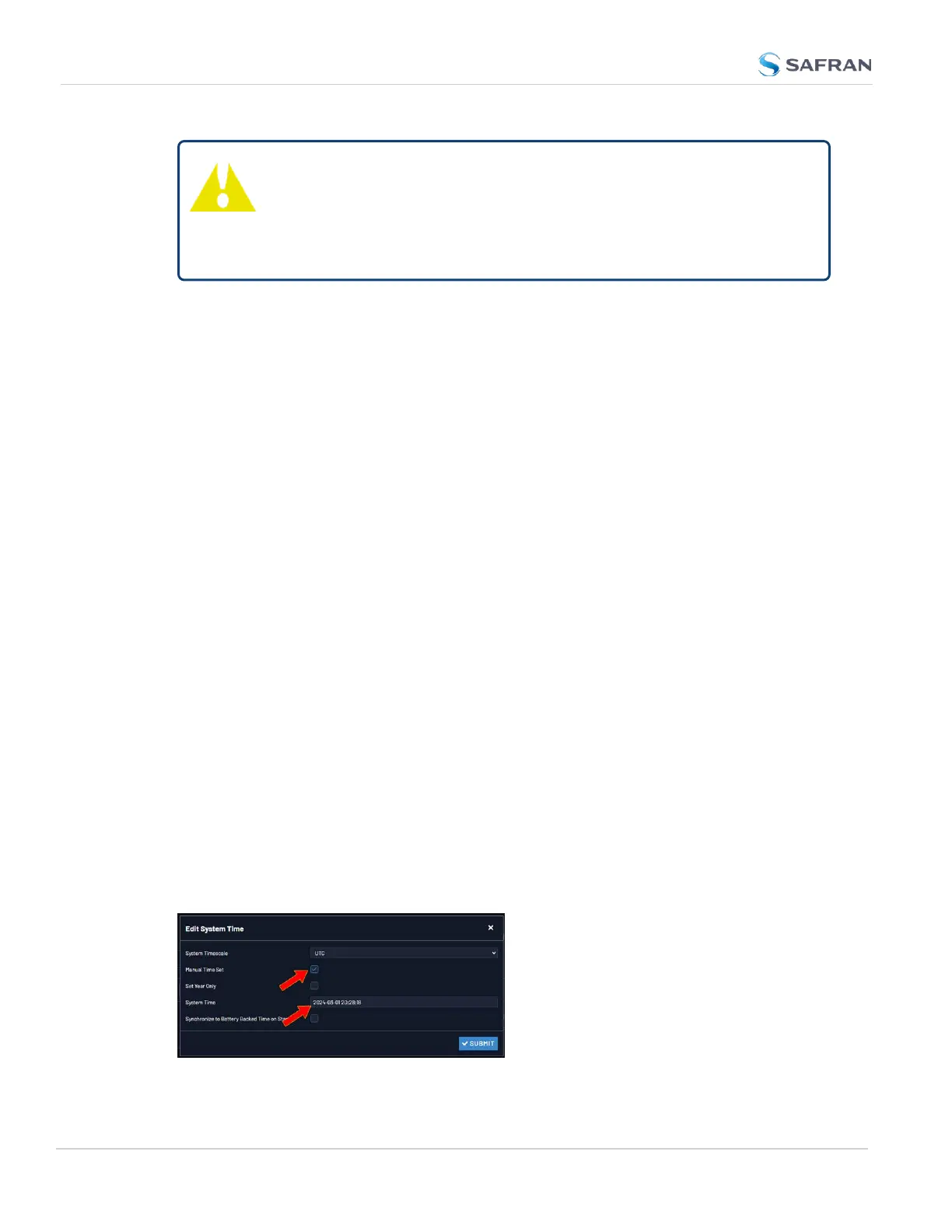
In order to "validate" (= green status lights) the User/User reference, the hand-
set time must be manually submitted every time after VersaSync reboots or
resets, or after the Holdover period has expired: In the Edit System Time window,
the checkbox Manual Time Set must be checked. The System Time displayed in
the field below will become valid the moment the Submit button is clicked.
178
CHAPTER 3 • VersaSync User Manual Rev. 12
3.3 Managing References



 To Next Page