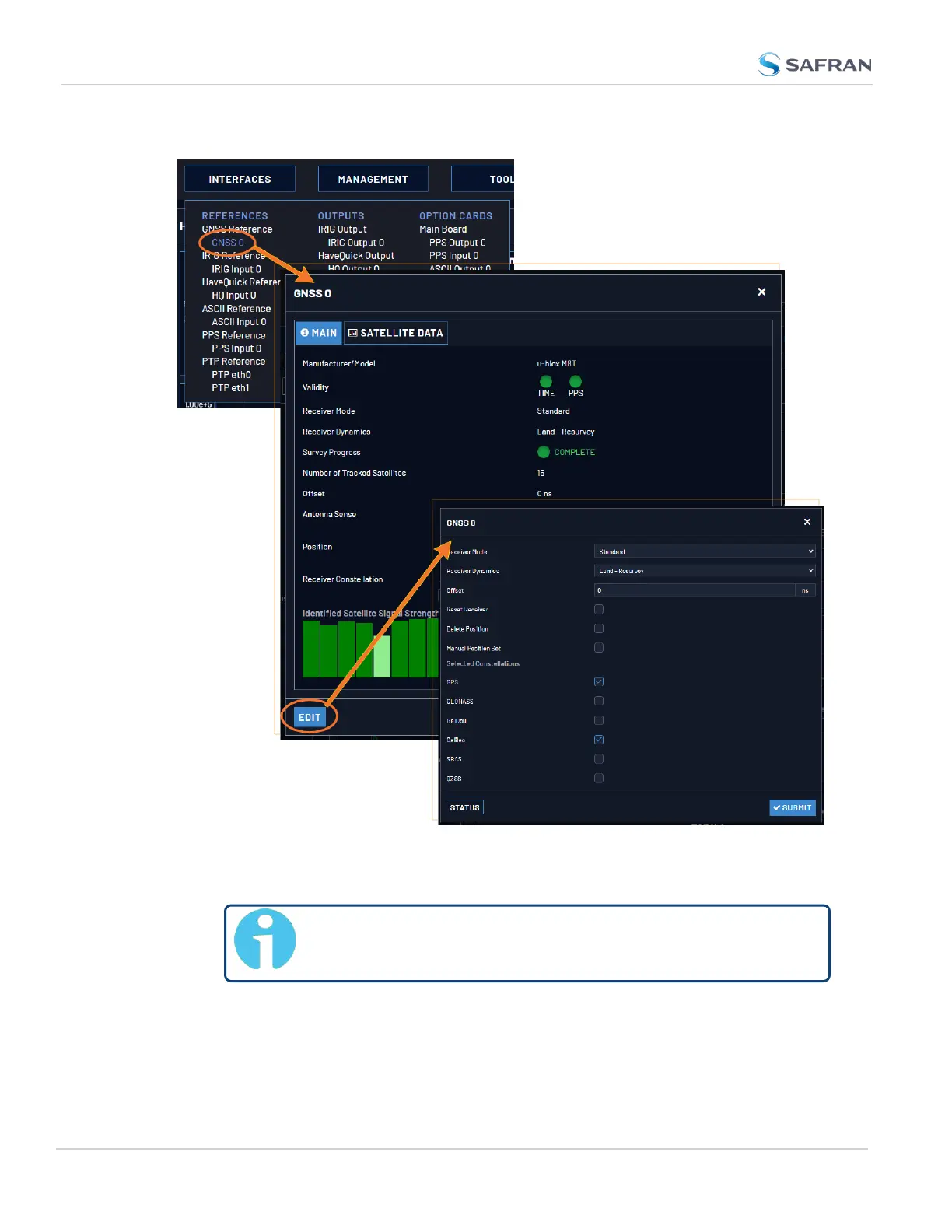
To access the GNSS Receiver settings:
1. Navigate to INTERFACES > REFERENCES: GNSS 0.
Note: Typically, there will be only one GNSS reference,
numbered "0".
2. The GNSS 0 status window will open. To open the configuration window,
click Edit in the bottom-left corner.
OR:
194
CHAPTER 3 • VersaSync User Manual Rev. 12
3.3 Managing References



 To Next Page