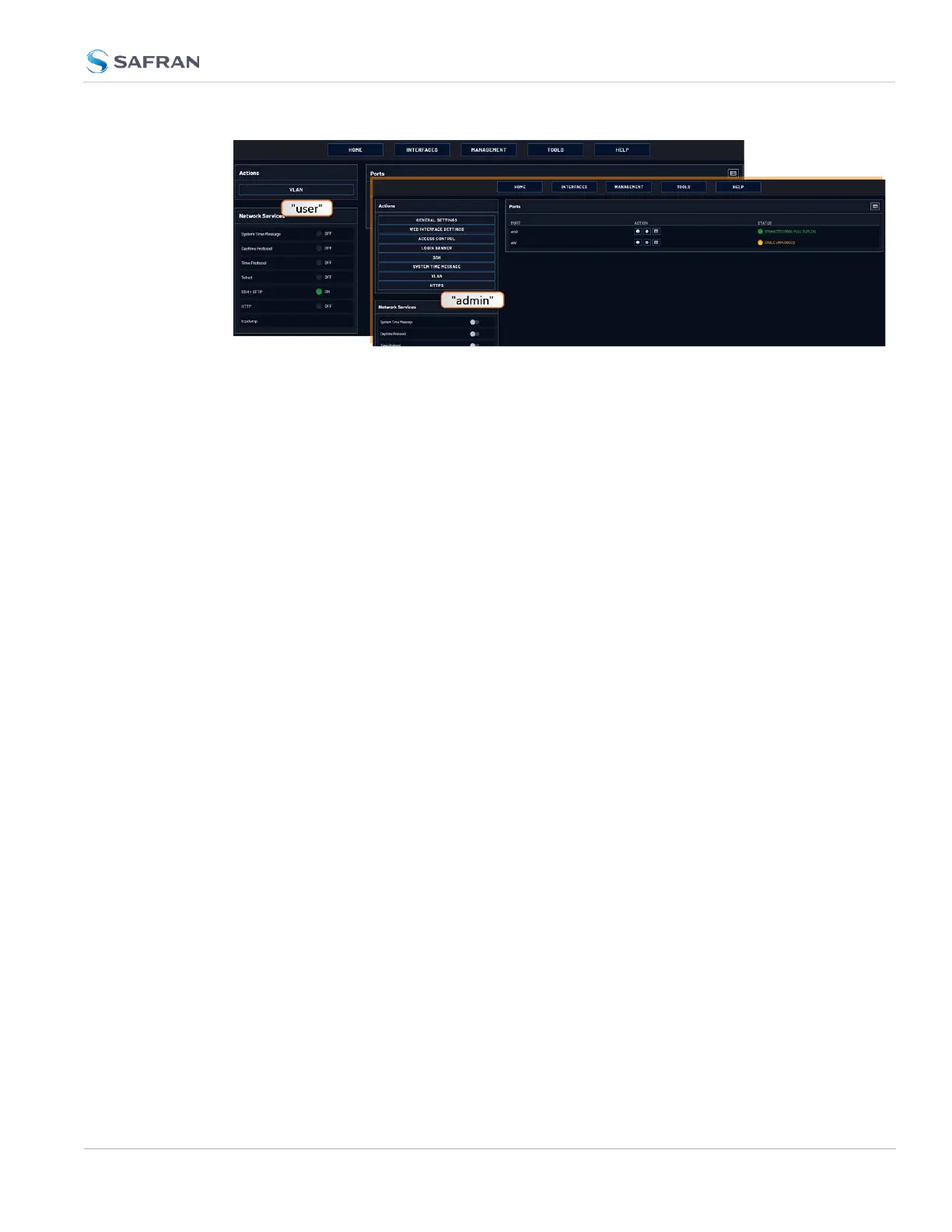
The status information presented, however, will be largely identical.
The most significant differences are visible in the MANAGEMENT menu, since
most of the Setup menus are hidden from "user" accounts:
Account Differences, by Menu
INTERFACES Menu
"user" and "admin" accounts can view and modify all settings in these pages (can
view/edit GNSS receiver, Outputs, and Option Cards).
MANAGEMENT Menu
Pin Layout: The "user" cannot see or manipulate these settings.
Network: While the toggle switches in the Network Services panel are displayed,
"user" cannot modify any of the network-related configurations (such as telnet,
FTP, SSH and HTTP/HTTPS). The switches can be moved, but an error message
will be displayed shortly thereafter.
Authentication: "user" can access this page but can only change his/her own
password. Users cannot create any new accounts and cannot modify any
accounts.
Reference Priority: "user" can access this page and modify settings.
Notifications: "user" can access this page and modify settings.
Time Management: "user" can access this page and modify settings.
Front panel: "user" can access this page and modify settings.
Log Configuration: "user" can access this page and modify settings.
Disciplining: "user" can access this page and modify settings.
Change my password: "user" can access this page and change only their pass-
word.
4.4 Managing Users and Security
CHAPTER 4 • VersaSync User Manual Rev. 12
243



 To Next Page