1. Navigate to MANAGEMENT > OTHER: Authentication.
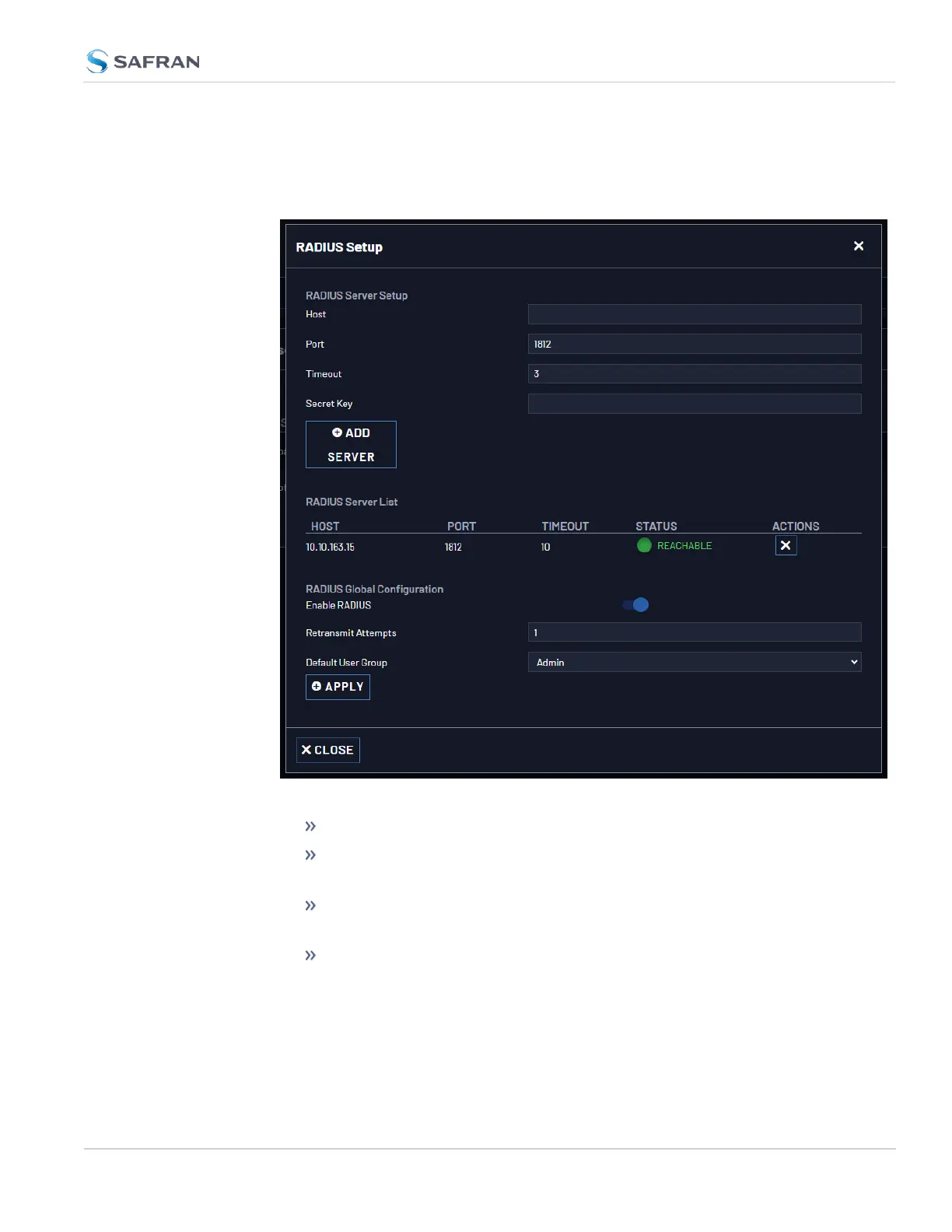
2. In the Actions panel on the left, click RADIUS Setup. The RADIUS Setup win-
dow will be displayed:
3. Fill out the fields:
Host: The hostname or IP address of the RADIUS server
Port: Defines the RADIUS Port to use. The default RADIUS Port is 1812,
but this can be changed, as required.
Secret Key: The secret key which is shared by VersaSync and the
RADIUS server (the key is used to generate an MD5 hash).
Timeout: [seconds] Defines the Timeout that VersaSync will wait to
communicate with the RADIUS server e.g., 10 seconds.
4.4 Managing Users and Security
CHAPTER 4 • VersaSync User Manual Rev. 12
259



 To Next Page