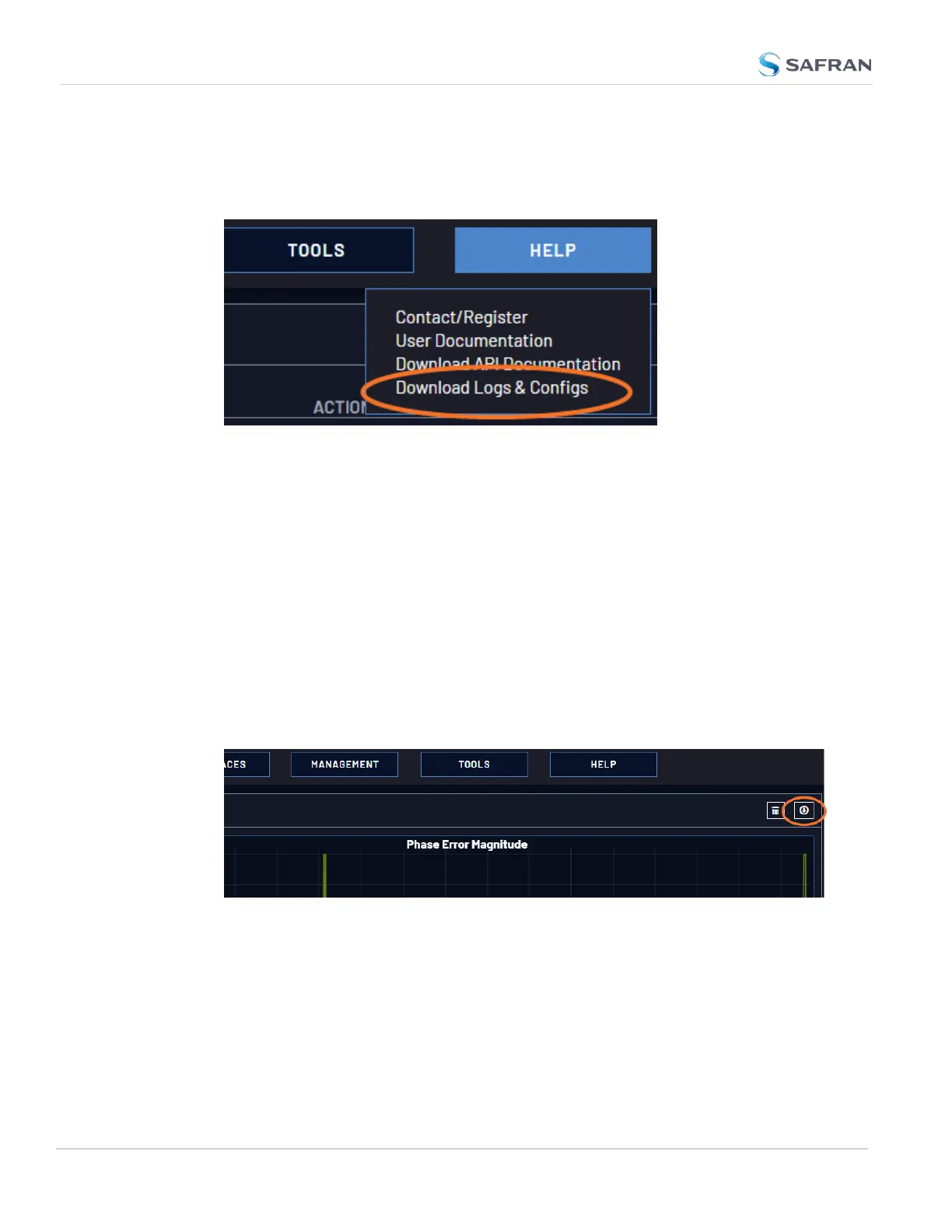
To save, bundle, and download all logs AND current configs, there is a shortcut in
the HELPmenu:
1. Navigate to HELP > Download Logs & Configs.
2. The logs and current configuration files will be automatically downloaded.
Saving and Downloading the Oscillator Log
The oscillator status log captures oscillator performance data, such as frequency
error and phase error. The data can be retrieved as a comma-separated .csv file
that can be read and edited with a spreadsheet software, such as Microsoft
Excel
®
. You may want to review and/or keep this data for your own records, or
you may be asked by Safran Technical Support to download and send the oscil-
lator status log in the event of technical problems.
To download the oscillator status log:
1. Navigate to MANAGEMENT > OTHER: Disciplining.
2. Click on the ARROW icon in the top-right corner of the screen. Save the
.csvfile to your computer.
3. If so asked by Technical Support, attach the oscillator status log file (typ-
ically together with the bundled VersaSync log files, see: "Saving and Down-
loading Logs" on the previous page) to your email addressed to Safran
Technical Support.
288
CHAPTER 4 • VersaSync User Manual Rev. 12
4.6 Quality Management



 To Next Page