number is greater than 70%, free up disk space.
(NOTE: If required, existing logs can be archived; for details see "Saving
and Downloading Logs" on page287.)
To free up disk space:
a. Delete old log files: Tools > Upgrade/Backup > Disk Status > Clear All
Logs.
b. Delete old statistics files: [~] > Clear All Stats.
c. Delete previous Upgrade files: Tools > Upgrade/Backup > Actions >
Update System > Delete Upgrade File(s). Note that Delete Upgrade
File and Update System cannot be selected at the same time.
4. Download the latest upgrade software bundle from the Safran website
onto your PC.
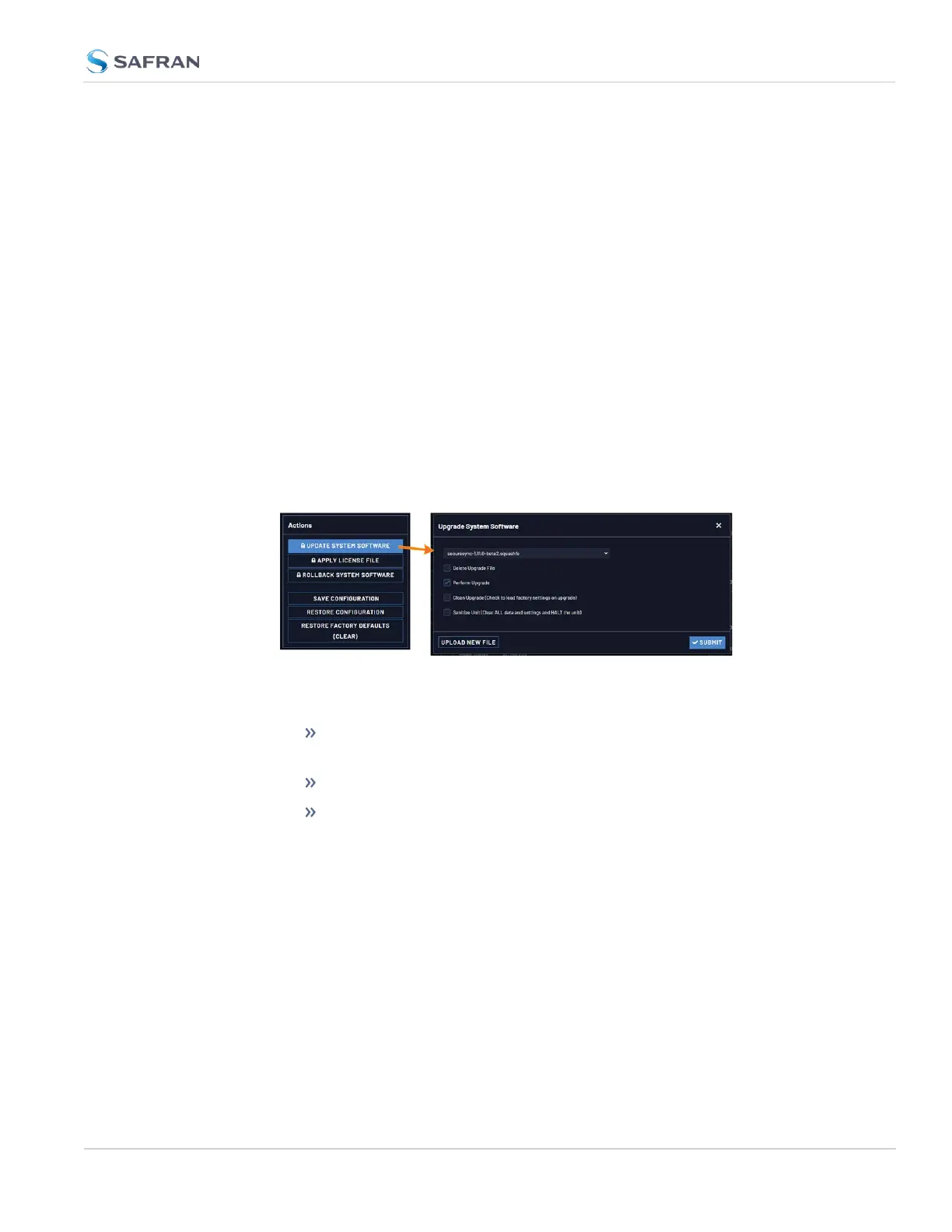
5. Perform the actual upgrade by navigating to TOOLS > Upgrade/Backup >
Actions: Update System Software. Upload the upgrade software bundle
previously downloaded onto your PC (updateXYZ.squashfs).
Once you have uploaded the software bundle, the following checkbox
options will be presented:
Remove software bundle: Cancel the upgrade, and remove the
uploaded software bundle from the system.
Perform update: Perform the software upgrade.
Perform clean update: Factory settings will be applied during the
upgrade; any custom settings you may have applied previously will
be overwritten! This also includes the unit's static IP address (if you
applied one): it will be replaced by the default DHCP address (i.e.,
0.0.0.0.) Also note that the browser session will terminate: After
reconfiguring the unit's IP address, you will need to login to the Web
UI in a new browser session.
6. Click Submit to carry out the update. A progress bar will estimate status
information:
4.7 Updates and Licenses
CHAPTER 4 • VersaSync User Manual Rev. 12
291



 To Next Page