The Actions panel is used for updating the system software, managing license
files, saving and restoring the configuration files, and restoring the factory
defaults.
The System Configuration panel
The System Configuration panel provides the following information:
System—The model name of this unit, and the software version currently
installed.
Model—The model number of this unit.
Serial Number—The serial number of this unit.
Power Supply—The type of power supply installed in this unit. This can be
AC, DC or both.
Oscillator—The type of internal timing oscillator installed in this unit.
Timing Processor—The timing processor in use with this unit.
GNSS Receiver—The GNSS receiver in use with this unit.
Option—The optional features also included on this unit.
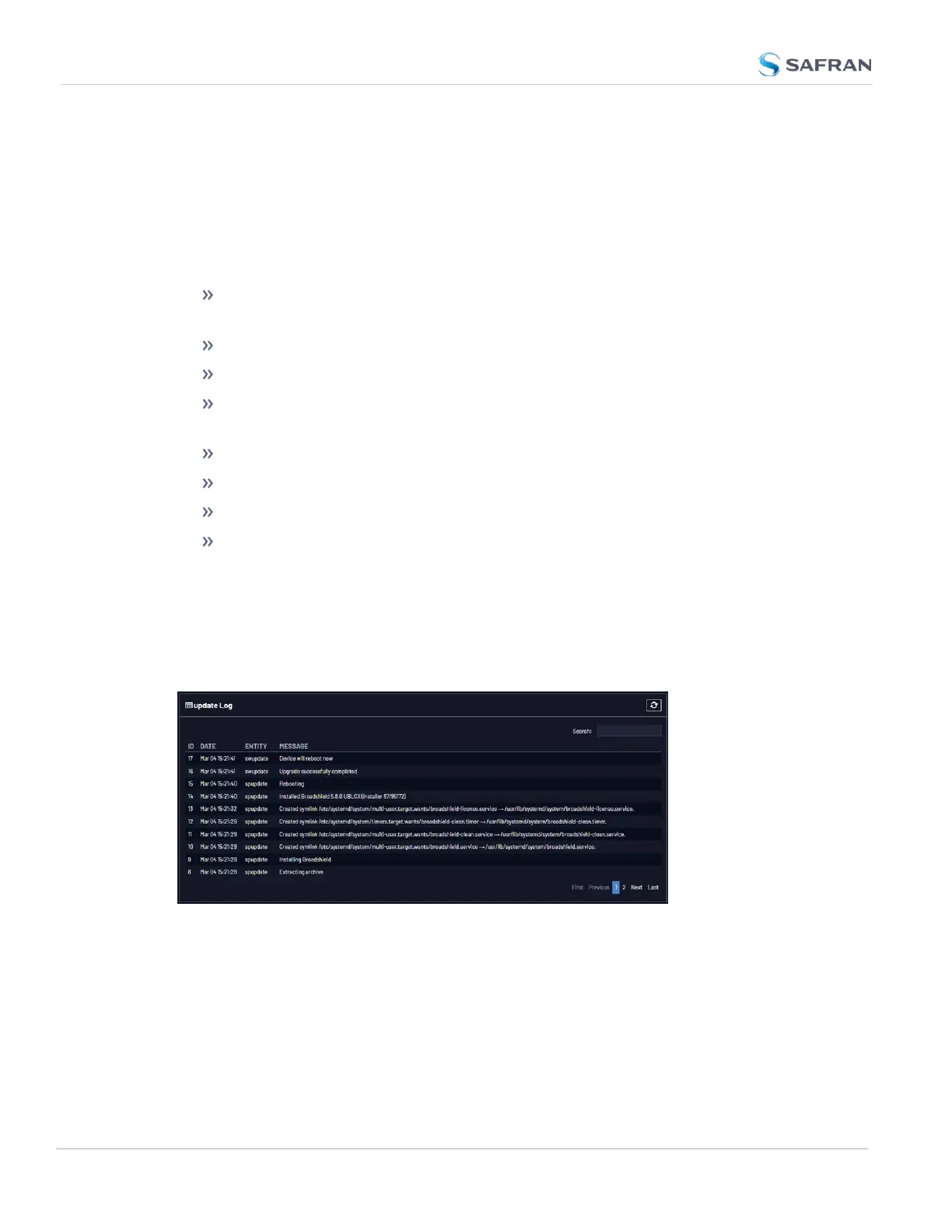
The Upgrade Log panel
The upgrade log is a running log of system upgrades, used for historical and
troubleshooting purposes. It can be expanded by clicking on the DIAGONAL
ARROWS icon in the top-right corner:
Each log entry is comprised of a unique ID, the date the entry was created, the ori-
ginator of the entry, and the actual message. Refresh the log by clicking the
CIRCLE ARROWS icon in the top-right corner. Go to the First, Last, or Previous
entries by clicking the corresponding buttons in the bottom-right corner.
The Disk Status panel
296
CHAPTER 4 • VersaSync User Manual Rev. 12
4.8 Resetting the Unit to Factory Configuration



 To Next Page