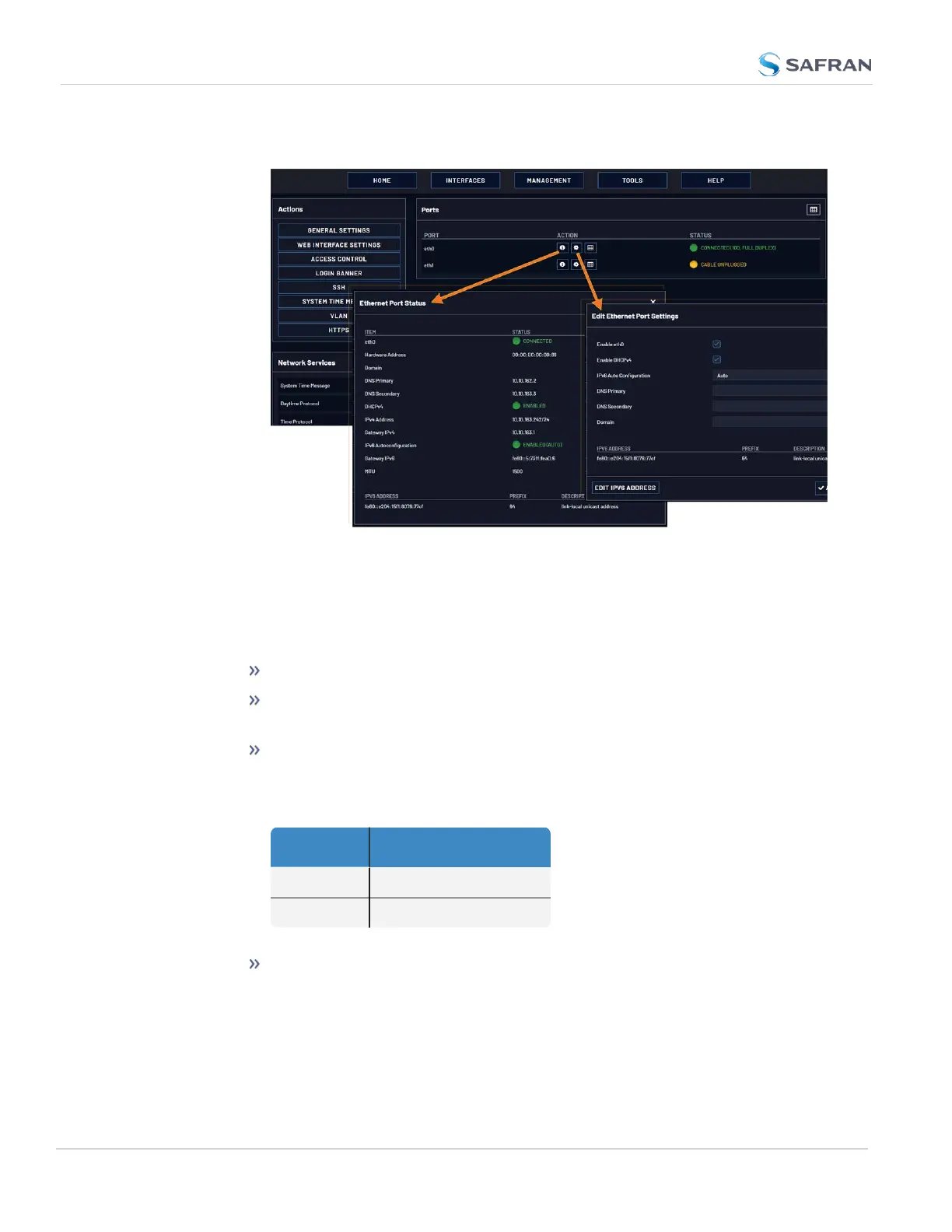
view the port status.
3. Ethernet ports are enabled by default. If the port is not already enabled, in
the Edit Ethernet Ports Settings window, click the Enable check box. The
Edit Ethernet Ports Settings window will expand to show the options
needed to complete the port setup.
Fill in the fields as required:
Enable eth0: [Checkbox]
Enable DHCPv4: [Checkbox] Check this box to enable the delivery of
IP addresses from a DHCP Server using the DHCPv4 protocol.
Static IPv4 Address: This is the default, or the unique address
assigned by the network administrator.
Table 2-5:
Default IP addresses
ETH port Default IP address
ETH0 192.168.1.1
ETH1 192.168.1.2
The default subnet is: 255.255.0.0
Netmask: This is the network subnet mask assigned by the network
administrator. In the form “xxx.xxx.xxx.xxx.” See "Subnet Mask Val-
ues" on page390 for a list of subnet mask values.
74
CHAPTER 2 • VersaSync User Manual Rev. 12
2.8 Configuring Network Settings



 To Next Page