4 — Component Identification
24
920515770_J
Vision® 1300 Series
Operator Manual
IMPORTANT: STERIS is not responsible for custom-programmed cycles.
The system monitors and controls the washer/disinfector operations and functions and also monitors the current
status of the washer/disinfector, including current chamber temperature and time remaining in phase.
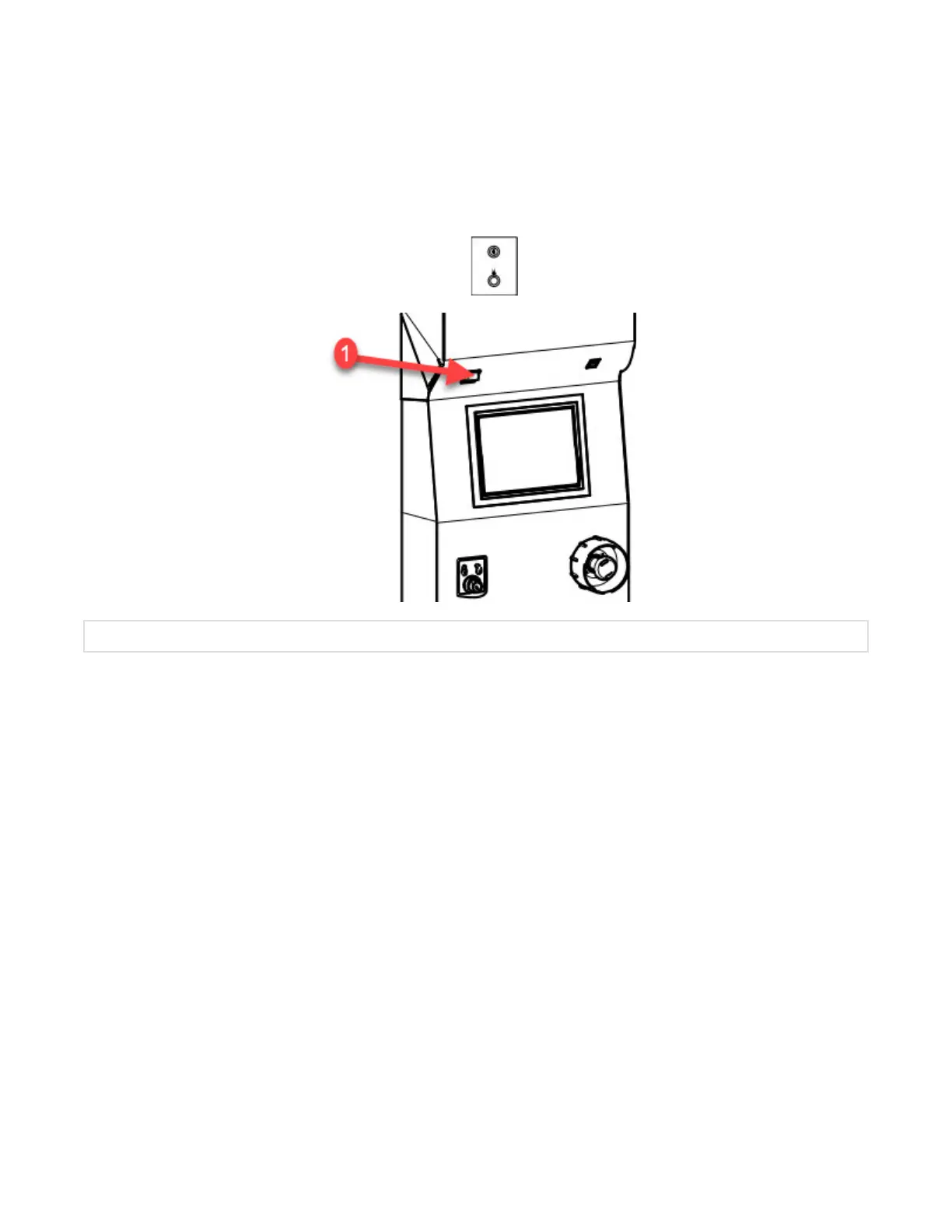
4.16 Power (ON/OFF) Toggle Switch
Press top portion of Power (ON/OFF) toggle switch (located on load side of washer/disinfector) to turn power ON.
Press bottom portion to turn power OFF.
Pressing bottom portion of Power (ON/OFF) toggle switch
turns off control system only.
1. POWER (ON/OFF) Toggle Switch
.
4.17 Printer
The washer/disinfector is equipped with a printer. The printer is located on the unload side of the washer/disinfector.
The printer allows the operator to print cycle data and washer/disinfector malfunction data. Specific information is
printed from the Cycle mode (cycle parameters, alarms), Service mode (washer/disinfector configuration values) and
Supervisor mode (supervisors list, supervisor setup).












 To Next Page