4 — Component Identification
31
Operator Manual
Vision® 1300 Series
920515770_J
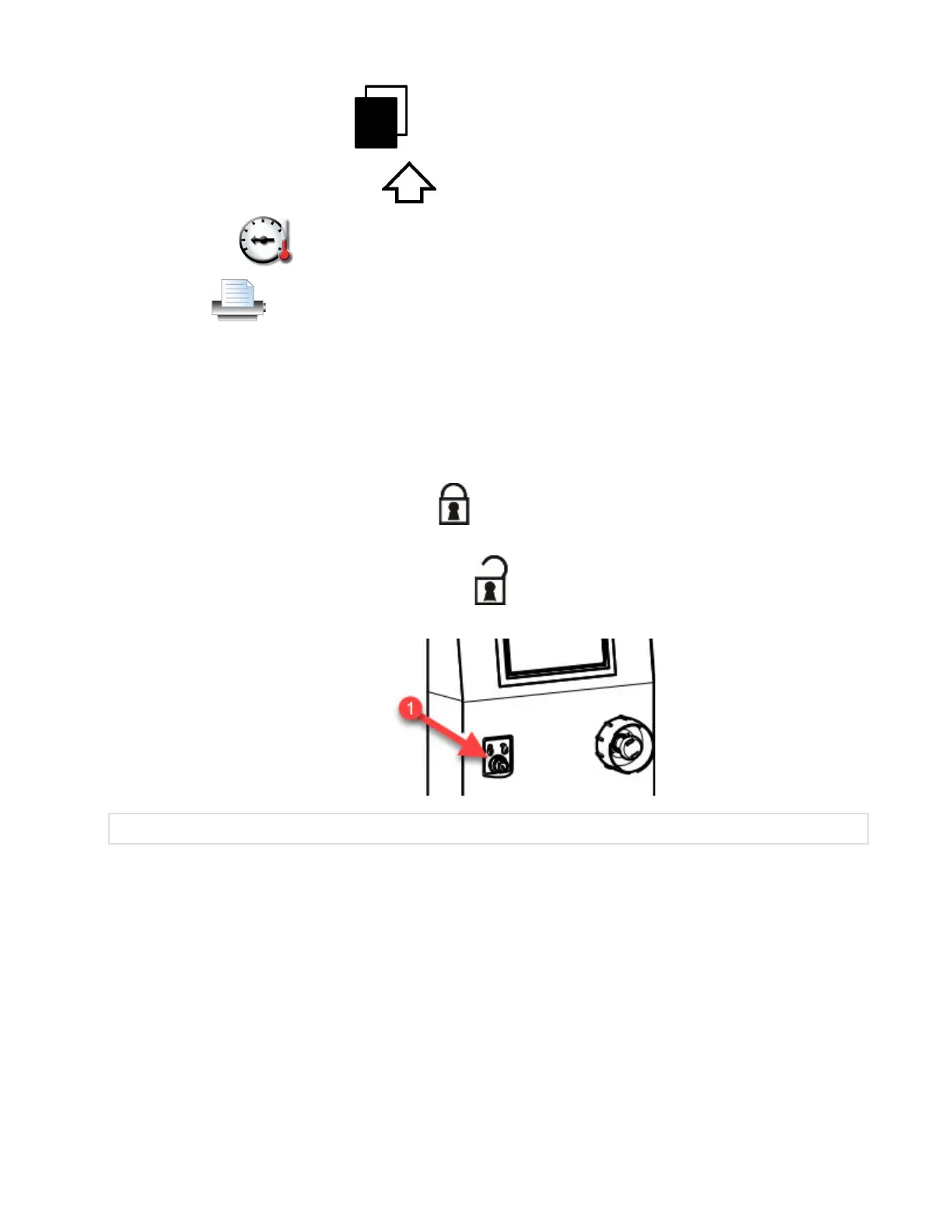
ALT: Used on Keyboard screen. Press Alt on touch screen to set all alternate characters on Keyboard screen.
SHIFT: Used on Keyboard screen. Press Shift
on touch screen to obtain uppercase letters.
DETAILS: Press Details
on touch screen to view current cycle written data of parameters.
PRINT: Press Print
on touch screen to print specific information from the Cycle, Service and Supervisor modes.
4.31 Audible Signal
An audible signal warns the operator that the control has detected a problem and that an action must be taken, that an
action not allowed has been performed or that the cycle is completed.
4.32 Emergency Safety Feature — Lock/Unlock Key Selector
The Lock/Unlock key selector is located under load side and unload side controls and includes two positions:
• LOCK — Use key to turn selector to Lock position
to lock washer/ disinfector for minor maintenance inside
washer/disinfector. Operator cannot start a new cycle or access Supervisor mode, and doors are depressurized.
• UNLOCK — Use key to turn selector to Unlock position
to unlock washer/disinfector and enable
washer/disinfector to function normally, i.e. operate doors, start cycles or enter in Supervisor mode.
1. Lock/Unlock Key Selector
.
4.33 Emergency Safety Feature — Emergency Stop Pushbuttons
Emergency Stop pushbuttons are located under load and unload side controls.
In case of an emergency, press either Emergency Stop pushbutton. Washer/disinfector operation instantly stops, both
doors are de-energized and an alarm is triggered. Doors can then be manually pushed open sideways to access
washer/disinfector chamber.
IMPORTANT: Use the Emergency Stop pushbuttons for emergency situations only. DO NOT use as a Start/Stop button.
Aborting the cycle will return the washer/disinfector in Ready mode faster (refer to Section 5.25, Stopping or Aborting a Cycle).












 To Next Page