5 — Operating Instructions
38
920515770_J
Vision® 1300 Series
Operator Manual
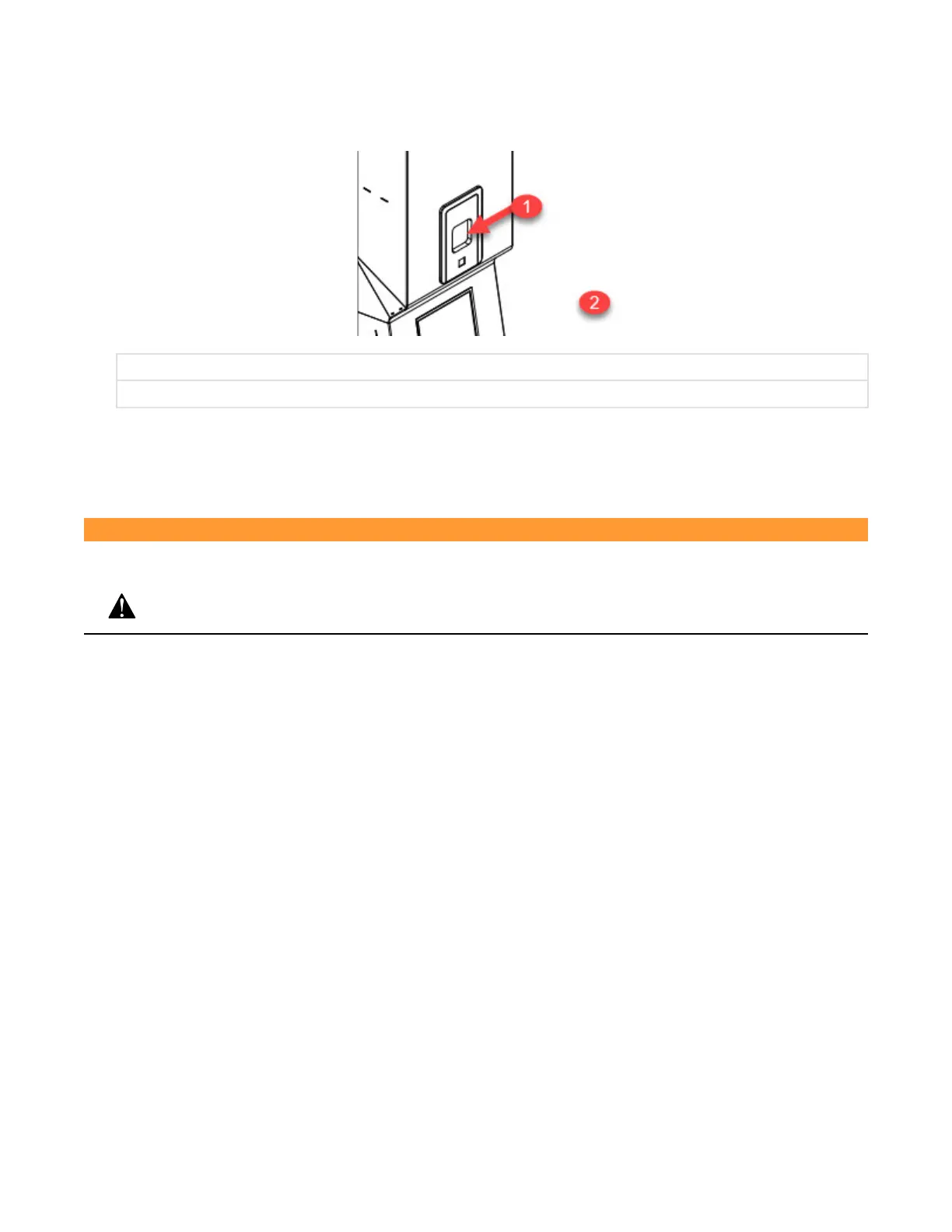
11. Look through printer door and verify there is sufficient paper available. A colored warning stripe is visible when
paper roll is near end. When paper has completely run out, a blue LED lights up in the Paper Feed Button. Refer
to Section 7.8, Changing Printer Paper Roll and Ink Cartridge (Accessory), if paper roll needs to be replaced.
1. Printer Door
2. Unload Side Control Panel
.
NOTE: Do not operate printer without paper.
5.3 Before Operating Washer/Disinfector - Door Operation
WARNING
PERSONAL INJURY HAZARD
Keep hands and fingers away from door or any moving part to prevent crushing.
Load door can only be opened from load side touch screen and unload door can only be opened using unload side touch
screen:
• To open load side door, press Open/Close door on load side touch screen.
NOTE: If unload door is open, operator needs to close unload door to be able to open load door.
• To close load side door, press Open/Close door on load side touch screen.
• To open unload side door, press Open/Close door on unload side touch screen.
NOTE: If load door is open, operator needs to close load door and successfully process a complete cycle to be able
to open unload door. Display shows:












 To Next Page