5 — Operating Instructions
70
920515770_J
Vision® 1300 Series
Operator Manual
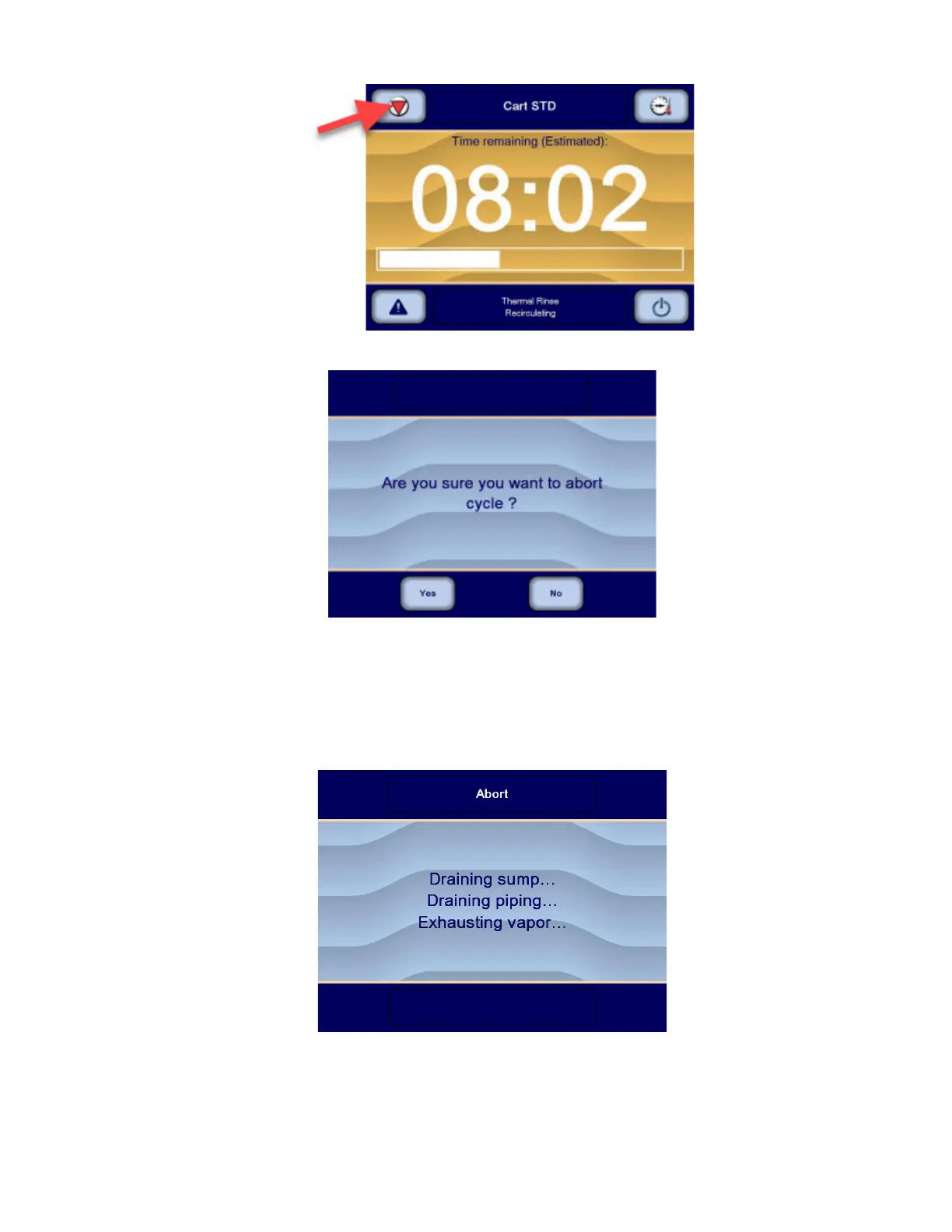
2. Press STOP on touch screen. Display shows:
3. Press No on touch screen to resume cycle. – or –
Press Yes on touch screen to abort cycle.
IMPORTANT: If a cycle is aborted before the Thermal Rinse phase is completed, a supervisor may need to enter login
name and corresponding password to open load door because thermal disinfection was not performed. If password
protection is activated, refer to Section 6.6, Logging in Supervisor Mode.
4. Abort sequence proceeds, display shows:
5. When Abort sequence is completed, display shows:












 To Next Page