18
nanoCell
Thermo Scientific Evolution 200 Series User Guide 285
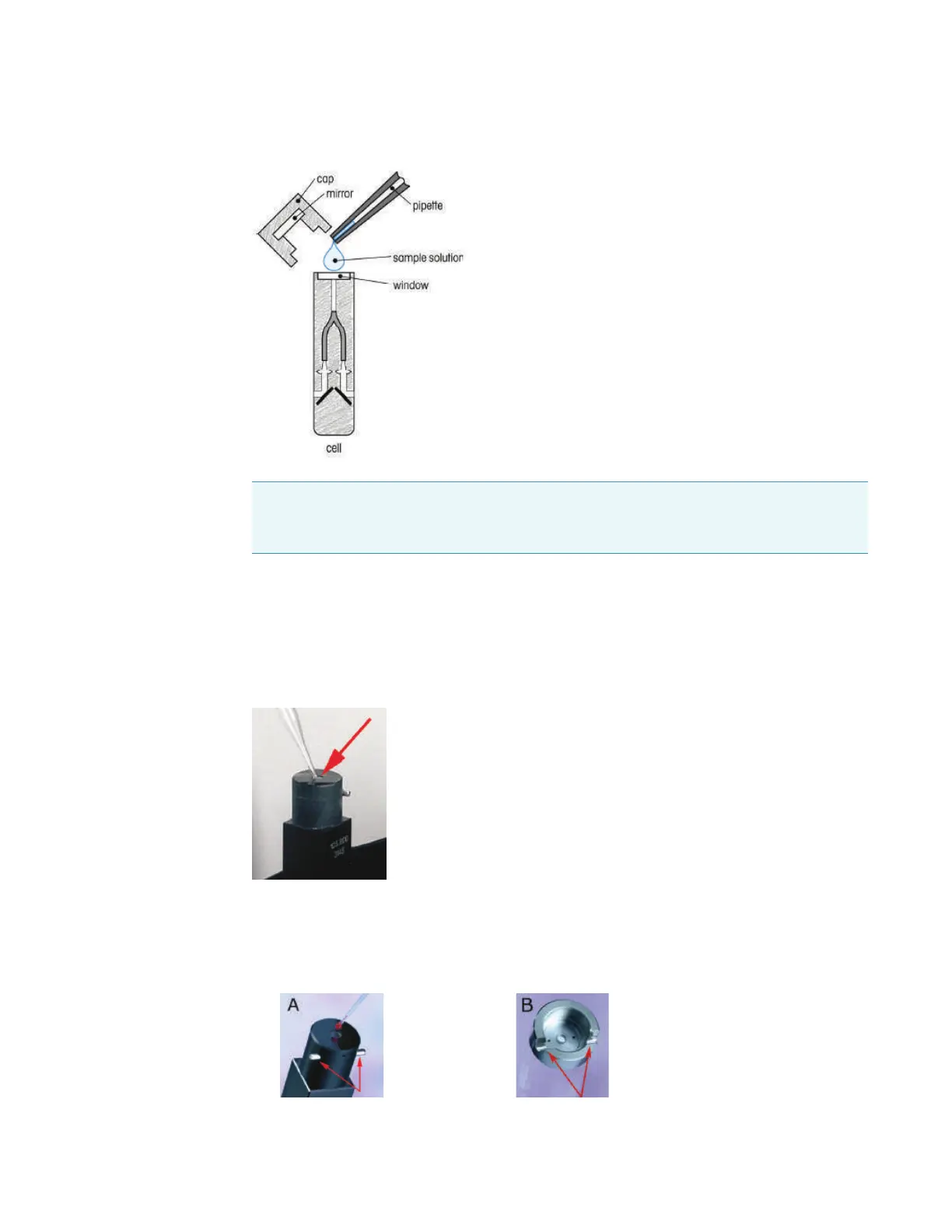
Figure 3. Use a small volume pipette to load samples on the nanoCell.
The sample loading window is slightly recessed (see Figure 4) to help the liquid form a drop
that touches both the sample loading window and the mirror in the lid. Make sure the entire
surface of the sample loading window is covered with liquid and all of the liquid is loaded into
the recessed sample loading window. Do no leave excess liquid on the top of the nanoCell
outside the sample loading window.
Figure 4. Recessed sample loading window at the top of the nanoCell.
Carefully place the appropriate lid on top of the sample loading area so that it sits in each of
the two locator pins near the top of the nanoCell.
Figure 5. (A) Locator pins on the top of the nanoCell used to position the lid.
(B) Locator grooves in the lid.
Note Use a calibrated pipette to deliver liquid to the sample loading area of the nanoCell.
Do not use a standard dropper, transfer pipette, Pasteur pipette, or other large volume
device.









 To Next Page