20
Peltier Thermostatted Single Cell Holder
Thermo Scientific Evolution 200 Series User Guide 323
Related Topics
Configuring a Target Temperature
Displaying the Temperature Status Monitor
Configuring a Target Temperature
Y To configure a target temperature
1. Select Start measurement at target temperature.
2. Enter the Target temperature and To l e r a n c e in °C.
• For a temperature probe.
To start the measurement when the probe reaches the target temperature, set Start on
to Probe temperature and then select the Probe channel. The number of channels
in the list box will match the available ports on the temperature probe interface box.
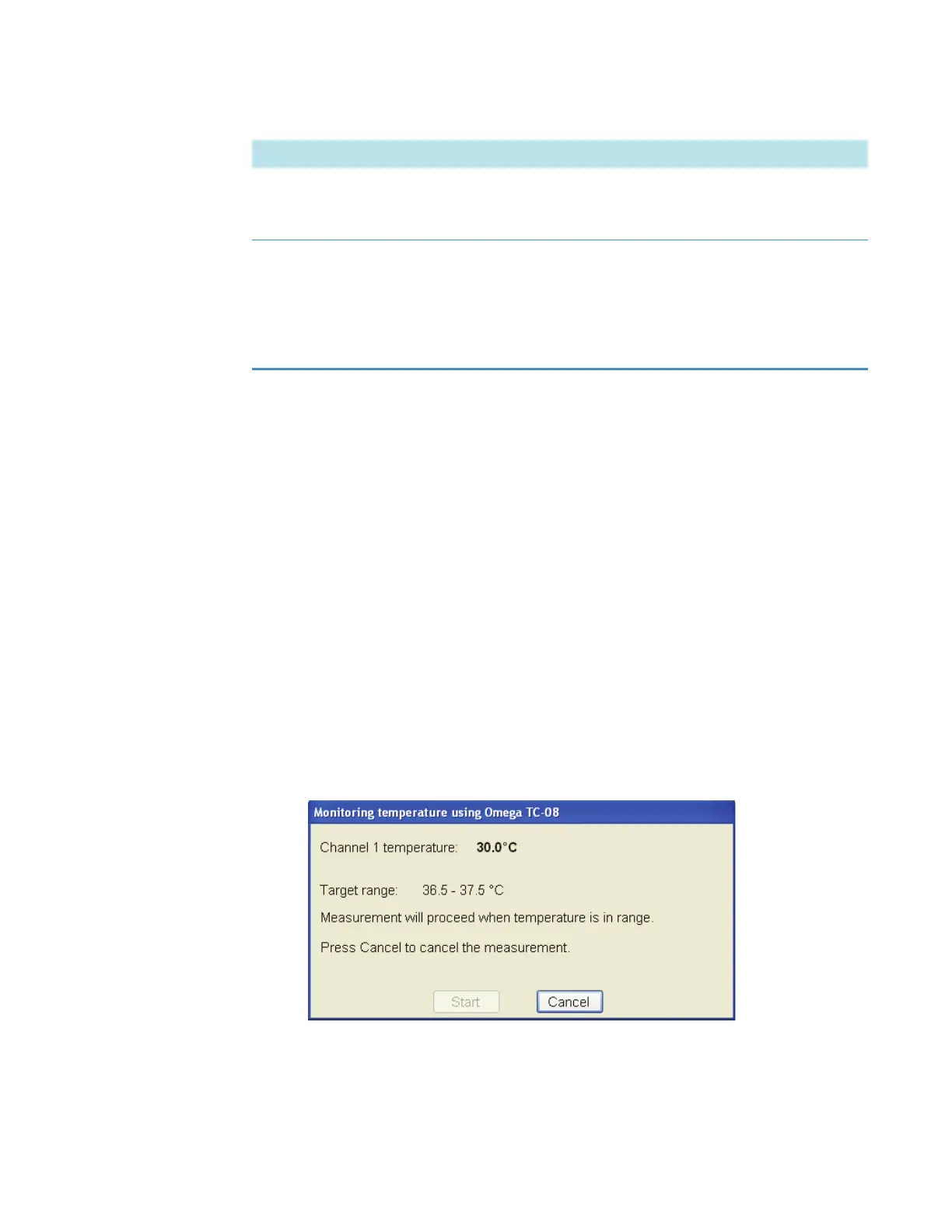
The probe channel, current temperature and target range appear during the
measurement.
• For a temperature-controlled accessory.
To start the measurement when the cell block reaches the target temperature, set
Start on to Block temperature.
Start measurements at target
temperature
Starts the measurement when the sample (requires a tem-
perature probe) or cell block (requires a Peltier cell holder
or changer) reaches a specified temperature.
Match probes to cell changer
positions
If a temperature probe is used, maps probe channels 1
through 8 with up to eight cell changer positions. Useful
only when using an automatic cell changer with multiple
temperature probes.
Deselect this to always record the temperature of probe 1.
Feature Description









 To Next Page