26
SPE-8W Smart Peltier Linear Cell Changer
Thermo Scientific Evolution 200 Series User Guide 375
Related Topics
Changing the Voltage Setting or Fuse
Preinstallation
Changing the Voltage Setting or Fuse
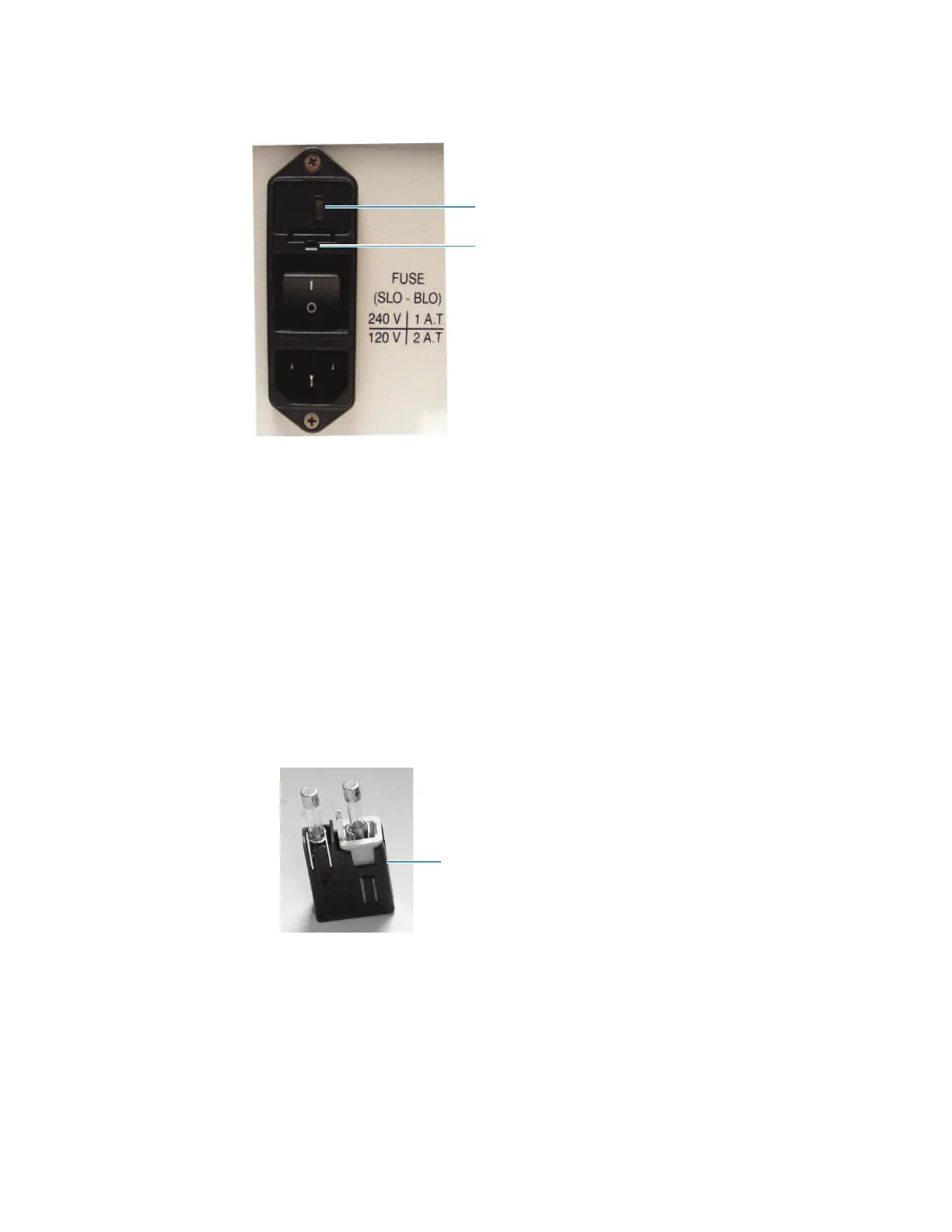
The current voltage setting is shown in the voltage display window above the power switch.
Y To change the voltage setting or fuse
4. Turn off the Peltier unit and disconnect the power cord from the wall outlet.
5. Use a small screwdriver to pry the fuse drawer out of the fuse compartment by pulling the
tab up and away from the drawer.
6. To change the voltage setting, remove the voltage selector cube from the drawer and
carefully remove the fuse from the cube.
Voltage display window
Fuse drawer tab









 To Next Page