26
SPE-8W Smart Peltier Linear Cell Changer
378 Evolution 200 Series User Guide Thermo Scientific
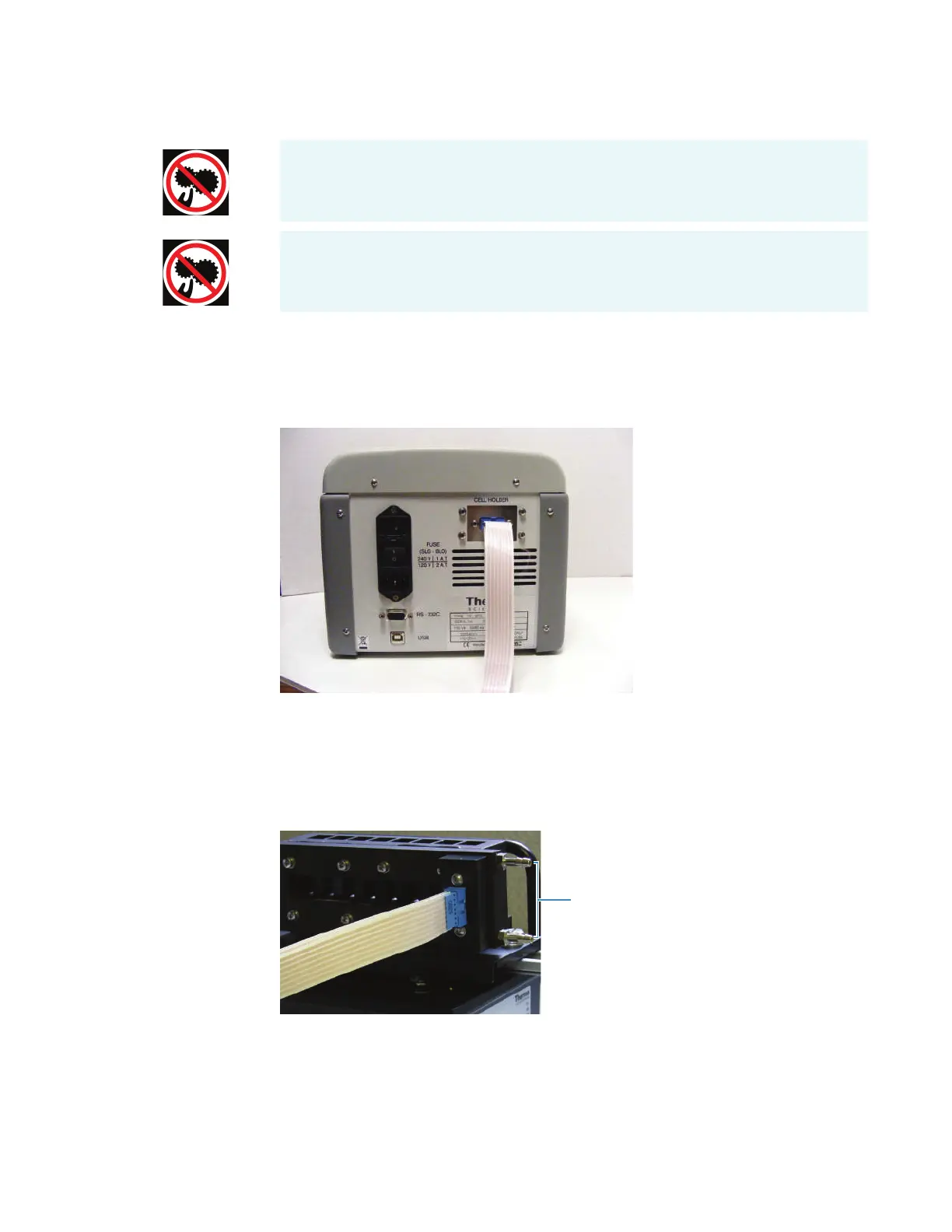
7. Feed the other end of the cable through the opening behind the tubing access panel. See
Tubing Access Panel.
8. Connect the free end of the cable to the Cell Holder socket on the back of the
temperature controller.
9. Use appropriate tubing and the provided adapters to connect the two fluid ports on the
cell holder to a water pump or fluid recirculator. See Installing a Liquid Thermostatted
Accessory.
Ensure the tubing and cable do not obstruct the light beam. Use the provided clips if
necessary and test all cell changer positions.
10. Replace the sample compartment front panel. See Sample Compartment Front Panel.
11. Close the sample compartment cover.
12. Turn on the power switch on the controller back panel.
CAUTELA Evitare il rischio di pizzicamento. Tenere mani e oggetti lontano
dall’accessorio durante l’inizializzazione.
PRECAUCIÓN Evite riesgos de atrapamiento. Mantenga manos y objetos lejos del
alcance del accesorio durante la inicialización.









 To Next Page