Example 1: Standard CW Power Measurements Measurement Examples
7-4 PN: 10585-00001 Rev. P ML2437A/38A OM/PM
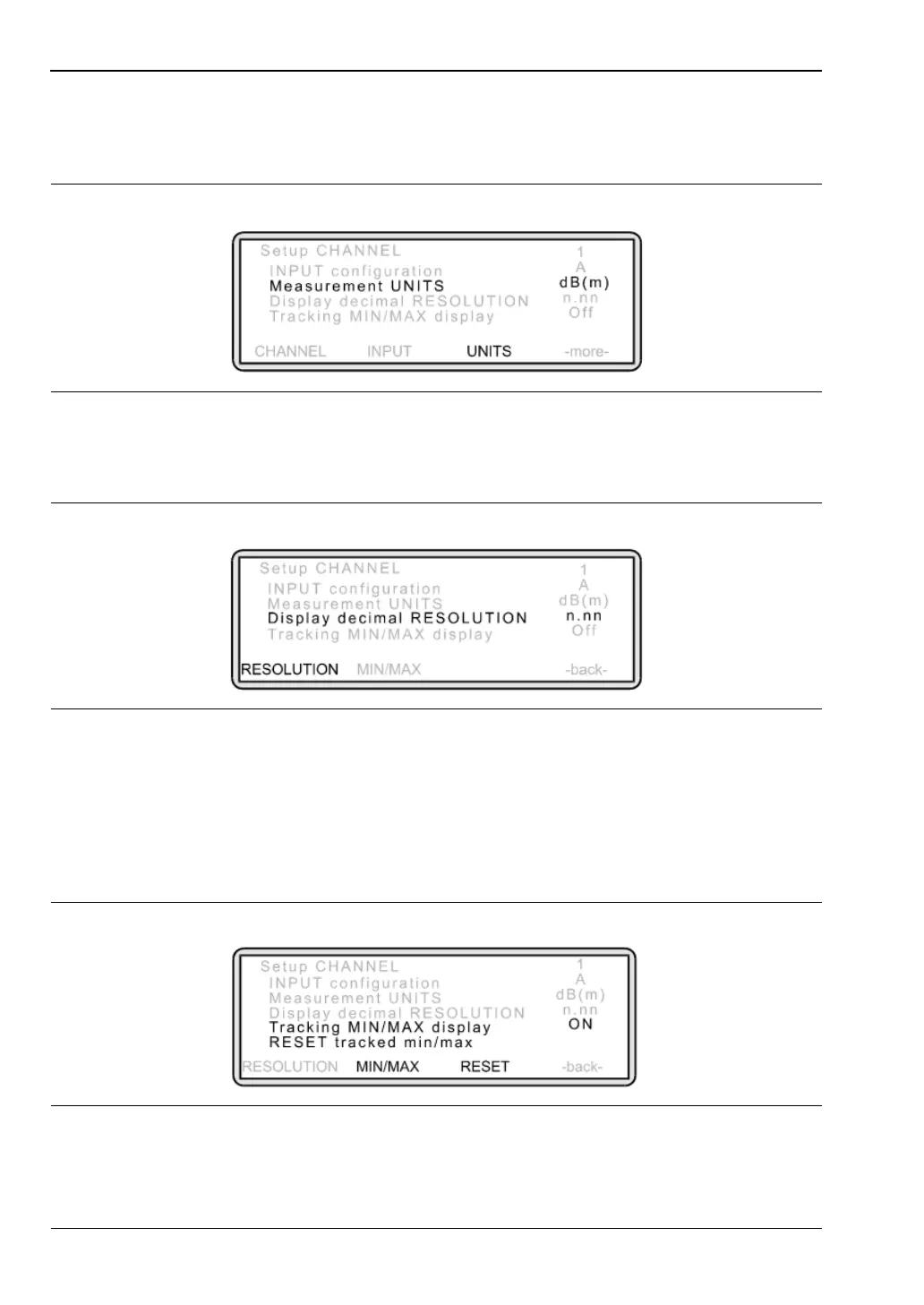
To change the display units, press [UNITS] and toggle the setting by repeatedly
pressing the soft key until the measurement unit you require is displayed. Available
units are; dBm, W, dBmV and dBmV.
To change the resolution, press [-more-] to display further soft keys and then press
[RESOLUTION]. Toggle this setting until the resolution you require is displayed.
7. Keeping track of minimum and maximum measurements.
You may have a requirement to track a device’s highest and lowest power
measurements over time. Press [Channel]
> [Setup].
The Channel Set Up screen is displayed. Press [-more-] to display further soft keys.
Press [MIN/MAX]. The display changes to:
Figure 7-5.
Figure 7-6.
Figure 7-7.












 To Next Page