Measurement Examples Example 1: Standard CW Power Measurements
ML2437A/38A OM/PM PN: 10585-00001 Rev. P 7-3
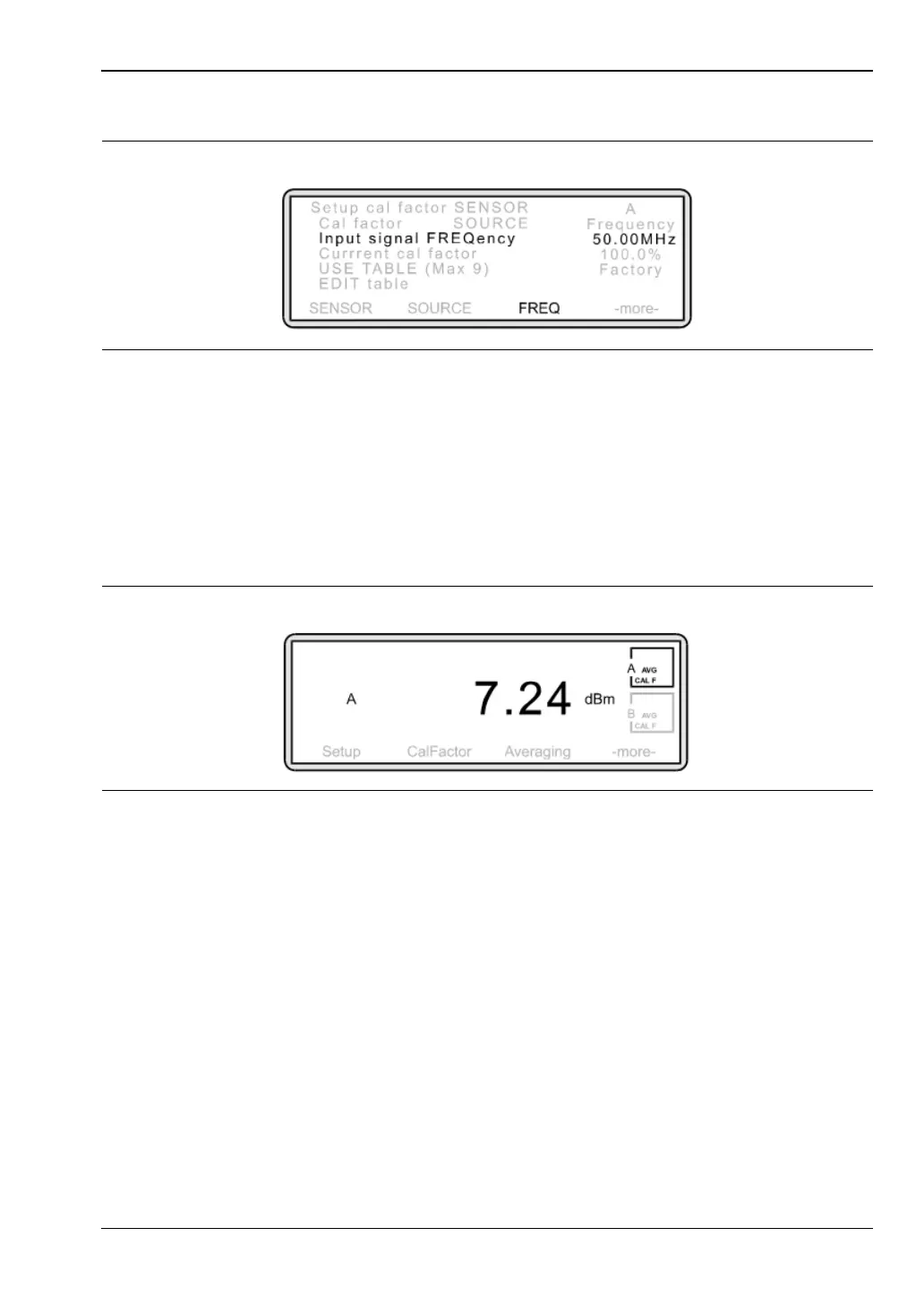
The following screen is displayed.
Some text on the screen appears in upper case. This indicates which soft key to select to
change the item’s setting. For example, to change the Input signal FREQuency, press
the FREQ soft key.
Press [FREQ] and using the keypad, input the Input Signal Frequency of the device
under test. The soft keys at the bottom of the screen will now change.
Depending on the frequency type, press [GHz.Entr] or [MHz.Entr]. To return to the
Measurement screen, press any hard key.
You are now measuring power. Your Measurement screen should now look something
like this:
However, you may wish to modify the measurement in the following ways:
Changing the way measurement units and decimal resolution are displayed on the
screen.
The default setting for the ML2430A is to display units in dB[m] and resolution to two
decimal places. To change this, press [Channel]
> [Setup].
Figure 7-3.
Figure 7-4.












 To Next Page