TransceiverTransceiver
FollowsFollows
TCMTCM
SDH/SONETSDH/SONET
switchingswitching
SOH EditorSOH Editor
Displays the Transceiver information when the option except "Electrical" is
selected to the transmitter.
55..11..11..22 SDH Frame SetupSDH Frame Setup
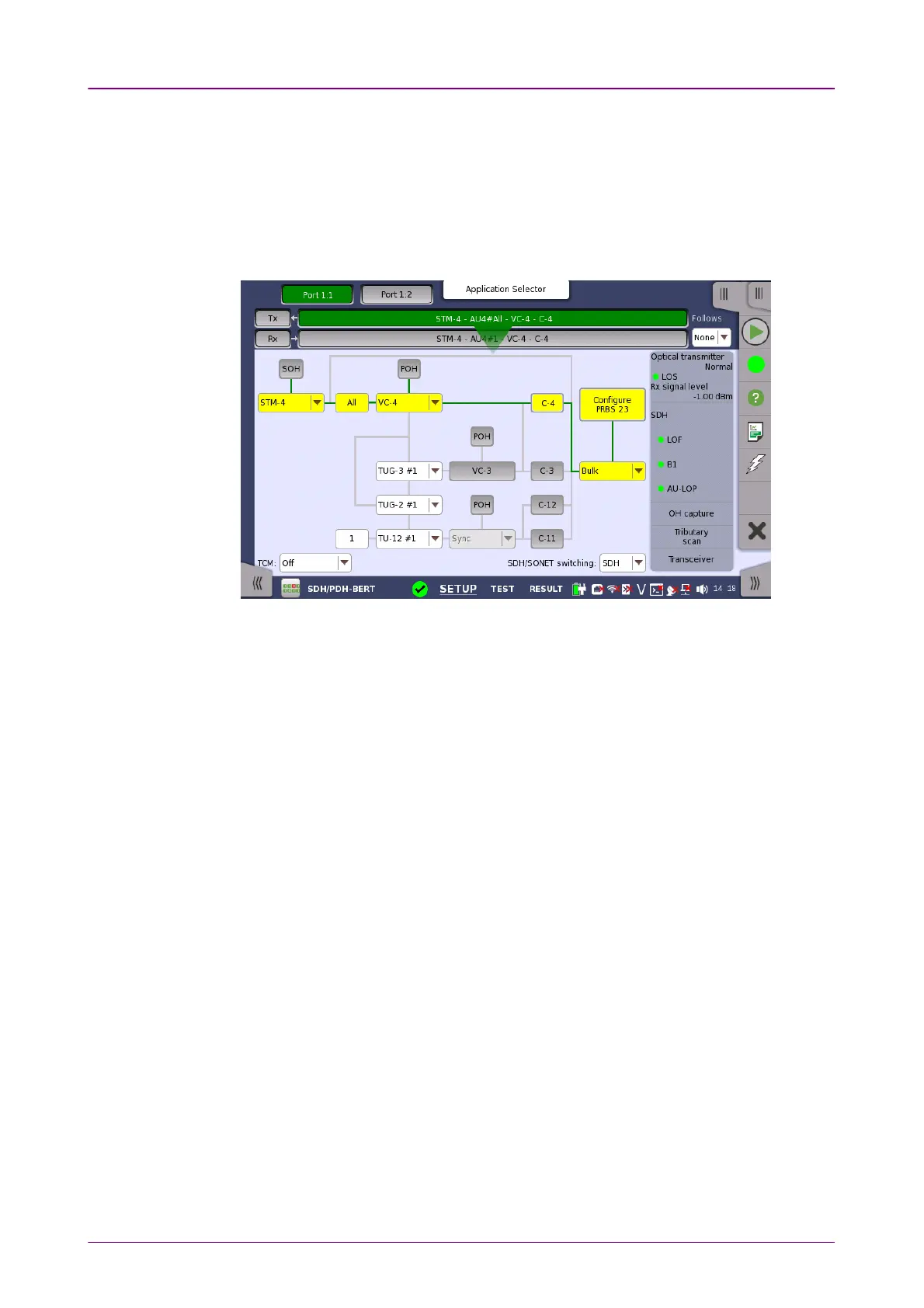
Touching the navigation area button which represents the transmitter's SDH
layer will launch the following screen.
The general principle in setting up the SDH frame is to select the relevant
values for the various containers in the multiplexing structure. This is done
either via a drop-down menu or via a launched dialog box, by touching a drop-
down menu or a button in the frame structure diagram.
Note that the currently 'active path' in the structure is highlighted. Note also
that the changes you make will be reflected in the text displayed in the STM-xxSTM-xx
button in the navigation area, if relevant.
To make the Port 2 transmitter follow the Port 1 transmitter (i.e. copy its
settings), touch the right-most button in the navigation area and select the Tx1Tx1
in the drop-down menu. The Port 2 settings continue to follow the Port 1
transmitter change. The default setting is NoneNone. Note that the Port 1 transmitter
cannot follow the Port 2 transmitter.
Select the
TCM
(Tandem Connection Monitoring). The available TCM is
decided by multiplex structure. If you select other TCM, the multiplex structure
on the setup area will be changed.
The possible settings are:
OffOff
N1 (VC-4)N1 (VC-4)
N1 (VC-3)N1 (VC-3)
N2 (VC-12/11)N2 (VC-12/11)
Allows you to switch between SDH and SONET.
You can configure the section overhead (SOH) in a special dialog box (SOHSOH
EditorEditor), which is launched when you touch the SOHSOH button.














 To Next Page