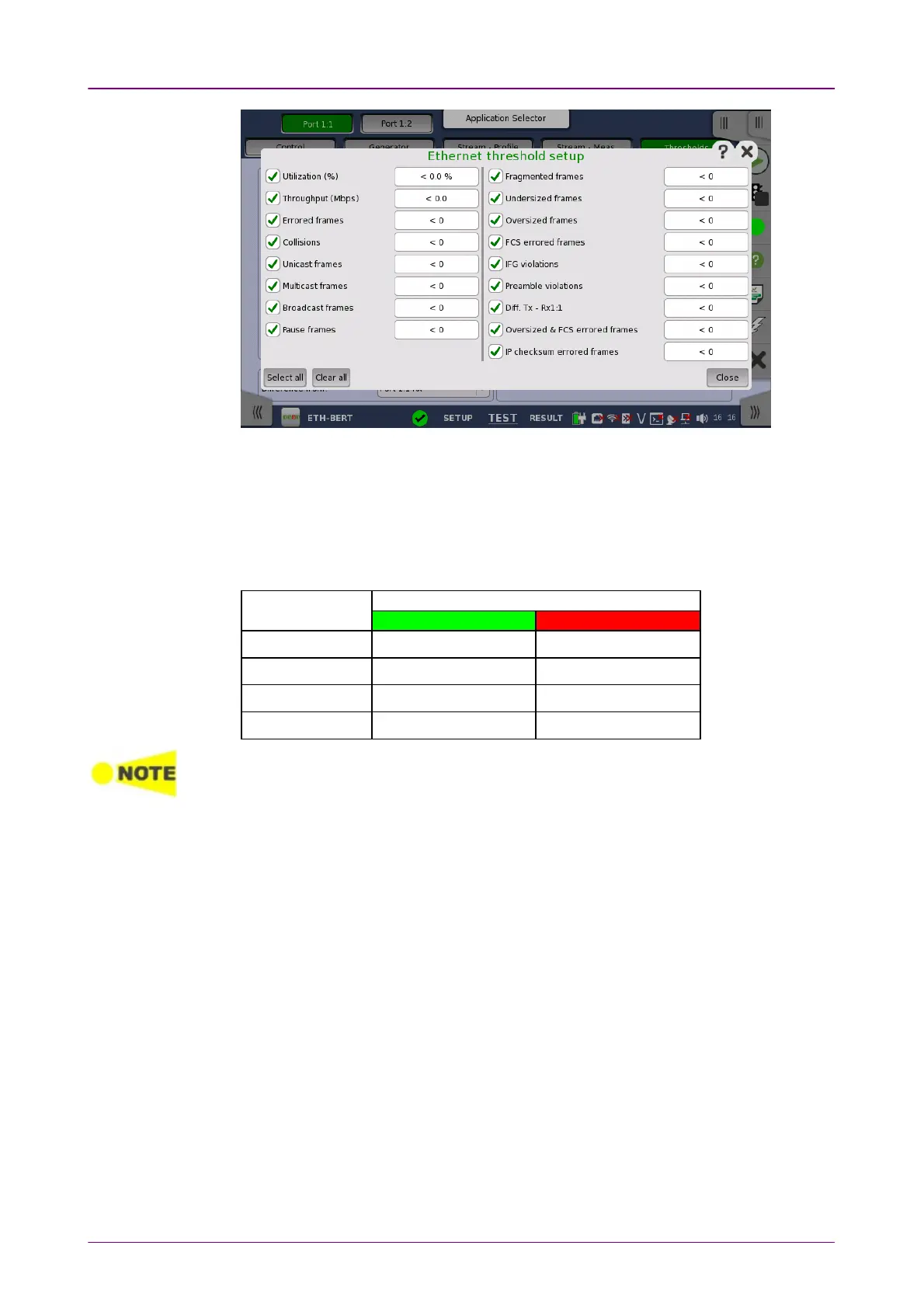
In the dialog box, select the check boxes for the relevant thresholds and then
touch the CloseClose button to list them on the ThresholdsThresholds screen. You can
select/deselect all check boxes in the dialog box by using the Select allSelect all / ClearClear
allall buttons. Touch the individual value fields either in the dialog box or in the
list on the screen to specify the threshold values.
Example
SettingSetting
Measured ResultMeasured Result
PassPass FailFail
< 100 100 or greater less than 100
<= 100 greater than 100 100 or less
>= 100 less than 100 100 or greater
> 100 100 or less greater than 100
The Network Master transmits the 32-bit "jam sequence" eight times when the Ethernet
frames collide at any point in the frame. This collision motion is different from the
definition of the IEEE Standard.
In the "back off" process of the Network Master, the maximum wait time is expanded up
to the 12 power of 2. Moreover, the Network Master does not discard the frame when
the collision has occurred 16 times.
66..22..33 Test ResultsTest Results
66..22..33..11 SummarySummary
When you go to the test results of the Ethernet BERT application, the following
screen is displayed.














 To Next Page