In general, a keypad consists of the character/number keys, a display field
showing the current text/number entry, various editing-related keys. For
number entries, the minimum and maximum values allowed are also shown.
When you launch a keypad from a field, the current field value is shown in the
keypad's display field.
Touch OkOk to accept the new entry and close the keypad.
To close the keypad without accepting the change, touch CancelCancel or touch the
"X" symbol in the upper right-hand corner of the keypad.
44..11..66 User Pattern EditorUser Pattern Editor
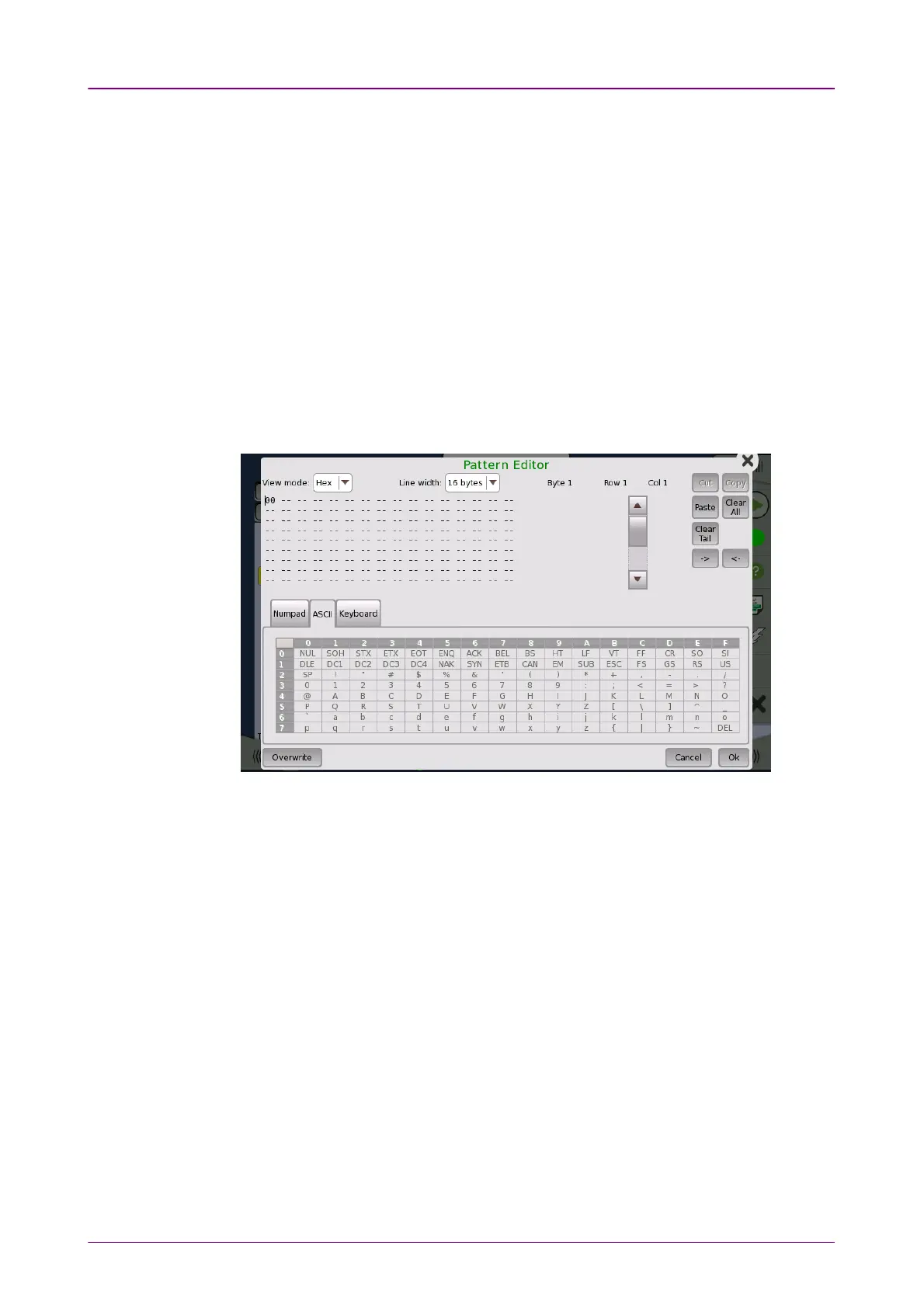
The 32-bits and 2048-bits user patterns are specified using the Pattern EditorPattern Editor.
You can view the pattern in either Hexadecimal, Binary or ASCII format and
use either a numpad, an ASCII table or a keyboard to set it up.
You use the numpad to edit the pattern in the
Hex
and
Bin
view modes, and
use either the ASCII table or the keyboard to edit in
ASCII
view mode.
For 2048-bits user patterns, you can use the Line WidthLine Width drop-down menu to
specify how the pattern is displayed. The available values are: 22, 44, 88, 1616, 3232,
64 bytes64 bytes.
44..11..77 Prompts to Confirm DependenciesPrompts to Confirm Dependencies
When a parameter change spawns changes elsewhere because of
dependencies, you are prompted to accept or reject the change(s). A ConfirmConfirm
DependenciesDependencies dialog box is displayed, with information about the dependency-
related changes.














 To Next Page