66..1212..33 Test ResultsTest Results
66..1212..33..11 SummarySummary
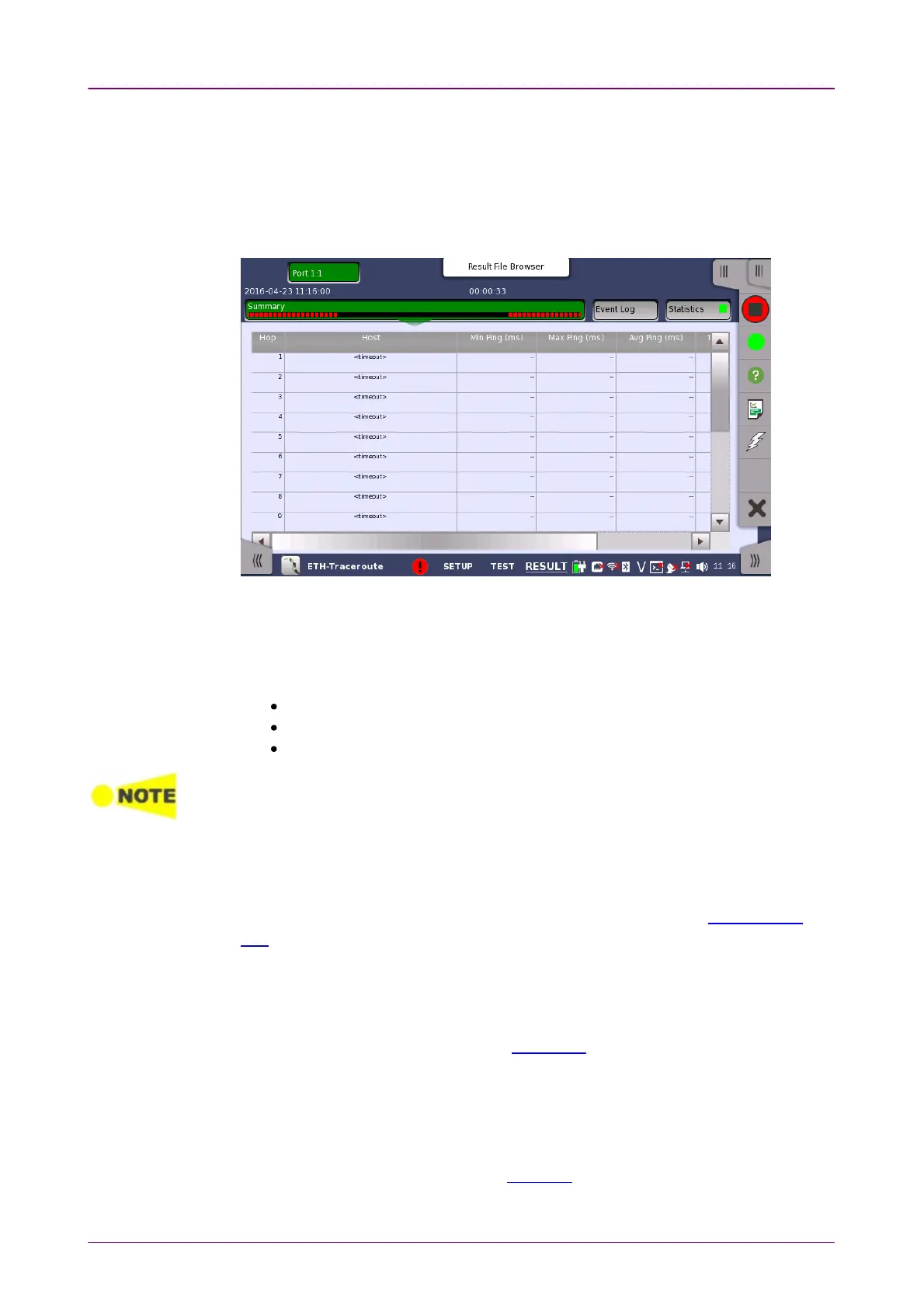
When you go to the test results of the Ethernet Traceroute test, the following
screen is displayed.
This screen shows the status/results of a running Traceroute test, or the results
of the most recently completed test.
Each row in the table represents a hop in the chain of host servers of the
traceroute. For each hop/host the following information is shown:
The IP address of the host
The Min., Max. and Average ping RTTs
The number of ping timeouts during the determination of the RTT
In the results table for a successfully completed test, the last row will represent the
destination of the traceroute.
66..1212..33..22 IEEE1588v2 LogIEEE1588v2 Log
If Ext. logExt. log is selected in IEEE1588v2 screen of Ethernet Frame Setup, the
IEEE1588v2 LogIEEE1588v2 Log button appears in the navigation area. Refer to IEEE1588v2
Log in "BERT" for the operation.
66..1212..33..33 Event LogEvent Log
Touching the Event LogEvent Log button in the navigation area displays the screen
providing the event log data. Refer to Event Log of SDH/SONET/PDH/DSn
BERT application.
66..1212..33..44 StatisticsStatistics
Touching the StatisticsStatistics button in the navigation area displays the screen
providing the statistics data. Refer to Statistics of BERT for the operation.














 To Next Page