Test DurationTest Duration
ThresholdThreshold
TrafficTraffic
66..77 PingPing
The Ethernet Ping test is a quick and easy way for testing, troubleshooting and
verification of connectivity and latency. Packets are sent from the source address to
the destination address and back again - allowing the user to determine whether
traffic is possible.
66..77..11 Ports Setup and StatusPorts Setup and Status
The first step in running an application is to set up the port interfaces. This is
done on the Ports SetupPorts Setup screen, which also provides port status information.
The setup options and status information related to the Ethernet interface are
described in a separate section:
Ethernet Setup and Status
66..77..22 Test SetupTest Setup
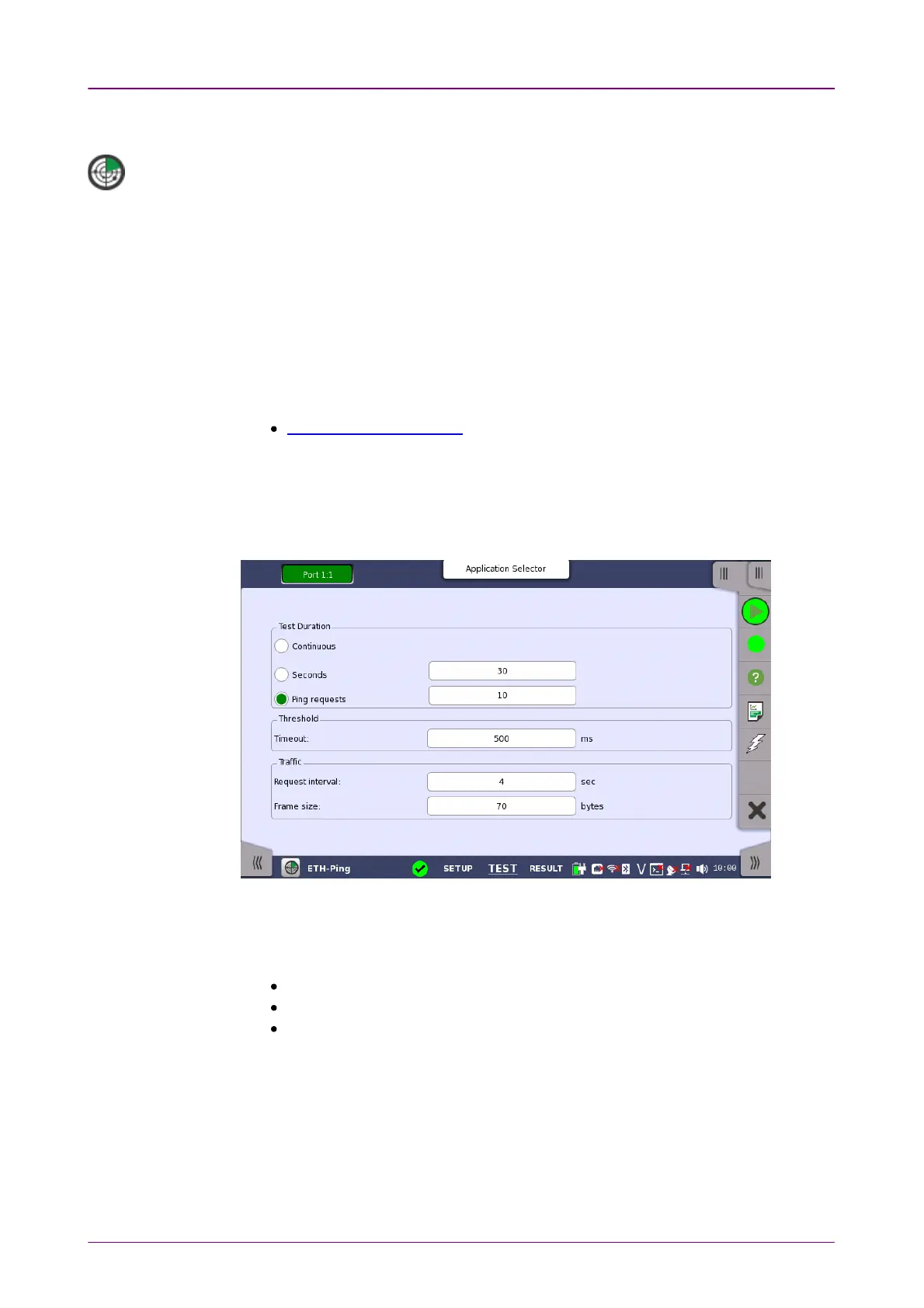
When you go to the test setup of the Ethernet Ping application, the following
screen is displayed.
This screen allows you to configure the Ping test conditions for the currently
selected port.
Allows you to define the test duration in one of three ways:
ContinuousContinuous - Used when a
persistent Ping test
is needed.
SecondsSeconds - Used to define the test duration in
seconds
.
Ping requestsPing requests - Used to define the test duration in
number of ping requests
.
Allows you to specify the TimeoutTimeout threshold value in milliseconds (ms).
Request intervalRequest interval
Allows you to specify the interval between frames in seconds.
Frame sizeFrame size
Allows you to specify the frame size in bytes.














 To Next Page