Test DirectionsTest Directions
GraphicalGraphical
presentationpresentation
Touch the fields to set a text string that identifies the application on the port
number (for reporting purposes only). For example, HTTP, POP3, etc.
66..1010..33 Test ResultsTest Results
Local -> Remote
Remote -> Local
Local -> Remote of Both Directions
Remote -> Local of Both Directions
The results of the performed RFC 6349 tests can be presented in either tabular
form or as graphical representations. The graphical presentation mode provides
an overview of the results and the progress of the test.
66..1010..33..11 SummarySummary
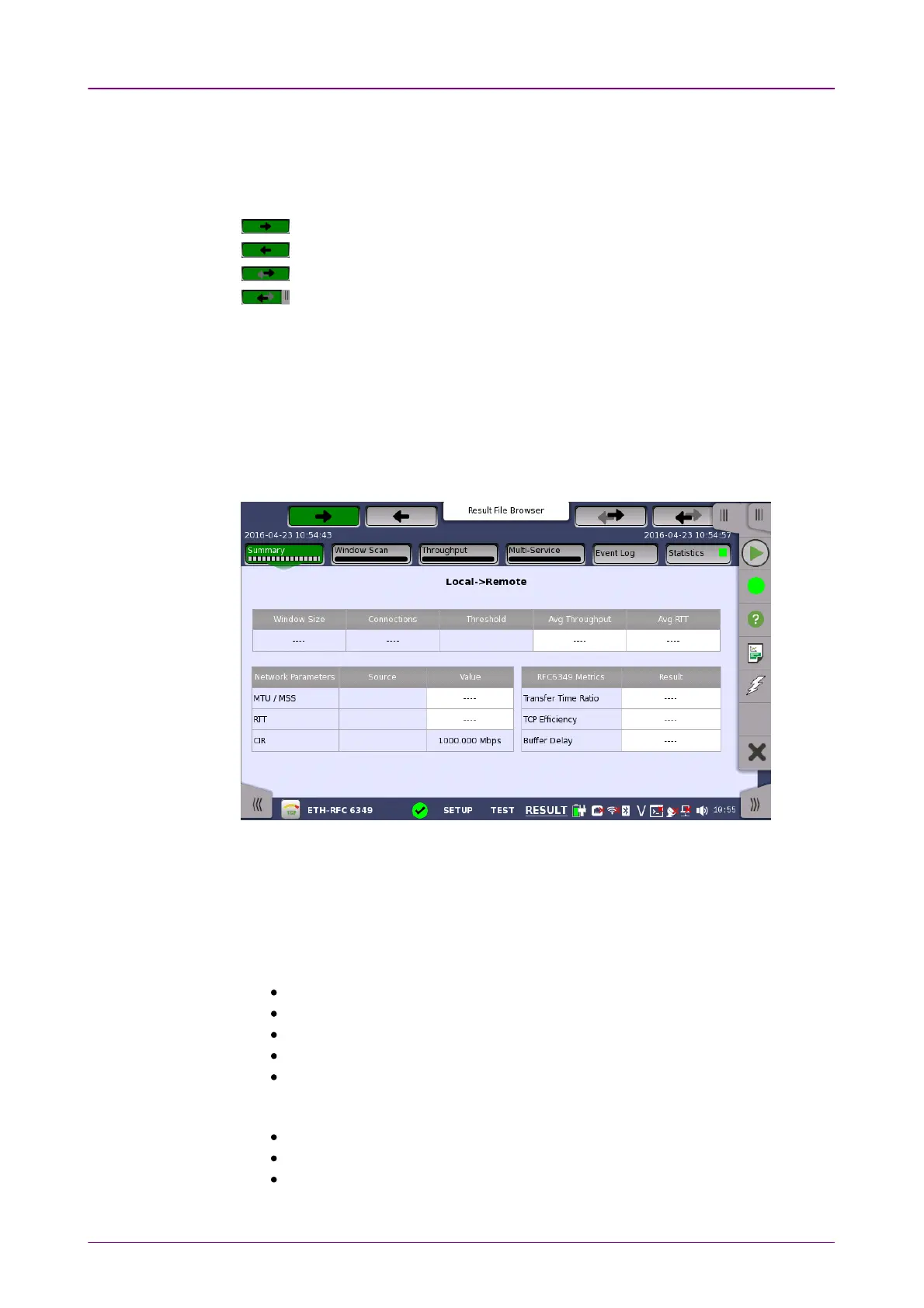
When you go to the test results of the Ethernet RFC 6349 application, the
following screen is displayed.
This screen presents the summary of current measurement values.
Local -> RemoteLocal -> Remote: Shows the results of Upstream (Local to Remote) test.
Remote -> LocalRemote -> Local: Shows the results of Downstream (Remote to Local) test.
The measurement results are displayed in white cells.
Throughput and RTTThroughput and RTT
Window SizeWindow Size: The window size used for the step.
ConnectionsConnections: The number of TCP connections.
ThresholdThreshold: The threshold of the throughput.
Avg ThroughputAvg Throughput: The average value of measured Throughputs.
Avg RTTAvg RTT: The average value of measured RTT.
Network ParametersNetwork Parameters
MTU / MSSMTU / MSS: Maximum Transmission Unit / Maximum Segment Size
RTTRTT: Round Trip Time
CIRCIR: Committed Information Rate














 To Next Page